
 All vikis
 007 First Light
 AI
 Aion 2
 Ananta
 ARC Raiders
 ArcheAge Chronicles
 Call of Duty: Modern Warfare 4
 ChatGPT
 Chrono Odyssey
 Civilization 3
 Civilization 4
 Claude
 Crimson Desert
 Deadlock
 Diablo 4
 Diablo 5
 Enshrouded
 Fable
 Final Fantasy Resonance
 Football Manager 27
 Forza Horizon 6
 God of War
 Grand Theft Auto 6
 Heroes of Might and Magic 3
2-Step Verification
YouTube requires 2-Step Verification on the Google Account of every channel in the YouTube Partner Program (to use YouTube Studio since Nov 1, 2021) and of every channel applying for the verification badge; YouTube recommends a passkey as the second step because it resists phishing best.
To turn on 2-Step Verification (2SV) for a YouTube channel, turn it on for the Google Account that owns the channel: open myaccount.google.com, choose Security & sign-in, and under How you sign in to Google select Turn on 2-Step Verification (Turn on 2-Step Verification). YouTube requires it for every channel in the YouTube Partner Program (YPP overview), has required it to use YouTube Studio for monetizing creators since Nov 1, 2021, and requires it to apply for the Verification Badge. YouTube's own advice is to make the second step a passkey, the strongest protection against phishing (Secure your YouTube channel).
Quick facts
| Where it is set | The Google Account, not YouTube |
| Required for | YouTube Partner Program, verification badge applications |
| Studio for monetizing creators | Required since Nov 1, 2021 |
| YouTube's recommended method | Passkey |
| New 2SV phone number | Up to 7 days before Google trusts it |
| Check your security | Security Checkup |
Sources: Secure your YouTube channel, YouTube Partner Program overview and eligibility and Verification badges on channels, YouTube Help; Turn on 2-Step Verification, Google Account Help.
Where does YouTube require 2-Step Verification?
- YouTube Partner Program: 2SV turned on is one of the requirements every member must meet, alongside the subscriber and watch hour thresholds (YPP overview).
- YouTube Studio for monetizing channels: from Nov 1, 2021, YouTube required creators in the Partner Program to have 2SV on to get into Studio, announced by @TeamYouTube on Aug 23, 2021; creators outside the program can still use YouTube and upload without it (9to5Google, Aug 24, 2021). George Vanous, who runs the Freedom! network, welcomed it in his notes: Studio will not let a monetizing channel in without 2SV.
- Verification badge: a channel with 100,000 subscribers sees Turn on 2-step verification instead of Apply until it is on.
- Content Manager: George's notes record networks being told in Oct 2018 that everyone invited to a network's Content Manager must use 2SV or lose access, and YouTube removing accounts without it.
Anyone else with access to a monetizing channel should turn it on too: a manager's account is as good a way in for a hacker as the owner's.
How do I turn on 2-Step Verification for YouTube?
- Sign in with the Google Account that owns the channel (for a Brand Account channel, your own account that manages it).
- Open myaccount.google.com and choose Security & sign-in.
- Under How you sign in to Google, select Turn on 2-Step Verification. The direct address is myaccount.google.com/signinoptions/two-step-verification.
- Follow the steps and add at least one second step, ideally a passkey.
- Add backup methods: Google prompts on your phone, an authenticator app, and printed backup codes kept somewhere safe.
YouTube Creators' May 7, 2020 setup video walks through the same steps in the older Google Account menus: 2-Step Verification, Get started, a sign-in prompt sent to your phone and answered with Yes, a backup text or call option, then Turn on. The menu names have changed since, but the order is the same.
If YouTube Studio still asks for 2SV afterwards, YouTube Help notes systems can take a few days to catch up, at least for the badge application; check you are signed in with the right account.
Which second step is safest?
YouTube's security page ranks them, strongest first (Secure your YouTube channel):
| Method | What it is | YouTube's view |
|---|---|---|
| Passkey | Fingerprint, face scan or screen lock on your device | Strongest against phishing |
| Security key | A physical key you plug in or tap | Strong against phishing |
| Google prompts | A Yes or No notification on your phone | Safer than codes |
| Google Authenticator | An app making one-time codes | Works offline |
| Text or call codes | Codes sent to your phone number | Less secure |
| Backup codes | Printed one-time codes | Less secure; for emergencies |
Phishing pages can trick you into typing a code, but a passkey or security key only works on Google's real sign-in, which is why YouTube recommends them. Google adds that prompts also help against SIM swap attacks, and that a new 2SV phone number can take up to 7 days to be trusted.
Beyond 2-Step Verification
YouTube's channel security advice has three parts (Secure your YouTube channel): protect devices against malware (Chrome's Enhanced Safe Browsing and antivirus software), turn on 2SV with a passkey, and add recovery options, a recovery phone and email, so you can get back in if locked out. Run Google's Security Checkup for advice tailored to your account. Share channel access only through Channel Permissions, never by sharing a password.
George Vanous's notes add a 2023 warning: Google may delete accounts that have not been used for at least 2 years, with their YouTube channels, so sign in to every Google Account that owns a channel now and then.
If 2SV came too late, see Hacked Channel Recovery.
Frequently asked questions
Does YouTube require 2-Step Verification? For channels in the YouTube Partner Program, yes: 2-Step Verification on the Google Account is a program requirement and has been needed to use YouTube Studio since Nov 1, 2021. Viewers and creators outside the program are not required to use it.
Why does YouTube Studio ask me to turn on 2-Step Verification? Your channel is in the YouTube Partner Program, or you are applying for the verification badge, and both require 2-Step Verification on the Google Account that owns the channel.
What is the best 2-Step Verification method for YouTube? A passkey. YouTube's security guide calls passkeys the strongest protection against phishing, followed by physical security keys and Google prompts; text message codes are the weakest.
I turned on 2-Step Verification but YouTube still says it's off. What now? Make sure you turned it on for the Google Account that owns or manages the channel, then wait: YouTube Help says its systems can take a few days to update.
Can I turn off 2-Step Verification on a monetized YouTube channel? The switch is in your Google Account, but a channel in the YouTube Partner Program would then stop meeting a program requirement and, under YouTube's 2021 rule, lose access to YouTube Studio.
Sources
- Secure your YouTube channel, YouTube Help, read Nov 6, 2026
- YouTube Partner Program overview and eligibility, YouTube Help, read Nov 6, 2026
- Verification badges on channels, YouTube Help, read Nov 6, 2026
- Turn on 2-Step Verification, Google Account Help, read Nov 6, 2026
- Secure Your YouTube Account with 2-Step Verification, YouTube Creators, May 7, 2020 (video)
- Inactive Google Account policy, Google Account Help
- YouTube will force creators to use 2-step verification on Google accounts starting this year, 9to5Google, Aug 24, 2021
Moments
Secure Your YouTube Account with 2-Step Verification
YouTube Creators
Related
-
 Content IDContent ID is YouTube's automatic copyright system, which scans every upload against reference files from rights holders and places a claim on a match that blocks, monetizes or tracks the video. A claim is not a strike, and only owners of exclusive rights to a large body of often-uploaded material qualify to use it.
-
 Copyright StrikesA YouTube copyright strike comes when a video is removed after a legal takedown request. It expires after 90 days once you complete Copyright School, and three active strikes put the channel up for termination.
-
Counter NotificationsA YouTube counter notification is the legal request to restore a video removed for copyright by mistake or misidentification. The claimant gets 10 US business days to show they have sued; if not, YouTube puts the video back.
-
Disputing Copyright ClaimsTo dispute a Content ID claim on YouTube, open YouTube Studio > Content, hover over Claims, click See details, then Take action > Dispute. Dispute within 5 days of the claim and the video's revenue is held for whoever wins.
-
 Fair Use on YouTubeFair use is a US legal defense judged on four factors: purpose, the nature of the work, how much is used and the effect on its market. YouTube says it cannot decide fair use; only courts can, and no disclaimer makes a video fair use.
-
 Music on YouTubeThe music YouTube itself calls copyright-safe is in the Audio Library in YouTube Studio, free to use and monetize. Creator Music lets Partner Program creators share a video's revenue with a song's rights holders, and an artist's permission alone does not make a channel eligible to earn.
- Creator AwardsYouTube Creator Awards are the Play Buttons YouTube sends channels that pass a review at 100,000 subscribers (Silver), 1 million (Gold), 10 million (Diamond) and 100 million (Red Diamond). Subscribers alone are not enough: the channel must be active, original and free of recent strikes.
-
 Custom ThumbnailsYouTube recommends custom thumbnails of 3840 x 2160 for videos (2160 x 3840 for Shorts), at least 640 pixels wide, in JPG or PNG, up to 50 MB on a computer or 2 MB on a phone. Uploading one needs a verified account; Shorts thumbnails are set only in YouTube Studio on a computer.
See also
-
 YouTube Partner ProgramThe YouTube Partner Program (YPP) is how creators earn from YouTube. Ads need 1,000 subscribers plus 4,000 public watch hours in 12 months or 10 million Shorts views in 90 days; fan funding and Shopping open earlier, at 500 subscribers. New applicants need 8,000 hours or 20 million Shorts views from Feb 1, 2027.
-
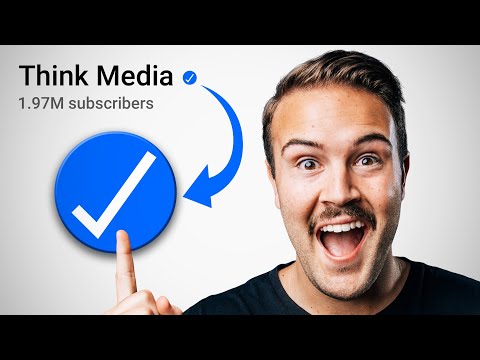 Verification BadgeA YouTube channel can apply for the gray check mark verification badge once it has 100,000 subscribers, 2-Step Verification and a complete profile, in YouTube Studio under Settings > Channel > Verified badge. The badge cannot be bought, and renaming the channel removes it.
-
 Channel PermissionsYouTube channel permissions let an owner give other Google Accounts the Manager, Editor, Editor (limited), Subtitle editor, Viewer or Viewer (limited) role in YouTube Studio under Settings > Permissions, without sharing a password. Transferring a channel to a new primary owner needs a Brand Account and a 7-day wait.
-
 Hacked Channel RecoveryTo recover a hacked YouTube channel, first recover the Google Account that owns it (password reset and Google's account recovery), then undo the hacker's changes with YouTube Studio's cleanup tool, then secure the account with 2-Step Verification; YouTube's hacked channel assistant helps in English, Spanish and Portuguese.
-
YouTube SupportOnly eligible creators, such as channels in the YouTube Partner Program, can chat with or email YouTube Creator Support, from the Chat button in YouTube Studio or the Help Center; everyone else gets the Help Center, the YouTube Help Community and @TeamYouTube on X.