
 All vikis
 007 First Light
 AI
 Aion 2
 Ananta
 ARC Raiders
 ArcheAge Chronicles
 Call of Duty: Modern Warfare 4
 ChatGPT
 Chrono Odyssey
 Civilization 3
 Civilization 4
 Claude
 Crimson Desert
 Deadlock
 Diablo 4
 Diablo 5
 Enshrouded
 Fable
 Final Fantasy Resonance
 Football Manager 27
 Forza Horizon 6
 God of War
 Grand Theft Auto 6
 Heroes of Might and Magic 3
Custom Thumbnails
YouTube recommends custom thumbnails of 3840 x 2160 for videos (2160 x 3840 for Shorts), at least 640 pixels wide, in JPG or PNG, up to 50 MB on a computer or 2 MB on a phone. Uploading one needs a verified account; Shorts thumbnails are set only in YouTube Studio on a computer.
A YouTube custom thumbnail should be 3840 x 2160 pixels for a video, or 2160 x 3840 for a Short, in JPG or PNG, at least 640 pixels wide (640 tall for a Short), and no larger than 50 MB when uploaded on a computer or 2 MB on a phone. To upload one the account must be verified; then in YouTube Studio open Content, the video, and under Thumbnail choose Upload file (YouTube Help). Thumbnails follow the Community Guidelines like the video itself, and a misleading or shocking one can cost a channel its monetization or its thumbnail privileges.
Quick facts
| Recommended size, videos | 3840 x 2160 (16:9) |
| Recommended size, Shorts | 2160 x 3840 (9:16) |
| Minimum | 640 pixels wide (videos) or 640 tall (Shorts) |
| Formats | JPG or PNG |
| File size | 50 MB on a computer; 2 MB on a phone (10 MB for podcasts) |
| Needed | A verified account |
| Shorts | Only in YouTube Studio on a computer |
| Daily limit | "Daily custom thumbnail limit reached": try again in 24 hours |
Source: Add video thumbnails, YouTube Help, as of Nov 6, 2026.
What size should a YouTube thumbnail be?
YouTube recommends 3840 x 2160 pixels, 4K at 16:9, for a long-form video, and 2160 x 3840 at 9:16 for a Short; the minimum is 640 pixels wide for a video (YouTube Help). Older guides, and many tools, still say 1280 x 720; that remains the practical floor for Thumbnail Test and Compare, which shows every version at 854 x 480 if any one of them is below 1280 x 720 (YouTube Help). Help names JPG and PNG and does not list GIF.
How do I add a custom thumbnail?
- Verify the account first (a phone check in YouTube Studio under Settings > Channel > Feature eligibility; see Feature Access).
- In YouTube Studio, open Content and click the video's edit (pencil) button. For a Short, pick the Shorts tab first.
- Under Thumbnail, choose Upload file, or Get suggestions for frames YouTube picks.
- Click Save.
Source: YouTube Help. Custom Shorts thumbnails can be set only this way, on a computer. If YouTube answers "Daily custom thumbnail limit reached", the channel has hit its limit for the day and can try again in 24 hours; Help gives no number for the limit, and says Community Guidelines strikes lower how many a channel can upload.
Any video's current thumbnail can be downloaded at full size from YouTube's image server; see Get a Video's Full-Size Thumbnail.
The thumbnail policy
Thumbnails, like banners and profile images, must follow the Community Guidelines. YouTube's thumbnail policy rules out sexual images and nudity, violent or gory images meant to shock, vulgar language, and thumbnails that mislead viewers about what the video contains (YouTube Help). For a thumbnail that is unsuitable for some audiences but within the rules, YouTube may remove the thumbnail or age-restrict the video (Age Restriction). For a real violation it removes the thumbnail and may give a strike; a first violation is usually a warning (Community Guidelines Strikes). Repeat offenses can remove custom thumbnail privileges for 30 days or end in termination.
Misleading thumbnails and monetization
Separately from strikes, misleading thumbnails can keep a channel out of the YouTube Partner Program or suspend it. Since Jan 15, 2019, YouTube has listed "unrelated or misleading thumbnail images designed to increase views" among the reasons a channel is found out of compliance with its monetization policies, according to the suspension notices George Vanous's Freedom! network received. George, who runs the network, saw a channel demonetized over a thumbnail showing a car that never appears in the video, which he called "exaggerated and misleading"; thumbnails too sexual or unrelated to the video did the same to other channels. YouTube's guidance to networks, as he recorded it, asked for thumbnails that accurately convey what the video is about, fit YPP policies and suit most audiences, and warned that reviewers look hardest at a channel's most popular videos, so those are the ones to check first (sort by Most popular).
In "New "self-certify" your videos for monetization! - Bad thumbnail examples", George showed the thumbnails that got one channel suspended from the YPP, which his team had checked against the videos: an exaggerated giant turtle that does not exist, nudity on a statue, people "living underwater", a fake red eye made to look real, a motorbike breathing fire, and animals and muscular men who never appear in the video. His rule from it: a thumbnail shows what is in the video, without clickbait and without nudity, even on statues, dolls or toys.
Thumbnail tips
YouTube's own advice, in its A/B testing explainer, is a balanced image with one focal point that draws the eye, high contrast so the subject stands out in both light and dark mode, few words, since a lot of text is hard to take in while scrolling, and some thought for the background and empty space.
George Vanous's own advice is to put the host's face in the thumbnail rather than an object or a price tag, because "YouTube is a personality-focused community" where viewers subscribe to the person, and to build thumbnails from a template (he uses Canva's free version) so each new one takes under a minute. Testing two or three versions with Thumbnail Test and Compare shows which works for a given audience.
What creators say
Faces do not always win. In a Feb 16, 2024 video, Nick Nimmin showed a test in which a purely graphic thumbnail without him was beating the versions with his face, "a hard pill to swallow" as he put it, though in another, finished test a version with him won. His advice was not to get emotionally attached to the result. These are tests on one channel, but it is why George's face-first advice is worth testing rather than assuming.
Frequently asked questions
What is the best YouTube thumbnail size? YouTube recommends 3840 x 2160 pixels (16:9) for video thumbnails and 2160 x 3840 (9:16) for Shorts, with a minimum width of 640 pixels.
What is the YouTube thumbnail file size limit? YouTube accepts custom thumbnails up to 50 MB in YouTube Studio on a computer and up to 2 MB on a phone (10 MB for podcasts).
Why can't I upload a custom thumbnail on YouTube? YouTube requires a verified account for custom thumbnails. Other causes are the daily limit ("try again in 24 hours"), a Community Guidelines strike, or a Short, whose thumbnail can only be set in YouTube Studio on a computer.
Can I add a custom thumbnail to a YouTube Short? Yes, but YouTube allows it only in YouTube Studio on a computer: open Content, the Shorts tab, the Short, then Thumbnail > Upload file.
Can a thumbnail get my YouTube channel a strike? Yes. A YouTube thumbnail that breaks the Community Guidelines is removed and can bring a strike, and repeat offenses can remove custom thumbnail privileges for 30 days.
Sources
- Add video thumbnails, YouTube Help, read Nov 6, 2026
- Thumbnails policy, YouTube Help, read Nov 6, 2026
- Test & compare thumbnails and titles, YouTube Help, read Nov 6, 2026
- A/B testing on YouTube, YouTube Creators, Dec 8, 2025 (video)
- New "self-certify" your videos for monetization! - Bad thumbnail examples, Freedom!, Jul 26, 2019 (video)
- THIS Is YouTube's NEW AB Thumbnail Testing Feature, Nick Nimmin, Feb 16, 2024 (video)
Moments
★ New "self-certify" your videos for monetization! - Bad thumbnail examples
Freedom!
A/B testing on YouTube
YouTube Creators
THIS Is YouTube's NEW AB Thumbnail Testing Feature and How To Use It
Nick Nimmin
Related
-
 Channel PermissionsYouTube channel permissions let an owner give other Google Accounts the Manager, Editor, Editor (limited), Subtitle editor, Viewer or Viewer (limited) role in YouTube Studio under Settings > Permissions, without sharing a password. Transferring a channel to a new primary owner needs a Brand Account and a 7-day wait.
- Creator AwardsYouTube Creator Awards are the Play Buttons YouTube sends channels that pass a review at 100,000 subscribers (Silver), 1 million (Gold), 10 million (Diamond) and 100 million (Red Diamond). Subscribers alone are not enough: the channel must be active, original and free of recent strikes.
-
 HandlesA YouTube handle is a channel's unique @name, 3 to 30 characters long. Change it in YouTube Studio under Customization > Profile > Handle, or at youtube.com/handle, up to twice in 14 days.
-
 HypeHype is a YouTube button that lets viewers push a video they love up a weekly leaderboard during its first 7 days. Each viewer gets 3 free hypes a week, smaller channels earn more points per hype, and it is open to Partner Program channels with 500 to 500,000 subscribers.
-
 Live StreamingTo live stream on YouTube a channel must be verified, have no live streaming restrictions in the past 90 days and belong to someone at least 16; streaming from a phone also needs 50 subscribers. The first time can take up to 24 hours to switch on; then go live from a webcam, a phone or an encoder like OBS.
-
 PremieresA YouTube Premiere plays a prerecorded video as a live event: a public watch page with a countdown, live chat and a set start time, after which the video stays on the channel as a normal upload. Set it in YouTube Studio with "Set as instant Premiere" or Schedule > "Set as Premiere".
-
 Titles Descriptions and TagsA YouTube title can be 100 characters, a description 5,000 and the tags 500 in total, and none may contain < or >. Over 60 hashtags and YouTube ignores them all. Misleading titles, ALL CAPS and stuffed tags can cost a channel its monetization.
-
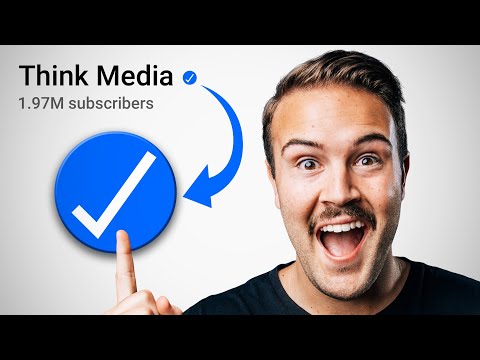 Verification BadgeA YouTube channel can apply for the gray check mark verification badge once it has 100,000 subscribers, 2-Step Verification and a complete profile, in YouTube Studio under Settings > Channel > Verified badge. The badge cannot be bought, and renaming the channel removes it.
See also
-
Thumbnail Test and CompareYouTube's Test and compare (A/B testing) shows up to three thumbnails, titles, or pairs of both to viewers of one video and picks the winner by watch time share, in a few days to two weeks. It runs in YouTube Studio on a computer and needs advanced features.
-
Feature AccessYouTube unlocks channel features in three tiers: standard features for everyone, intermediate features after phone verification, and advanced features after phone verification plus channel history or an ID or video check. All three are checked in YouTube Studio under Settings > Channel > Feature eligibility.
- Get a Video's Full-Size ThumbnailAny YouTube video's thumbnail opens at img.youtube.com/vi/VIDEO_ID/maxresdefault.jpg, 1280 by 720 pixels when the video has one, with hqdefault.jpg (480 by 360) as the size every video has.
-
 Age RestrictionAn age-restricted YouTube video can only be watched by viewers who are signed in and 18 or older, mostly not on other websites, and it may earn limited or no ads. Creators can restrict their own videos or appeal YouTube's restriction in YouTube Studio.
-
 Community Guidelines StrikesA first YouTube Community Guidelines violation is usually only a warning, which expires 90 days after you finish a short policy training. After that, strikes freeze posting for one week, then two, and a third strike in 90 days can remove the channel.
-
 YouTube Partner ProgramThe YouTube Partner Program (YPP) is how creators earn from YouTube. Ads need 1,000 subscribers plus 4,000 public watch hours in 12 months or 10 million Shorts views in 90 days; fan funding and Shopping open earlier, at 500 subscribers. New applicants need 8,000 hours or 20 million Shorts views from Feb 1, 2027.