
 All vikis
 007 First Light
 AI
 Aion 2
 Ananta
 ARC Raiders
 ArcheAge Chronicles
 Call of Duty: Modern Warfare 4
 ChatGPT
 Chrono Odyssey
 Civilization 3
 Civilization 4
 Claude
 Crimson Desert
 Deadlock
 Diablo 4
 Diablo 5
 Enshrouded
 Fable
 Final Fantasy Resonance
 Football Manager 27
 Forza Horizon 6
 God of War
 Grand Theft Auto 6
 Heroes of Might and Magic 3
Age Restriction
An age-restricted YouTube video can only be watched by viewers who are signed in and 18 or older, mostly not on other websites, and it may earn limited or no ads. Creators can restrict their own videos or appeal YouTube's restriction in YouTube Studio.
An age-restricted video on YouTube can be watched only by viewers who are signed in and at least 18: signed-out viewers, younger accounts and anyone using Restricted Mode are turned away, and on most other websites the embed sends viewers to YouTube to sign in. YouTube applies the restriction to videos that break no rule but are not suitable for minors, such as violence, nudity, dangerous acts or vulgar language; a creator can also set it on their own video under Audience > Age restriction (advanced). Age-restricted videos may still show ads, though often limited or none, and the restriction can be appealed in YouTube Studio.
Quick facts
| Who can watch | Signed-in viewers 18 or older |
| Who cannot | Signed-out viewers, under-18 accounts, Restricted Mode |
| Embeds | Generally not playable on other sites; viewers sent to YouTube |
| Ads | Possible, often limited or none |
| Find it in Studio | "Age-Restriction" filter, or "Viewable by 18+" under Notices |
| US age estimation | Announced Jul 29, 2025 for a small set of US users |
| As of | Nov 6, 2026 |
Sources: Age-restricted content, YouTube Help; Extending our built-in protections to more teens on YouTube, YouTube Official Blog.
What gets age-restricted?
YouTube age-restricts content that does not break the Community Guidelines but may not suit viewers under 18. Help names these themes, and says the list is not complete (Age-restricted content):
- Child safety: for example adults doing dangerous things that minors could easily copy.
- Harmful or dangerous activities, including regulated substances and drugs.
- Nudity and sexually suggestive content.
- Violent or graphic content.
- Vulgar language.
A video's Made for Kids setting has no effect on age restriction, and Help warns that ratings can change as its systems are updated. Content that does break the guidelines is removed instead (Community Guidelines Strikes). George Vanous, who runs the Freedom! network, notes that YouTube sometimes reinstates borderline videos behind an age gate after an appeal, and that context in the title and description (educational, documentary, scientific or artistic purpose) helps.
What happens to an age-restricted video?
It plays only for signed-in adults, is left out of certain parts of YouTube, and generally cannot be watched on third-party websites: an embedded age-restricted video sends the viewer to YouTube to sign in (Age-restricted content, YouTube Embeds). It can still run ads, but many advertisers want family-friendly content, so it may earn limited or no ad revenue (Advertiser-Friendly Guidelines). Videos hidden from Restricted Mode are not necessarily age-restricted, but every age-restricted video is hidden from it (Your YouTube content & Restricted Mode).
How do I age-restrict my own video?
- In YouTube Studio, open Content (or start an upload with Create > Upload videos).
- Select the video and click Edit, or fill in the upload's details.
- Under Audience, open Age restriction (advanced).
- Choose the option to restrict the video to viewers over 18, and save.
Source: Age-restrict your own video on YouTube, YouTube Help.
A restriction YouTube applies itself is permanent, even on a video the creator had already restricted. Help also warns against restricting a video meant to run as an ad: the ad will be disapproved for good.
How do I find and appeal an age restriction?
In YouTube Studio, use the "Age-Restriction" filter on the Content page, or look for "Viewable by 18+" in the Notices column (Age-restricted content). To appeal in the YouTube Studio app:
- Tap Content, then the age-restricted video.
- Tap the restriction, then Review issues.
- Tap the relevant claim, enter your reason and submit.
Source: Appeal the age restriction on your video, YouTube Help.
YouTube's team reviews the request; Help gives no time frame and does not say how many times a video can be appealed.
Age estimation and verification
On Jul 29, 2025, YouTube announced it would use machine learning to estimate whether a US viewer is under 18, starting with a small set of users, from signals such as what they search for, the categories of videos they watch and how long the account has existed, whatever birthday the account gives. A viewer it judges to be a teen gets teen protections: no personalized ads, digital wellbeing tools switched on, safeguards on recommendations, and no age-restricted videos. An adult misjudged as under 18 can verify their age, and the post names a credit card or a government ID as ways to do it. YouTube Help's age restriction page does not describe the estimation itself, and how far it has rolled out beyond the first US users is not stated there as of Nov 6, 2026.
What creators say
In a 2017 video on Restricted Mode, Folding Ideas argued that age-restricting a video made it ineligible for ads, so creators who live on ad revenue had every reason never to restrict their own videos, and only did so for content they knew was far out. That was YouTube as it was then: Help now says age-restricted videos may still run ads, though often limited or none.
In a Jun 28, 2026 video, the commentary channel Deep Humor objected that an account YouTube judges to be under 18 loses far more than age-restricted videos until it verifies with an ID, a selfie or a credit card: by the channel's reading of YouTube's feature list, appeals of Content ID claims, links in descriptions and applying for monetization among them.
The same video pointed to Google's updated terms, which say card details given for age verification are kept as needed for legal and regulatory requirements, without saying for how long. Those are one channel's objections, worded as its own.
Frequently asked questions
Who can watch age-restricted videos on YouTube? Only viewers who are signed in and 18 or older. Signed-out viewers, accounts under 18 and anyone with Restricted Mode on cannot watch age-restricted YouTube videos.
Can age-restricted YouTube videos make money? Yes, but often less: age-restricted videos can still run ads, yet YouTube says they may have limited or no ads because many advertisers want family-friendly content.
Why can't I watch an age-restricted YouTube video embedded on a website? Age-restricted videos generally cannot play on third-party sites. The embed sends you to YouTube, where you must sign in and be 18 or older.
How do I appeal an age restriction on YouTube? In the YouTube Studio app, open Content, tap the age-restricted video and its restriction, tap Review issues, choose the claim, give your reason and submit.
How do I age-restrict my own YouTube video? In YouTube Studio, edit the video, open Audience, then Age restriction (advanced), and choose to restrict it to viewers over 18.
How does YouTube know my age? YouTube uses the age on your account and, for a small set of US users since its Jul 29, 2025 announcement, an AI estimate from viewing signals. Adults wrongly estimated as teens can verify with a government ID or credit card.
Sources
- Age-restricted content, YouTube Help, read Nov 6, 2026
- Age-restrict your own video on YouTube, YouTube Help, read Nov 6, 2026
- Appeal the age restriction on your video, YouTube Help, read Nov 6, 2026
- Your YouTube content & Restricted Mode, YouTube Help, read Nov 6, 2026
- Extending our built-in protections to more teens on YouTube, YouTube Official Blog, Jul 29, 2025
- YouTube Restricted Mode Explained, Folding Ideas, Mar 22, 2017 (video)
- YouTube Age Verification Got Worse, Deep Humor, Jun 28, 2026 (video)
Moments
YouTube Restricted Mode Explained
Folding Ideas
YouTube Age Verification Got Worse
Deep Humor
Related
-
 Altered or Synthetic ContentYouTube requires creators to disclose realistic AI-generated or meaningfully altered content by setting "AI use" to Yes under Attributes when uploading. The label does not limit reach or monetization, but repeatedly hiding AI use can.
-
 Channel TerminationYouTube terminates a channel for three strikes in 90 days, repeated violations, one case of severe abuse or a channel dedicated to breaking a policy. You can appeal in YouTube Studio within a year, twice, and a pilot lets some terminated creators ask for a new channel after a year.
-
 Links in DescriptionsYouTube allows links in video descriptions and comments, but links to porn, malware, phishing, pirated content, regulated goods such as online casinos, or other content that breaks its rules can bring a warning, a strike or removal. Links in long video descriptions are clickable; in Shorts descriptions they have not been since Aug 31, 2023.
-
 Paid Promotions and SponsorshipsYouTube requires creators to declare any sponsorship, product placement, endorsement or other branded content by ticking the paid promotion box in YouTube Studio, which shows viewers a disclosure at the start of the video; some products may never be promoted and burned-in video ads are not allowed.
-
 2-Step VerificationYouTube requires 2-Step Verification on the Google Account of every channel in the YouTube Partner Program (to use YouTube Studio since Nov 1, 2021) and of every channel applying for the verification badge; YouTube recommends a passkey as the second step because it resists phishing best.
-
 Hacked Channel RecoveryTo recover a hacked YouTube channel, first recover the Google Account that owns it (password reset and Google's account recovery), then undo the hacker's changes with YouTube Studio's cleanup tool, then secure the account with 2-Step Verification; YouTube's hacked channel assistant helps in English, Spanish and Portuguese.
-
 YouTube SupportOnly eligible creators, such as channels in the YouTube Partner Program, can chat with or email YouTube Creator Support, from the Chat button in YouTube Studio or the Help Center; everyone else gets the Help Center, the YouTube Help Community and @TeamYouTube on X.
-
 Content IDContent ID is YouTube's automatic copyright system, which scans every upload against reference files from rights holders and places a claim on a match that blocks, monetizes or tracks the video. A claim is not a strike, and only owners of exclusive rights to a large body of often-uploaded material qualify to use it.
See also
-
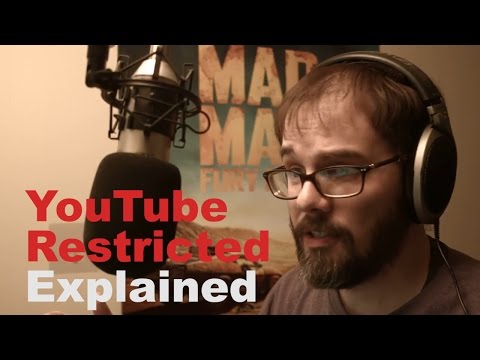 Restricted ModeYouTube Restricted Mode hides potentially mature videos and all comments. Turn it off from your profile photo, Restricted Mode, then the Activate Restricted Mode switch; if it is locked, a network administrator, school, Family Link or your mobile provider has turned it on.
-
 Made for KidsEvery YouTube creator must say whether each video is made for kids, children under 13 in the US, in YouTube Studio under Settings > Channel > Advanced settings or per video. Made for kids videos lose comments, personalized ads, the notification bell, end screens and more, a rule that came from YouTube's $170 million COPPA settlement with the FTC in 2019.
-
Community Guidelines StrikesA first YouTube Community Guidelines violation is usually only a warning, which expires 90 days after you finish a short policy training. After that, strikes freeze posting for one week, then two, and a third strike in 90 days can remove the channel.
-
 YouTube EmbedsTo embed a YouTube video, click Share under it, then Embed, and paste the HTML code into your site; swap youtube.com for youtube-nocookie.com for privacy-enhanced mode, add ?start= to begin at a second, and creators can stop others embedding by unticking Allow embedding in YouTube Studio.
-
 Advertiser-Friendly GuidelinesYouTube's advertiser-friendly guidelines decide whether a monetized video can earn full ads (green dollar icon), limited ads (yellow) or none. They cover 14 topics, from language and violence to controversial issues, and partners rate their own videos through self-certification and can ask for a human review.
- AI Training SettingYouTube's third-party training setting, in YouTube Studio's channel settings, lets a creator allow outside companies to train AI models on their public videos. It is off by default, you pick companies or allow all, and it does not cover Google's own training.