
 All vikis
 007 First Light
 AI
 Aion 2
 Ananta
 ARC Raiders
 ArcheAge Chronicles
 Call of Duty: Modern Warfare 4
 ChatGPT
 Chrono Odyssey
 Civilization 3
 Civilization 4
 Claude
 Crimson Desert
 Deadlock
 Diablo 4
 Diablo 5
 Enshrouded
 Fable
 Final Fantasy Resonance
 Football Manager 27
 Forza Horizon 6
 God of War
 Grand Theft Auto 6
 Heroes of Might and Magic 3
Restricted Mode
YouTube Restricted Mode hides potentially mature videos and all comments. Turn it off from your profile photo, Restricted Mode, then the Activate Restricted Mode switch; if it is locked, a network administrator, school, Family Link or your mobile provider has turned it on.
To turn off Restricted Mode on YouTube, click your profile photo at the top right, choose Restricted Mode at the bottom of the menu, and switch off Activate Restricted Mode (YouTube Help). If the switch will not move, someone else set it: a network administrator at a school, library or workplace, a parent through Family Link, or a mobile provider's content filter, and the page at youtube.com/check_content_restrictions says which. Restricted Mode is an optional filter that screens out potentially mature videos and hides every comment. It works per browser and per device, so it has to be set on each. For creators it matters too: a channel can disappear for anyone using it, as the last section explains. It is one of YouTube's viewing controls, separate from Age Restriction.
Quick facts
| Hides | Potentially mature videos; all comments; explicit music is skipped |
| Turn on or off (computer) | Profile photo > Restricted Mode > Activate Restricted Mode |
| Applies to | One browser or device, and each profile on it |
| Can be locked by | Network administrators, Family Link, mobile network filters |
| Check who set it | youtube.com/check_content_restrictions |
| Same as age restriction? | No |
From Turn Restricted Mode on or off on YouTube, read Nov 6, 2026.
How do I turn off Restricted Mode on YouTube?
On a computer:
- Sign in, and click your profile photo at the top right.
- At the bottom of the menu, click Restricted Mode.
- Switch Activate Restricted Mode off (or on).
In the Android app, the switch is under your profile photo, Settings > General > Restricted Mode; on the mobile site, m.youtube.com, it is under Settings > Account (Help, Android). Because the setting lives in each browser and device, turning it off on a phone does not turn it off on a laptop; do it on each one, and for each browser profile (Help). On Google smart displays and speakers it is set in the Home app: the device, Settings > Notifications & digital wellbeing > YouTube Settings.
Why can't I turn off Restricted Mode?
If it switches itself back on or the switch is grayed out, the restriction comes from outside your account:
- A network administrator. Schools, universities, libraries and offices can enforce it on their network or on managed devices. Only the administrator can lift it.
- Family Link. A parent can turn it on for a child's account when the child is not eligible for a supervised experience; the child then cannot change it on any device they sign in to.
- A mobile or home network filter. Some providers filter content through DNS; if the filter is set to moderate or strict, contact the provider.
Visit youtube.com/check_content_restrictions to see whether an administrator or your own account set the restriction (Help).
What Restricted Mode hides
YouTube decides what to hide from many signals: the title, description and other metadata, the language used in the video, Community Guidelines reviews and age restrictions. Help lists the kinds of content that are filtered: drugs and alcohol, overly detailed sexual content, graphic violence and violent news, detailed accounts of terrorism, war and crime, profanity, and incendiary or demeaning content. In YouTube Music, explicit tracks still show but are skipped. Comments are hidden on every video (Your YouTube content & Restricted Mode). Help admits the automated system makes mistakes and that filtering quality varies between languages.
Restricted Mode and age restriction
They are not the same. An age-restricted video is hidden from anyone signed out, under 18 or using Restricted Mode, so every age-restricted video is filtered; but plenty of filtered videos are not age-restricted. A community report alone does not filter a video; reviewers may age-restrict it, and then it is filtered (Help; Age Restriction).
For creators: is my channel hidden in Restricted Mode?
To check, turn Restricted Mode on (ideally in a browser or account you do not usually use), then search for your videos and open their links. New uploads can be missing for a while, because the system has to review them first (Help). George Vanous, who runs the Freedom! network, records a case of a creator whose whole channel was marked mature and hidden from Restricted Mode viewers although no video was age-restricted; it took a month for YouTube to fix, after which the channel's activity rose. He suggests the same test: a second account, Restricted Mode on, a search for the channel.
If videos are filtered wrongly, editing a video may make the system review it again, and YouTube takes feedback through the link on its Help page. Filtered videos can still earn money: Help says Restricted Mode does not stop monetization (Help; Advertiser-Friendly Guidelines).
What creators say
In a 2017 stream, amid the outcry over Restricted Mode at the time, Folding Ideas said the filter was disproportionately hiding LGBT content: being identifiably LGBT seemed enough to be restricted, whatever the video's actual content and tone.
He suspected mass reporting played a part: from what he could tell, videos reported often enough seemed to vanish from Restricted Mode even when a review found nothing wrong, such as a programming video on a channel targeted by a hate campaign. That was his reading in 2017; YouTube Help today says a community report alone does not filter a video.
Frequently asked questions
How do I turn off Restricted Mode on YouTube? Click your profile photo on YouTube, choose Restricted Mode and switch off Activate Restricted Mode; in the app it is under Settings > General.
Why is Restricted Mode stuck on in YouTube? A network administrator, Family Link or your network provider's filter has turned it on; youtube.com/check_content_restrictions shows which, and only that party can lift it.
Does YouTube Restricted Mode hide comments? Yes. With Restricted Mode on, YouTube hides the comments on every video.
Is Restricted Mode on YouTube the same as age restriction? No. Age-restricted videos are always filtered by Restricted Mode, but many filtered videos are not age-restricted.
How do I know if my YouTube video is blocked in Restricted Mode? Turn Restricted Mode on, then search for the video and open its link; if it does not appear or play, YouTube filters it.
Sources
- Turn Restricted Mode on or off on YouTube, YouTube Help, read Nov 6, 2026
- Turn Restricted Mode on or off on YouTube (Android), YouTube Help, read Nov 6, 2026
- Your YouTube content & Restricted Mode, YouTube Help, read Nov 6, 2026
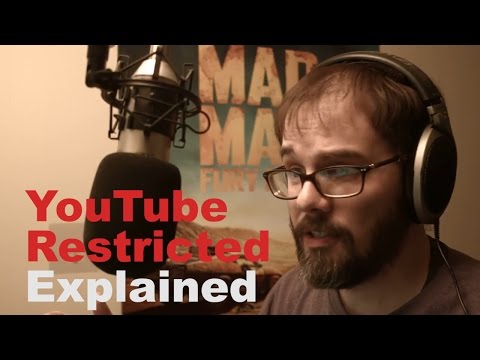
- YouTube Restricted Mode Explained, Folding Ideas, Mar 22, 2017 (video)
Moments
YouTube Restricted Mode Explained
Folding Ideas
- To check, turn Restricted Mode on (ideally in a browser or account you do not usually use), then search for your…
- In a 2017 stream, amid the outcry over Restricted Mode at the time, Folding Ideas said the filter was…
- He suspected mass reporting played a part: from what he could tell, videos reported often enough seemed to vanish from…
Related
-
 ChaptersYouTube chapters split a video into titled sections on the progress bar. Creators add them by typing timestamps in the description, starting at 0:00, with at least three chapters of at least 10 seconds each, or let YouTube make automatic chapters.
-
 ClipsA YouTube clip is a 5 to 60 second piece of someone's video or live stream, with its own link, that plays on a loop. Make one with Clip under the video; creators turn Clips off in YouTube Studio under Settings, Channel, Advanced settings.
-
 DownloadsYouTube Premium members download videos with the Download button under the video, on phones and in Chrome, Edge, Firefox or Opera on a computer, and watch them offline for up to 29 days before reconnecting. In some countries free downloads last 48 hours.
-
 Jump AheadIn the YouTube app, double tap the right or left side of a video to skip 10 seconds forward or back. With YouTube Premium, a Jump ahead button then appears that skips to the next point most viewers fast forward to.
-
 Most ReplayedMost Replayed is the gray graph YouTube draws above the progress bar while you seek; its peaks are the parts of a video viewers rewatch most. It does not show on new or low-view videos or on channels with active strikes.
-
 Picture in Picture and MiniplayerYouTube picture in picture keeps a video playing in a small window when you leave the app on Android or iPhone; it is free for most videos, but music videos need YouTube Premium. On a computer, the Miniplayer (press i) keeps the video in a corner while you browse YouTube.
-
 QueueYouTube's queue lines up videos to play next without stopping the current one. On a computer, choose More, Add to queue, free; on phones and tablets, More, Play next in queue or Play last in queue needs YouTube Premium. The queue disappears when the browser closes unless saved to a playlist.
-
 Recommendations and Watch HistoryYouTube recommends videos from your watch and search history, likes and feedback. Use More, Not interested or Don't recommend channel to steer it, and pause or delete watch history at myactivity.google.com; with history off and empty, YouTube removes Home recommendations.
See also
-
-
 Age RestrictionAn age-restricted YouTube video can only be watched by viewers who are signed in and 18 or older, mostly not on other websites, and it may earn limited or no ads. Creators can restrict their own videos or appeal YouTube's restriction in YouTube Studio.
-
 Advertiser-Friendly GuidelinesYouTube's advertiser-friendly guidelines decide whether a monetized video can earn full ads (green dollar icon), limited ads (yellow) or none. They cover 14 topics, from language and violence to controversial issues, and partners rate their own videos through self-certification and can ask for a human review.
-
 Ambient ModeAmbient mode is the soft glow of a video's colors that YouTube casts around the player in dark theme. Turn it off from the player's Settings gear, Ambient mode, on a computer, or Settings, Additional settings, Ambient mode on a phone.
-
 Automatic DubbingYouTube automatic dubbing uses AI to add translated audio tracks to eligible creators' videos, labeled "auto-dubbed". Viewers switch back to the original audio in the player's settings; creators turn it off in the YouTube Studio app under Settings, Automatic dubbing.
-
 Captions and SubtitlesTurn YouTube captions on with the CC button or the C key, translate them with Settings, Subtitles/CC, Auto-translate, and restyle them under Options. Creators add captions in YouTube Studio's Subtitles page; automatic captions cover 67 languages.