
 All vikis
AI Video in Shorts
YouTube's free AI tools in the Shorts camera make clips of up to 10 seconds from a prompt, animate a photo, generate a green screen background and, for adults with a channel, put an AI avatar of you in a Short. As of Nov 23, 2026 they need an English device language and are not offered in the European Economic Area.
YouTube's Shorts camera has free AI video tools behind the sparkle icon in Create: a clip of up to 10 seconds from a text prompt with up to three reference photos, a photo turned into a moving clip, "Make me move", which animates a photo of a person, and an AI green screen background (YouTube Help, read Nov 23, 2026). Since April 2026 an adult who owns a channel can also record a "live selfie" once and then generate clips of an avatar that looks and sounds like them (YouTube Help). Help calls the tools experimental; they need the device language set to English and none of them is offered in the European Economic Area.
Next: when AI video must be labeled, remixing another creator's Short or the Shorts basics.
What the tools do, and where
| Tool | What it makes | Not offered in |
|---|---|---|
| Video from a prompt | A clip of up to 10 seconds, with up to 3 reference photos | The EEA; reference photos not in the UK |
| Photo to video | A moving clip from one photo and a suggested prompt | The EEA, the UK, Switzerland |
| Make me move | A full-body photo of one person, moving like a preset video | The EEA, the UK, Switzerland |
| Green screen background | An image or video to stand in front of | The EEA |
| Your avatar | Clips of you, from a one-time face and voice recording | Help lists the US, Canada, Australia and New Zealand |
| Audio-first Shorts | A Short of 8 seconds to 3 minutes cut from a podcast-style video, in one of four looks | Desktop only, in the US, UK, Canada and Australia |
From Create content for Shorts using AI-generated features and Create, use & manage your avatar on YouTube, YouTube Help, both read Nov 23, 2026. Help adds that its tools refuse some prompts and are built to avoid photorealistic images of identifiable people, and that a creator who uses them need not add the altered-content disclosure, because the tool discloses the AI use itself.
Making a clip
- In the YouTube app, tap Create and choose Short.
- Tap the sparkle icon (Help calls the menu the AI playground), then Create video.
- Type a prompt or pick a suggested one, add up to three reference photos if you want, and tap Create.
- Preview the clip, tap Next, add your details and upload.
Help's tip is to say in the prompt how each reference photo should be used and, for particular audio, to describe the sound. On a computer the same menu opens by scanning a QR code with a phone.
In Justin Brown's Jul 3, 2025 Primal Video walkthrough, the tool was hidden one level down: he opened the green screen effect, pressed its AI button, typed a prompt, picked a style and got four preview images in seconds before choosing Create video. He could not tell the tool how to animate the image, and what came back was a 6-second clip, the length of that 2025 version.
Your avatar
Help's requirements are an age of 18 or more and an existing channel. The recording is a selfie video with your voice, taken once by the account owner, in good light, with no sunglasses, masks or hats and no other people or faces in the background. After that, Create > AI playground > Create video > Make a video with my avatar turns a typed prompt into a clip of you. On eligible Shorts in the feed, Remix > Reimagine > Add me to this scene puts your avatar into someone else's Short. Every avatar video carries YouTube's AI disclosure and, once downloaded or published, a visible watermark plus SynthID and C2PA labels. An avatar unused for three years is deleted, and deleting it does not delete the videos already made with it (YouTube Help).
The two sources disagree on where it is offered. At the launch on Apr 8, 2026, 9to5Google reported a global rollout outside Europe, with clips of up to 8 seconds that can be chained (9to5Google); Help, read Nov 23, 2026, says "all users" in the US, Canada, Australia and New Zealand and other countries "gradually". We go by Help's list.
Reimagine itself arrived in YouTube's May 30, 2026 Creator Roundup: tap the remix icon, select Reimagine, type an idea or swipe to a suggestion, add reference photos if you like, and the finished Short links back to the one it remixed. A creator who does not want this can choose Allow only audio remixing in YouTube Studio, which also deletes the video remixes already made (YouTube Help; Shorts Remix).
How the tools grew
| Date | Change | Clip |
|---|---|---|
| Sep 18, 2024 | Google DeepMind's Veo announced for Dream Screen, the Shorts AI background (Google DeepMind) | Backgrounds |
| Feb 13, 2025 | Veo 2 in Dream Screen, now able to make the whole clip (TechCrunch) | 6 seconds, in Primal Video's test |
| Sep 16, 2025 | Veo 3 Fast in Shorts, free, at 480p and "for the first time, with sound", first in the US, UK, Canada, Australia and New Zealand (YouTube Official Blog) | 8 seconds, in reports |
| Apr 8, 2026 | Avatars of yourself, face and voice | Up to 8 seconds each |
| May 30, 2026 | Reimagine in Shorts remix | |
| Nov 23, 2026 | Help's current limit for a prompt clip | Up to 10 seconds |
| Early 2027 | A conversational editing assistant in Shorts and YouTube Create, announced at Made on YouTube on Sep 23, 2026 |
In an Apr 3, 2025 Creator Insider interview, Johanna Voolich, YouTube's chief product officer, named Veo as one of the launches she was proudest of: it had taken Dream Screen from backgrounds to helping creators "make the full video of a Short", and she said she had made two music videos with it herself.
The clip has grown from 6 to 10 seconds in about 17 months, by our reading of the table, and gained sound along the way. The resolution has not been restated since the 480p of September 2025.
The next step was shown at Made on YouTube on Sep 23, 2026: a conversational editing assistant that works through an edit with the creator, from typography and music to the hook of a Short, coming to Shorts and the YouTube Create app in early 2027, as the event's official recap puts it.
Our verdict
We think the prompt clip is worth using as a cutaway, a background or a visual joke inside a Short, and not as a whole Short: ten seconds of 480p video is short of what a Short can hold (three minutes) and every clip carries an AI label. The avatar is the stronger tool for a creator who talks to camera, since it keeps the face viewers know, but we would record it only after reading Help's deletion rules, which keep published avatar videos up even after the avatar is gone.
We think none of YouTube's AI tools in Shorts will be offered in the European Economic Area by Nov 23, 2027: every tool in Help's table excludes it, the avatar launch in April 2026 left out Europe as a whole, and the exclusions have held through each new tool since 2024.
Confidence: Likely. Check by: Nov 23, 2027.
How we will check: read the "not available in" lines of Help's AI features page and the country list of its avatar page.
Frequently asked questions
Is YouTube's AI video generator free? Yes. The tools in the Shorts camera cost nothing and need no Gemini or Premium plan; YouTube's September 2025 post called Veo 3 Fast free.
Why can't I see the AI tools in my YouTube app? Help names three reasons: your device language is not English, you are in the European Economic Area (or, for some tools, the UK or Switzerland), or the tool has not reached your country yet.
Do AI Shorts have to be labeled? YouTube labels them itself. Clips from its own tools are disclosed automatically, and avatar videos also carry a watermark and SynthID and C2PA labels.
Sources
- Create content for Shorts using AI-generated features, YouTube Help, read Nov 23, 2026
- Create, use & manage your avatar on YouTube, YouTube Help, read Nov 23, 2026
- Unpacking the magic of our new creative tools, YouTube Official Blog, Sep 16, 2025
- Empowering YouTube creators with generative AI, Google DeepMind, Sep 18, 2024
- YouTube Shorts will use AI to make avatars that look and sound like you, 9to5Google, Apr 8, 2026
- Made On YouTube 2026 in 10 minutes - Official Recap, Creator Insider, Sep 26, 2026 (video)
- How to Use YouTube's FREE AI Video Generator for Shorts, Justin Brown, Primal Video, Jul 3, 2025 (video)
- New Youtube Shorts Features - Explained!, Creator Insider, Apr 3, 2025 (video)
- Unique Reach, Live Countdown Stickers, Updates to Shorts Remix & more, YouTube Creators, May 30, 2026 (video)
Moments
How to Use YouTube's FREE AI Video Generator for Shorts
Justin Brown - Primal Video
Unique Reach, Live Countdown Stickers, Updates to Shorts Remix & more | Creator Roundup
YouTube Creators
New Youtube Shorts Features - Explained!
Creator Insider
Made On YouTube 2026 in 10 minutes - Official Recap
Creator Insider
Related
-
 2-Step VerificationYouTube requires 2-Step Verification on the Google Account of every channel in the YouTube Partner Program (to use YouTube Studio since Nov 1, 2021) and of every channel applying for the verification badge; YouTube recommends a passkey as the second step because it resists phishing best.
-
 Delete a YouTube ChannelTo delete a YouTube channel, open YouTube Studio on a computer, go to Settings, Channel, Advanced settings, Remove YouTube Content, and choose to permanently delete your content; it cannot be undone, it keeps your Google Account, and hiding the channel instead is reversible.
-
 Hacked Channel RecoveryTo recover a hacked YouTube channel, first recover the Google Account that owns it (password reset and Google's account recovery), then undo the hacker's changes with YouTube Studio's cleanup tool, then secure the account with 2-Step Verification; YouTube's hacked channel assistant helps in English, Spanish and Portuguese.
-
 YouTube Age VerificationYouTube estimates with AI whether a signed-in user is under 18, whatever birthday the account gives, in 11 named countries and the European Economic Area as of Nov 23, 2026; an adult it gets wrong verifies with a government ID, a credit card or a selfie, and in Australia under-16s have been signed out since Dec 10, 2025.
-
 YouTube SupportOnly eligible creators, such as channels in the YouTube Partner Program, can chat with or email YouTube Creator Support, from the Chat button in YouTube Studio or the Help Center; everyone else gets the Help Center, the YouTube Help Community and @TeamYouTube on X.
-
 Content IDContent ID is YouTube's automatic copyright system, which scans every upload against reference files from rights holders and places a claim on a match that blocks, monetizes or tracks the video. A claim is not a strike, and only owners of exclusive rights to a large body of often-uploaded material qualify to use it.
-
 Copyright StrikesA YouTube copyright strike comes when a video is removed after a legal takedown request. It expires after 90 days once you complete Copyright School, and three active strikes put the channel up for termination.
-
Counter NotificationsA YouTube counter notification is the legal request to restore a video removed for copyright by mistake or misidentification. The claimant gets 10 US business days to show they have sued; if not, YouTube puts the video back.
See also
-
 Altered or Synthetic ContentYouTube requires creators to disclose realistic AI-generated or meaningfully altered content by setting "AI use" to Yes under Attributes when uploading. The label does not limit reach or monetization, but repeatedly hiding AI use can.
-
 Shorts RemixYouTube's Remix turns part of another video into your own Short, as Sound, Green Screen, Cut (1 to 5 seconds), Collab, a template or an AI remix. On a Short tap Remix; on a long video tap Share > Remix. Creators control it per video in YouTube Studio under "Shorts remixing".
-
 YouTube ShortsYouTube Shorts are vertical or square videos of up to three minutes, watched by swiping in the Shorts feed. Since Oct 15, 2024 any square or vertical upload of three minutes or less becomes a Short; before that the limit was 60 seconds.
-
 Shorts MonetizationYouTube has shared Shorts ad revenue with creators since Feb 1, 2023: ads between Shorts fill a monthly Creator Pool, shared by engaged views, and creators keep 45% of their part. From Feb 1, 2027 a channel needs 10 million qualified Shorts views in 90 days to earn it.
-
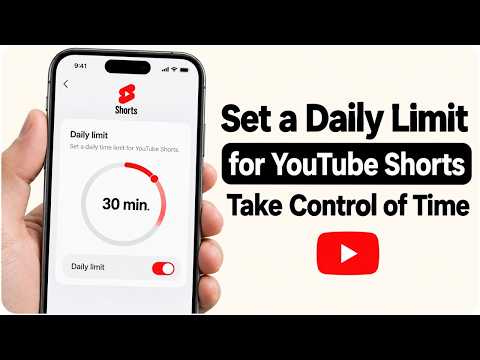 Shorts Time LimitYouTube's Shorts feed limit caps how long you scroll Shorts each day, from zero to two hours, under You > Settings > Time management > Shorts feed limit in the app. At zero, Shorts leave the Home feed; Shorts from channels you subscribe to still show in Subs, and an adult can dismiss the reminder.