
 All vikis
Channel Membership Join Link
A YouTube channel's membership link is its address with /join added, such as youtube.com/@LofiGirl/join, which YouTube Help says links "directly to your membership window". It works after a handle or a channel ID; in Vi.ki's test on Nov 19, 2026 a channel without memberships answered the same address with its plain channel page.
The link that opens a YouTube channel's membership offer is the channel's address with /join added: https://www.youtube.com/@LofiGirl/join for Lofi Girl, or https://www.youtube.com/channel/UCSJ4gkVC6NrvII8umztf0Ow/join with the channel ID instead of the handle. YouTube Help tells creators to "add /join to the end of your channel URL" to "link directly to your membership window", and suggests putting it in video descriptions, on cards and end screens, in a community post and on other social media (Promote your YouTube channel's memberships program, read Nov 19, 2026). Unlike the subscribe link, it only does something on a channel that has memberships turned on (Channel Memberships).
Next: the levels, prices and the 70% share behind the button, where a pasted link is clickable for viewers or the matching link that asks a visitor to subscribe.
Building the link
| Part | Example | What it does |
|---|---|---|
https://www.youtube.com/ |
YouTube | |
@LofiGirl or channel/UCSJ4gkVC6NrvII8umztf0Ow |
Lofi Girl | Which channel (Handles) |
/join |
Opens the membership window on top of the channel page |
Copy your channel's address from the browser while on your channel page, then type /join at the end. Help notes viewers can do the same: "Viewers can add /join to the end of your channel URL."
What the address did on four channels
Requested signed out on Nov 19, 2026. Each answered with its ordinary channel page (the page's canonical address was the channel's own), and YouTube's page data for the channel either carried a membership purchase entry (sponsorshipsPurchaseContext) or did not.
| Address | Answer | Membership purchase entry in the page |
|---|---|---|
youtube.com/@LofiGirl/join |
Lofi Girl's channel page | Yes |
youtube.com/@MrBeast/join |
MrBeast's channel page | Yes |
youtube.com/@LinusTechTips/join |
Linus Tech Tips' channel page | Yes |
youtube.com/@YouTube/join |
YouTube's own channel page | No |
youtube.com/channel/UCSJ4gkVC6NrvII8umztf0Ow/join |
Lofi Girl's channel page, by ID | Yes |
So a mistyped or memberless /join does no harm: the visitor lands on the channel. Signed out, nobody can pay, so the window a signed-in viewer sees is the step to test from your own account before you publish the link.
When the Join button is missing
YouTube Creators, YouTube's own channel for creators, gave the same advice in its memberships guide of Dec 16, 2021: after thanking current members, "you can also add /join to the end of your channel URL to create a link to your membership offer window."
The link helps most where the button does not show. Help's answer to "Why doesn't the "Join" button show up for my viewers?" lists these reasons, read Nov 19, 2026:
- The channel has not turned memberships on.
- The viewer is in a country or region where memberships are not available.
- The video is set as made for kids.
- The button is not available on every platform yet.
- It appears only on eligible watch pages; videos claimed by certain music partners are not.
Help recommends joining from a computer to get perks on every platform. The /join address skips the watch-page question entirely, since it opens from the channel.
The button was much rarer when it was new. In Aug 2018, George Vanous showed Freedom!'s partners the Join button, a monthly fee charged until the viewer cancels, and explained that only a few channels had it: YouTube picked them itself and turned down his network's request to nominate channels.
Sources
- Promote your YouTube channel's memberships program, YouTube Help, read Nov 19, 2026
- Channel Memberships, YouTube Creators, Dec 16, 2021 (video)
- Vi.ki's requests to /join addresses of four channels, signed out, Nov 19, 2026
- ★ 100% revenue share to you - Channel Memberships!, Freedom!, Aug 24, 2018 (video)
Moments
Channel Memberships
YouTube Creators
★ 100% revenue share to you - Channel Memberships!
Freedom!
Related
-
 Block a Video by CountryAn ordinary YouTube channel cannot block its own video in chosen countries. The setting exists only in Studio Content Manager, the tool of networks and rights holders, and it is built for licensing, not for hiding from an audience.
-
 Channel RSS FeedEvery YouTube channel has an RSS feed at youtube.com/feeds/videos.xml?channel_id= plus the channel ID. It lists the 15 newest uploads, Shorts included; in Vi.ki's test on Nov 13, 2026, swapping in playlist_id=UULF plus the rest of the ID gave a feed of long videos only.
-
 Check If a YouTube Video Can Be EmbeddedOpen youtube.com/oembed?url= followed by the video's watch address: in Vi.ki's test on Nov 21, 2026 it answered 200 with the embed code when the video embeds, 401 Unauthorized when its owner turned embedding off, 403 Forbidden for a private video and 404 Not Found for no such video. An age-restricted video still answered 200, though it will not play on other sites.
-
-
 Embed a YouTube ShortA YouTube Short embeds like any video, at youtube.com/embed/ followed by its ID, but in a tall frame: width 315 and height 560 keep it 9:16. YouTube's own oEmbed answer for a /shorts/ address, read Nov 21, 2026, gave a vertical 113 by 200 frame, and the same video asked for by its watch address a horizontal one.
-
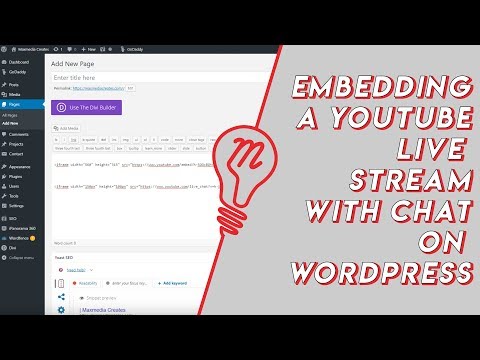 Embed YouTube Live ChatTo put a YouTube live stream's chat on your own website, use an iframe whose address is youtube.com/live_chat?v= followed by the stream's video ID and &embed_domain= followed by your site's host name. In Vi.ki's test on Nov 21, 2026 YouTube let the chat into a frame only when that host matched the page exactly, www included.
-
 Every YouTube Embed ParameterEvery parameter a YouTube embed address takes, in one sortable table: the 21 in Google's IFrame player reference plus mute, with each one's values, default and what the embed page did with it in Vi.ki's test on Nov 18, 2026. Start and end are the pair worth knowing; rel=0 no longer hides related videos.
-
 Every YouTube URL FormatEvery address form YouTube answers for videos, channels, playlists and lookups, each requested on Nov 19, 2026 with what came back. Eleven video forms all lead to youtube.com/watch?v=ID, the one address YouTube names as canonical for an ordinary video; five channel forms all lead to youtube.com/channel/ID.
See also
-
 Find a Channel IDFind any YouTube channel's ID on its channel page by opening the description (the About panel), then Share channel > Copy channel ID; your own is also under Settings > Advanced settings, or at youtube.com/account_advanced.
-
 Subscribe LinkAdd ?sub_confirmation=1 to a YouTube channel's address and the page opens with a "Confirm channel subscription" box holding Cancel and Subscribe buttons. It works on handle, channel ID and user addresses, not on a video's address, and it never subscribes anyone without a click.
-
 Channel MembershipsYouTube channel memberships let viewers pay a creator monthly through the Join button for perks like badges, emoji and members-only videos. Creators need the fan funding tier of the YouTube Partner Program (500 subscribers), can offer up to 6 levels priced from $0.99 to $499.99 in the US, and keep 70% of net revenue.
-
 Links in DescriptionsYouTube allows links in video descriptions and comments, but links to porn, malware, phishing, pirated content, regulated goods such as online casinos, or other content that breaks its rules can bring a warning, a strike or removal. Links in long video descriptions are clickable; in Shorts descriptions they have not been since Aug 31, 2023.
-
 HandlesA YouTube handle is a channel's unique @name, 3 to 30 characters long. Change it in YouTube Studio under Customization > Profile > Handle, or at youtube.com/handle, up to twice in 14 days.
-
 Made for KidsEvery YouTube creator must say whether each video is made for kids, children under 13 in the US, in YouTube Studio under Settings > Channel > Advanced settings or per video. Made for kids videos lose comments, personalized ads, the notification bell, end screens and more, a rule that came from YouTube's $170 million COPPA settlement with the FTC in 2019.