
 All vikis
Embed a Playlist of Video IDs
To embed several YouTube videos as one player without making a playlist, put the first video's ID in the embed address and the rest after ?playlist=, separated by commas, as youtube.com/embed/ID1?playlist=ID2,ID3. Google's embed reference documents it; a saved playlist uses embed/videoseries?list= instead.
To embed several YouTube videos in one player without making a playlist, put the first video's ID in the embed address and the others after ?playlist=, separated by commas: https://www.youtube.com/embed/jNQXAC9IVRw?playlist=0HAETg7L15o,OIuG1bBkfs0 plays "Me at the zoo" first and then the other two, one after another. Google's reference for the embedded player says so in as many words: the parameter "specifies a comma-separated list of video IDs to play", and "the first video that plays will be the VIDEO_ID specified in the URL path, and the videos specified in the playlist parameter will play thereafter" (YouTube Embedded Players and Player Parameters, last updated Nov 1, 2026, read Nov 15, 2026). No account, playlist or API key is needed.
Next: the same list on YouTube's own watch page, the embed code, privacy-enhanced mode and start times or start the first video at a chosen second.
The code to paste
Put the address in the src of an iframe. The simplest way is to take the code YouTube's Share > Embed gives for the first video (YouTube Embeds) and add the ?playlist= part to its address; written out by hand, the least it needs is:
<iframe width="560" height="315"
  src="https://www.youtube.com/embed/jNQXAC9IVRw?playlist=0HAETg7L15o,OIuG1bBkfs0"
  title="YouTube video player" allowfullscreen></iframe>
- Copy each video's 11-character ID (after
watch?v=, aftershorts/for a Short, afteryoutu.be/in a short link). - Put the first after
embed/. - Put the others after
?playlist=, in the order they should play, with commas and no spaces. - To add more settings, join them with
&:?playlist=ID2,ID3&start=30starts the first video 30 seconds in.
When Vi.ki loaded that address on Nov 15, 2026, the embed page YouTube served named jNQXAC9IVRw as its video and carried the list 0HAETg7L15o,OIuG1bBkfs0 in its player settings, so the parameter still reaches the player. We read the page; we did not watch the three play through.
Which embed address for which list
| You have | Embed address |
|---|---|
| A few video IDs, no playlist | youtube.com/embed/ID1?playlist=ID2,ID3 |
| One video to repeat | youtube.com/embed/ID1?playlist=ID1&loop=1 (the reference says loop "has limited support in IFrame embeds") |
| A saved playlist | youtube.com/embed/videoseries?list=PLAYLIST_ID |
| A channel's uploads | youtube.com/embed/videoseries?list=UU..., the channel ID with UC changed to UU (Play All Videos From a Channel) |
The playlist= list is the only one that exists nowhere on YouTube: it lives in the address, so to change it you edit the address. A saved playlist can be edited on YouTube and every embed follows. For a list that changes, or that a whole team edits, a saved unlisted playlist is easier; for a fixed set of clips on one page, the address is less to look after.
A saved playlist's code comes from YouTube itself. In WPLearningLab's Sep 11, 2017 tutorial, Share > Embed on a playlist video offers to share it with the playlist, starting from the current video or the start of the playlist; pasted into a WordPress post, the player shows "1 of 18" and a button that opens the whole list, so a visitor can pick any video without leaving the page.
The same list, privately
The address works on youtube-nocookie.com, YouTube's privacy-enhanced embed domain, with the rest unchanged: https://www.youtube-nocookie.com/embed/jNQXAC9IVRw?playlist=0HAETg7L15o,OIuG1bBkfs0. On Nov 15, 2026 that page, too, carried the video and the two-video list in its player settings.
YouTube offers the same domain in its own embed code: George Vanous showed in his Freedom! video on it that Share > Embed has an Enable privacy-enhanced mode box, which swaps the address to youtube-nocookie.com, and he recommends ticking it always, as sites like Khan Academy do in their embeds.
What can stop a video in the list
Each video in the list follows its own embed setting: a video whose creator unticked Allow embedding in YouTube Studio shows an error in its turn (YouTube Embeds). A private or deleted video cannot play, and an age-restricted one cannot play on most other sites and sends viewers to YouTube (Age Restriction). Google's reference gives no limit on the number of IDs; the watch page's own list from IDs kept the first 50 in our Nov 11, 2026 test (Make a Playlist From Video IDs), and we have not measured a limit for embeds.
Sources
- YouTube Embedded Players and Player Parameters, Google for Developers, last updated Nov 1, 2026, read Nov 15, 2026
- Vi.ki's requests for the example embed address on youtube.com and youtube-nocookie.com, signed out, Nov 15, 2026, with the video and playlist read from the player settings in each page
- Embed A YouTube Playlist On Your WordPress Blog, WordPress Tutorials - WPLearningLab, Sep 11, 2017 (video)
- ★ youtube-nocookie.com - New official privacy-enhanced YouTube embed code!, Freedom!, Jul 5, 2020 (video)
Moments
Embed A YouTube Playlist On Your WordPress Blog
WordPress Tutorials - WPLearningLab
★ youtube-nocookie.com - New official privacy-enhanced YouTube embed code!
Freedom!
Photos
Related
-
 Channel Membership Join LinkA YouTube channel's membership link is its address with /join added, such as youtube.com/@LofiGirl/join, which YouTube Help says links "directly to your membership window". It works after a handle or a channel ID; in Vi.ki's test on Nov 19, 2026 a channel without memberships answered the same address with its plain channel page.
-
 Channel RSS FeedEvery YouTube channel has an RSS feed at youtube.com/feeds/videos.xml?channel_id= plus the channel ID. It lists the 15 newest uploads, Shorts included; in Vi.ki's test on Nov 13, 2026, swapping in playlist_id=UULF plus the rest of the ID gave a feed of long videos only.
-
 Check If a YouTube Video Can Be EmbeddedOpen youtube.com/oembed?url= followed by the video's watch address: in Vi.ki's test on Nov 21, 2026 it answered 200 with the embed code when the video embeds, 401 Unauthorized when its owner turned embedding off, 403 Forbidden for a private video and 404 Not Found for no such video. An age-restricted video still answered 200, though it will not play on other sites.
-
 Embed a YouTube ShortA YouTube Short embeds like any video, at youtube.com/embed/ followed by its ID, but in a tall frame: width 315 and height 560 keep it 9:16. YouTube's own oEmbed answer for a /shorts/ address, read Nov 21, 2026, gave a vertical 113 by 200 frame, and the same video asked for by its watch address a horizontal one.
-
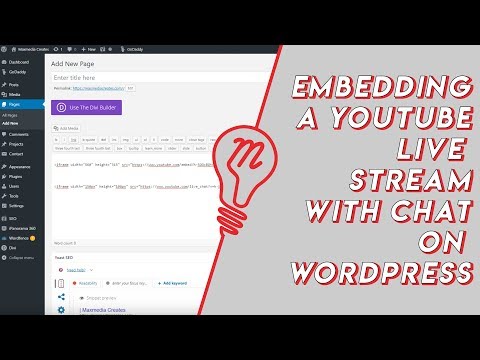 Embed YouTube Live ChatTo put a YouTube live stream's chat on your own website, use an iframe whose address is youtube.com/live_chat?v= followed by the stream's video ID and &embed_domain= followed by your site's host name. In Vi.ki's test on Nov 21, 2026 YouTube let the chat into a frame only when that host matched the page exactly, www included.
-
 Every YouTube Embed ParameterEvery parameter a YouTube embed address takes, in one sortable table: the 21 in Google's IFrame player reference plus mute, with each one's values, default and what the embed page did with it in Vi.ki's test on Nov 18, 2026. Start and end are the pair worth knowing; rel=0 no longer hides related videos.
-
 Every YouTube URL FormatEvery address form YouTube answers for videos, channels, playlists and lookups, each requested on Nov 19, 2026 with what came back. Eleven video forms all lead to youtube.com/watch?v=ID, the one address YouTube names as canonical for an ordinary video; five channel forms all lead to youtube.com/channel/ID.
-
 Exact Upload Time of a VideoYouTube shows only the day a video was published, but the watch page's source holds the time to the second, after itemprop="datePublished", written in Pacific time. For a live stream that time is when the recording was published, minutes after the stream ended; the start is in a separate startDate line.
See also
-
 Make a Playlist From Video IDsThe address youtube.com/watch_videos?video_ids= followed by video IDs separated by commas opens those videos as a temporary unlisted playlist, with no sign-in. In Vi.ki's test on Nov 11, 2026 it kept the first 50 IDs, and one wrong ID dropped the whole list.
-
YouTube EmbedsTo embed a YouTube video, click Share under it, then Embed, and paste the HTML code into your site; swap youtube.com for youtube-nocookie.com for privacy-enhanced mode, add ?start= to begin at a second, and creators can stop others embedding by unticking Allow embedding in YouTube Studio.
-
 Link to an Exact TimeTo share a YouTube video from a set time, click Share under the video, tick Start at, enter the time and copy the link, or add &t=90 (seconds) to the address yourself; embeds use start= and end= instead.
-
 Play All Videos From a ChannelTo play every video a YouTube channel has uploaded, take its channel ID, change the leading UC to UU and open youtube.com/playlist?list= followed by that code. UULF lists only the long videos, UUSH only the Shorts and UULV only the live streams.
-
 Age RestrictionAn age-restricted YouTube video can only be watched by viewers who are signed in and 18 or older, mostly not on other websites, and it may earn limited or no ads. Creators can restrict their own videos or appeal YouTube's restriction in YouTube Studio.
-
 Block a Video by CountryAn ordinary YouTube channel cannot block its own video in chosen countries. The setting exists only in Studio Content Manager, the tool of networks and rights holders, and it is built for licensing, not for hiding from an audience.