
 All vikis
Every YouTube Embed Parameter
Every parameter a YouTube embed address takes, in one sortable table: the 21 in Google's IFrame player reference plus mute, with each one's values, default and what the embed page did with it in Vi.ki's test on Nov 18, 2026. Start and end are the pair worth knowing; rel=0 no longer hides related videos.
A YouTube embed takes its options after a question mark in the player's address, joined with &: https://www.youtube.com/embed/jNQXAC9IVRw?start=5&end=15&mute=1&autoplay=1 plays "Me at the zoo" from second 5 to second 15, muted, as soon as the page loads. Google's embedded player reference lists 21 parameters, read Nov 18, 2026; the table below has every one of them, plus mute, which Google does not list but the player obeys. On Nov 18, 2026 Vi.ki requested embed addresses carrying each parameter and read the player settings YouTube wrote into the page: the last column is what came back. Of all the rows, start with end is the one worth learning, since it is the only way to turn any public video into a clip on your own page; rel=0 is the one most often copied for something it stopped doing in 2018.
Next: get the embed code itself and the privacy-enhanced domain, play several videos in one embed with playlist= or why autoplay=1 alone does nothing in most browsers.
The table
| Parameter | Values | Default | What it does | Read back on Nov 18, 2026 | Source |
|---|---|---|---|---|---|
autoplay |
0 or 1 | 0 | Starts playing without a click | "autoplay":true |
|
mute |
0 or 1 | 0 | Starts muted, which browsers require before they allow autoplay | "startMuted":true |
Not in Google's list; Josh Donnelly's Sep 29, 2023 test below |
start |
Seconds | 0 | Starts at that second, from the nearest keyframe, up to about 2 seconds earlier | "start":5 |
|
end |
Seconds | The video's end | Stops at that second, counted from the start of the video, not from start |
"end":15 |
|
loop |
0 or 1 | 0 | Repeats; for one video it needs playlist= with the same ID, and Google calls its support "limited" |
"loop":true |
|
playlist |
Video IDs, comma separated | None | Plays these after the video in the address | The IDs, and a playlist panel | |
list |
A playlist ID, or a channel for user_uploads |
None | Plays a playlist, with no video ID needed in the address | "list": the playlist ID |
|
listType |
playlist or user_uploads |
None | Says what list names; search stopped working on Nov 15, 2020 |
A playlist came back; user_uploads with the name LofiGirl returned no list or video |
|
controls |
0 or 1 | 1 | 0 hides the play bar and buttons; 2 was retired in 2017 | "controls":"HIDE" |
|
fs |
0 or 1 | 1 | 0 removes the full screen button | "fs":false |
|
disablekb |
0 or 1 | 0 | 1 makes the player ignore the keyboard (Space, k, j, l, f, m, arrows, 0 to 9) | "disablekb":true |
|
cc_load_policy |
1 | The viewer's choice | Shows captions even for a viewer who turned them off | "cc_load_policy":1 |
|
cc_lang_pref |
A language code, such as fr or fr-CA |
None | Picks the caption language; without cc_load_policy=1 it applies only once the viewer turns captions on |
"cc_lang_pref":"de" |
|
hl |
A language code, such as fr |
The viewer's | The language of the player's own words (tooltips) and the default caption track | "hl":"fr", and the page's language French |
|
color |
red or white |
red |
The color of the watched part of the progress bar | "progressBarColor":"white" |
|
iv_load_policy |
1 or 3 | 1 | 3 hides video annotations by default | "iv_load_policy":3 |
|
rel |
0 or 1 | 1 | Since Sep 25, 2018, 0 limits the videos shown at the end to the same channel; it cannot hide them | "rel":"HIDE_OR_SCOPED" |
|
playsinline |
0 or 1 | 0 | On iPhone, 1 plays inside the page instead of going full screen | "playsinline":true |
|
enablejsapi |
0 or 1 | 0 | Lets your page's script control the player through the IFrame Player API | Not written into the page's settings | |
origin |
Your site's address | None | A security setting for pages that use the API; Google says to always set it with enablejsapi |
"origin":"https://example.com" |
|
widget_referrer |
A web address | None | Names the page the player sits on, for YouTube Analytics, when the player is inside a widget | "widgetReferrer": the address |
|
modestbranding |
None | None | Deprecated on Aug 15, 2023: "has no effect" | Still read in as "modestbranding":true |
|
showinfo |
None | None | Deprecated on Aug 23, 2018 and ignored since Sep 25, 2018 | Still read in as "showinfo":false |
Google's revision history |
Sorting by the last column shows the one surprise of the test: the two parameters Google calls dead, modestbranding and showinfo, still go into the player's settings, so copying them breaks nothing; they just change nothing that Google promises. autohide and theme, retired for the HTML5 player on Aug 19, 2015, are left out of the table because Google's reference no longer describes them.
A clip from any video, the worked example
https://www.youtube.com/embed/jNQXAC9IVRw?start=5&end=15&mute=1&autoplay=1
embed/jNQXAC9IVRwis the player for the video with that ID (11 characters).?starts the options and every&adds one more; their order does not matter.start=5andend=15are whole seconds from the video's beginning. There is no1m30sform here, unlike thet=of a watch link (Link to an Exact Time).mute=1&autoplay=1together make it play by itself;autoplay=1alone is held back by most browsers until the viewer clicks.
The same address also works as a plain link for sharing a clip. Jacob LE's tip turns a copied share link into youtube.com/embed/ plus the video's code, then adds ?start= and &end= in seconds; the start holds wherever it is opened, but the end only works in a web browser, not in the YouTube app, so he tells the person to paste it into a browser.
Put the address in the src of the iframe YouTube's Share > Embed gives you, replacing the plain one. Google adds that the player must be at least 200 by 200 pixels, and recommends at least 480 by 270 for a 16:9 video.
Josh Donnelly of BuildingOnWordPress showed why mute belongs in the table though Google's list leaves it out: in his Sep 29, 2023 video, autoplay=1 alone left the embed waiting for a click, and adding &mute=1 made it start, because "YouTube doesn't want these videos to be intrusive". He then added start=120 and the video began at the two-minute mark.
What we think
We think mute=1 will still start an embed muted a year from now, without Google adding it to the reference. It has worked unlisted since at least 2023, every site that autoplays a YouTube video relies on it, and the reference's newest change, Aug 15, 2023, removed a parameter rather than adding one.
Confidence: Likely. Check by: Nov 18, 2027.
How we will check: request the worked example's address again and see whether "startMuted":true is in the page's player settings, and whether the reference lists mute.
Sources
- YouTube Embedded Players and Player Parameters, Google for Developers, read Nov 18, 2026 (every parameter, its values and the revision history)
- How to autoplay embedded YouTube videos in 2023, BuildingOnWordPress (with Josh Donnelly), Sep 29, 2023 (video)
- Vi.ki's requests to youtube.com/embed addresses carrying each parameter, with the player settings read from each page, Nov 18, 2026
- How to Share a YouTube Video That Starts & Ends at a Specific Time, Jacob LE, Jun 12, 2023 (video)
Moments
How to Share a YouTube Video That Starts & Ends at a Specific Time
Jacob LE
How to autoplay embedded YouTube videos in 2023
BuildingOnWordPress (with Josh Donnelly)
Related
-
 Channel Membership Join LinkA YouTube channel's membership link is its address with /join added, such as youtube.com/@LofiGirl/join, which YouTube Help says links "directly to your membership window". It works after a handle or a channel ID; in Vi.ki's test on Nov 19, 2026 a channel without memberships answered the same address with its plain channel page.
-
 Channel RSS FeedEvery YouTube channel has an RSS feed at youtube.com/feeds/videos.xml?channel_id= plus the channel ID. It lists the 15 newest uploads, Shorts included; in Vi.ki's test on Nov 13, 2026, swapping in playlist_id=UULF plus the rest of the ID gave a feed of long videos only.
-
 Check If a YouTube Video Can Be EmbeddedOpen youtube.com/oembed?url= followed by the video's watch address: in Vi.ki's test on Nov 21, 2026 it answered 200 with the embed code when the video embeds, 401 Unauthorized when its owner turned embedding off, 403 Forbidden for a private video and 404 Not Found for no such video. An age-restricted video still answered 200, though it will not play on other sites.
-
 Embed a YouTube ShortA YouTube Short embeds like any video, at youtube.com/embed/ followed by its ID, but in a tall frame: width 315 and height 560 keep it 9:16. YouTube's own oEmbed answer for a /shorts/ address, read Nov 21, 2026, gave a vertical 113 by 200 frame, and the same video asked for by its watch address a horizontal one.
-
 Embed YouTube Live ChatTo put a YouTube live stream's chat on your own website, use an iframe whose address is youtube.com/live_chat?v= followed by the stream's video ID and &embed_domain= followed by your site's host name. In Vi.ki's test on Nov 21, 2026 YouTube let the chat into a frame only when that host matched the page exactly, www included.
-
 Every YouTube URL FormatEvery address form YouTube answers for videos, channels, playlists and lookups, each requested on Nov 19, 2026 with what came back. Eleven video forms all lead to youtube.com/watch?v=ID, the one address YouTube names as canonical for an ordinary video; five channel forms all lead to youtube.com/channel/ID.
-
 Exact Upload Time of a VideoYouTube shows only the day a video was published, but the watch page's source holds the time to the second, after itemprop="datePublished", written in Pacific time. For a live stream that time is when the recording was published, minutes after the stream ended; the start is in a separate startDate line.
-
 Find a Channel IDFind any YouTube channel's ID on its channel page by opening the description (the About panel), then Share channel > Copy channel ID; your own is also under Settings > Advanced settings, or at youtube.com/account_advanced.
See also
-
 YouTube EmbedsTo embed a YouTube video, click Share under it, then Embed, and paste the HTML code into your site; swap youtube.com for youtube-nocookie.com for privacy-enhanced mode, add ?start= to begin at a second, and creators can stop others embedding by unticking Allow embedding in YouTube Studio.
-
-
 Why Videos Autoplay MutedYouTube videos start muted when they play by themselves in the Home feed or search results (the inline player), and browsers such as Chrome block sound on autoplay until you have interacted with the site or have played sound there before.
-
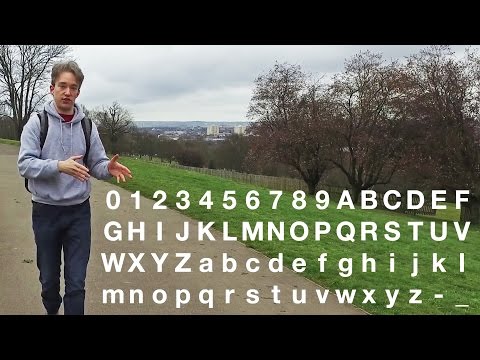 How Many YouTube Video IDs Are ThereA YouTube video ID has 11 characters but holds 2 to the 64th, 18,446,744,073,709,551,616 possible IDs, a quarter of the 64 to the 11th usually quoted, because the last character only ever takes 16 values. Vi.ki counted it in 4,238 video IDs on Nov 15, 2026; a valid ID matches ^[A-Za-z0-9_-]{10}[AEIMQUYcgkosw048]$.
-
 Link to an Exact TimeTo share a YouTube video from a set time, click Share under the video, tick Start at, enter the time and copy the link, or add &t=90 (seconds) to the address yourself; embeds use start= and end= instead.
-
 Block a Video by CountryAn ordinary YouTube channel cannot block its own video in chosen countries. The setting exists only in Studio Content Manager, the tool of networks and rights holders, and it is built for licensing, not for hiding from an audience.