
 All vikis
Move Videos to Another Channel
YouTube cannot move a video from one channel to another: Help says the only way is to download it in YouTube Studio and upload it again, and the new copy starts from zero views. Studio's download is an MP4 at 720p or 360p, five times a day per video; a whole channel can move to another Brand Account instead, but that deletes the channel it replaces.
YouTube has no way to move a video from one channel to another: its Help page says you "can't merge or link separate YouTube channels or automatically transfer data from one channel to another", and the only route is to download your video and upload it again on the other channel, where "Watch time and other metrics will start over" (Merge YouTube channels, read Nov 14, 2026). The download in YouTube Studio is an MP4 in 720p or 360p, not the file you uploaded, so a 4K video comes back at 720p at best. What can move as a whole is the channel: it can be moved to another Brand Account, videos and all, but the channel already on that account is deleted.
Next: why keeping both copies public can cost the second channel its monetization, give someone access to a channel instead of moving anything or the policy a reupload channel is judged by.
What carries over and what does not
From YouTube Help, read Nov 14, 2026.
| Download and upload again | Move the channel to another Brand Account | |
|---|---|---|
| The video file | Yes, at 720p or 360p from Studio | Yes, untouched |
| Views, likes, watch time | No: they "start over" | Not in Help's list of what is lost |
| Comments | No | Not in Help's list of what is lost |
| Title, description, tags, thumbnail, cards, end screens | No: typed in again by hand | They move with the videos |
| Old links to the video | Still open the old copy, if it stays up | The videos are the same videos |
| Subscribers | No | Not in Help's list of what is lost |
| What it costs | Hours of work per video | The target account's own channel, deleted with its videos, playlists, messages and history |
The second column is from Help's page on moving a channel: a channel and its videos can be moved "from one Brand Account to another, as long as they're associated with the same Google Account", and the channel being replaced loses its videos, messages, playlists, channel history and verification badge (Move your YouTube channel from one Brand Account to another). What the moved channel does lose, by Help's list, is its watch and search history, demographic information the owner gave and its gift settings. Before the move, the channel's owner must opt out of channel permissions in Studio and remove anyone given access through them. Help warns that a move done wrong "can risk deleting the wrong channel".
Downloading your own video
In YouTube Studio, open Content, pick the video and choose Download from its menu (Download YouTube videos that you've uploaded, read Nov 14, 2026). Help's limits:
- the file is an MP4 in 720p or 360p, "depending on the video size";
- each video can be downloaded five times in 24 hours;
- there is no download for a video that was removed, has a copyright or Community Guidelines strike, or uses a preapproved audio track.
In Love On Tech's Jan 18, 2021 walkthrough, the download sits under the Content page's more actions, one video at a time: once a second video is selected, the option turns gray.
YouTube Viewers' own video shows the same route, signed in to the channel that owns the video: YouTube Studio, Content, hover over the video, Options, Download. It repeats Help's limits too: no download for a video removed from YouTube or under a copyright or Community Guidelines strike, and none for one already downloaded five times in the last 24 hours.
Help also points to Google Takeout for downloading every video you uploaded in one go; the page does not say at what quality Takeout delivers them.
The work, counted
For each video moved by hand, the same walkthrough copies the title, the description, the thumbnail (downloaded from the old video's details), the tags, the language, recording date, location and license, and rebuilds the end screen and every card, before setting the new copy to public. For a channel of 50 videos that is 50 downloads, 50 uploads and 50 sets of details, with nothing done in bulk, because Studio downloads one video at a time.
The walkthrough's last step is to set the original to unlisted rather than delete it, so that links already shared or embedded keep working.
The second copy is the risk
Both copies left public means one video on two channels. YouTube Help calls channels that "repurpose content that's already on YouTube" without significant changes reused content, also "known as duplicative or scraped content", which is not eligible to earn (Same Video on Two Channels). Help's own steps for re-uploading end with closing the old channel. For a new language, Help now points to adding audio tracks to the one video (Switch Audio Tracks and Languages).
What we think
We think moving a few videos by hand is worth it only when the old channel is closing anyway, as Help's steps assume: the new copy starts at zero, the old copy keeps the views, and for everything else a Brand Account or shared access is the better tool.
We expect YouTube Help still to say a year from now that channels cannot be merged and videos cannot be transferred.
Confidence: Likely. Check by: Nov 14, 2027.
What would prove us wrong: YouTube Studio offering a way to move a video, with its views, from one channel to another before that day.
Sources
- Merge YouTube channels, YouTube Help, read Nov 14, 2026
- Download YouTube videos that you've uploaded, YouTube Help, read Nov 14, 2026
- Move your YouTube channel from one Brand Account to another, YouTube Help, read Nov 14, 2026
- How to move videos from one YouTube Channel to another 2021, Love On Tech, Jan 18, 2021 (video)
- Download videos you’ve uploaded with YouTube Studio, YouTube Viewers, Mar 13, 2019 (video)
Moments
How to move videos from one YouTube Channel to another 2021
Love On Tech
Download videos you’ve uploaded with YouTube Studio
YouTube Viewers
Related
-
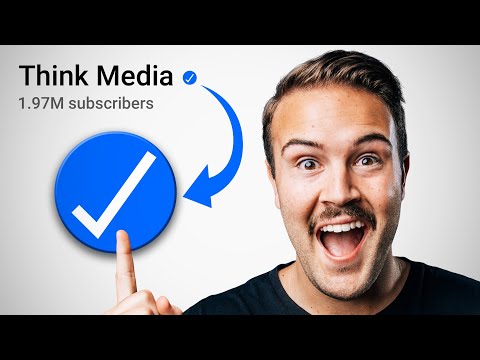 Feature AccessYouTube unlocks channel features in three tiers: standard features for everyone, intermediate features after phone verification, and advanced features after phone verification plus channel history or an ID or video check. All three are checked in YouTube Studio under Settings > Channel > Feature eligibility.
-
 HandlesA YouTube handle is a channel's unique @name, 3 to 30 characters long. Change it in YouTube Studio under Customization > Profile > Handle, or at youtube.com/handle, up to twice in 14 days.
-
 HypeHype is a YouTube button that lets viewers push a video they love up a weekly leaderboard during its first 7 days. Each viewer gets 3 free hypes a week, smaller channels earn more points per hype, and it is open to Partner Program channels with 500 to 500,000 subscribers.
-
 Live StreamingTo live stream on YouTube a channel must be verified, have no live streaming restrictions in the past 90 days and belong to someone at least 16; streaming from a phone also needs 50 subscribers. The first time can take up to 24 hours to switch on; then go live from a webcam, a phone or an encoder like OBS.
-
 PremieresA YouTube Premiere plays a prerecorded video as a live event: a public watch page with a countdown, live chat and a set start time, after which the video stays on the channel as a normal upload. Set it in YouTube Studio with "Set as instant Premiere" or Schedule > "Set as Premiere".
-
 Thumbnail Test and CompareYouTube's Test and compare (A/B testing) shows up to three thumbnails, titles, or pairs of both to viewers of one video and picks the winner by watch time share, in a few days to two weeks. It runs in YouTube Studio on a computer and needs advanced features.
-
Titles Descriptions and TagsA YouTube title can be 100 characters, a description 5,000 and the tags 500 in total, and none may contain < or >. Over 60 hashtags and YouTube ignores them all. Misleading titles, ALL CAPS and stuffed tags can cost a channel its monetization.
-
Verification BadgeA YouTube channel can apply for the gray check mark verification badge once it has 100,000 subscribers, 2-Step Verification and a complete profile, in YouTube Studio under Settings > Channel > Verified badge. The badge cannot be bought, and renaming the channel removes it.
See also
-
 Same Video on Two ChannelsYouTube Help has no line that names uploading one video to two of your own channels, but its reused content rule treats the second copy as duplicative, and for other languages Help now points to one video with several audio tracks instead of a channel per language.
-
 Channel PermissionsYouTube channel permissions let an owner give other Google Accounts the Manager, Editor, Editor (limited), Subtitle editor, Viewer or Viewer (limited) role in YouTube Studio under Settings > Permissions, without sharing a password. Transferring a channel to a new primary owner needs a Brand Account and a 7-day wait.
-
 Inauthentic and Reused ContentYouTube does not pay for mass-produced, templated or repetitive videos (inauthentic content, called repetitious content before Jul 15, 2025) or for other people's material reposted without meaningful changes (reused content). Both are judged across the whole channel, even with the owner's permission.
-
 Switch Audio Tracks and LanguagesTo hear a YouTube video in another language, open the player's Settings gear, choose Audio track, and pick a language; "original" marks the creator's own voice, and dubbed tracks may be uploaded by the creator or generated by automatic dubbing.
-
 Creator AwardsYouTube Creator Awards are the Play Buttons YouTube sends channels that pass a review at 100,000 subscribers (Silver), 1 million (Gold), 10 million (Diamond) and 100 million (Red Diamond). Subscribers alone are not enough: the channel must be active, original and free of recent strikes.
-
 Custom ThumbnailsYouTube recommends custom thumbnails of 3840 x 2160 for videos (2160 x 3840 for Shorts), at least 640 pixels wide, in JPG or PNG, up to 50 MB on a computer or 2 MB on a phone. Uploading one needs a verified account; Shorts thumbnails are set only in YouTube Studio on a computer.