
 All vikis
Embed a YouTube Short
A YouTube Short embeds like any video, at youtube.com/embed/ followed by its ID, but in a tall frame: width 315 and height 560 keep it 9:16. YouTube's own oEmbed answer for a /shorts/ address, read Nov 21, 2026, gave a vertical 113 by 200 frame, and the same video asked for by its watch address a horizontal one.
To embed a YouTube Short, take the ID after shorts/ in its address and put it after https://www.youtube.com/embed/, in an iframe taller than it is wide: width="315" height="560" keeps the Short's 9:16 shape. For the Short youtube.com/shorts/0HAETg7L15o, from YouTube's own channel, the code is:
<iframe width="315" height="560" src="https://www.youtube.com/embed/0HAETg7L15o" title="YouTube Short" frameborder="0" allow="accelerometer; autoplay; clipboard-write; encrypted-media; gyroscope; picture-in-picture; web-share" referrerpolicy="strict-origin-when-cross-origin" allowfullscreen></iframe>
There is no separate Shorts player to embed: embed/0HAETg7L15o is the ordinary embedded player, and when Vi.ki requested it on Nov 21, 2026 the page named youtube.com/watch?v=0HAETg7L15o as its address. What makes it look like a Short is only the frame's shape. Paste the code YouTube gives for a normal video and the Short plays as a narrow strip in a wide black box.
Next: start, end, mute and the other options the address takes, the same Short with a seek bar on YouTube itself or test first that the Short's owner allows embedding.
The size YouTube itself chooses
YouTube's oEmbed address, the one website builders call to turn a pasted link into a player (Video Title Without an API Key), sizes the frame by the kind of address it is given. Read on Nov 21, 2026 for the same video:
Address given to youtube.com/oembed?url= |
Frame YouTube returned |
|---|---|
https://www.youtube.com/shorts/0HAETg7L15o |
113 wide by 200 high (vertical) |
https://youtube.com/shorts/0HAETg7L15o |
113 by 200 (vertical) |
https://www.youtube.com/watch?v=0HAETg7L15o |
200 by 113 (horizontal) |
https://youtu.be/0HAETg7L15o |
200 by 113 (horizontal) |
The Shorts address with &maxwidth=315&maxheight=560 |
315 by 560 |
The Shorts address with &maxwidth=1000&maxheight=1000 |
563 by 1000 |
So the same 11-character ID gets a tall or a wide player depending only on whether shorts/ is in the link. So a builder that sizes the player from this answer gives a Short pasted as a youtu.be link, the form YouTube's Share button copies, a wide frame: paste the youtube.com/shorts/ link instead. Every row's code pointed at the same embed/0HAETg7L15o player; only width and height changed. 113 by 200 and 315 by 560 are both 9:16, the shape of a phone screen held upright.
Addresses that do not work
| Tried | What came back on Nov 21, 2026 |
|---|---|
youtube.com/shorts/embed/0HAETg7L15o |
404 Not Found |
youtube.com/embed/shorts/0HAETg7L15o |
A player page with neither the Short's title nor an address of its own, the same as for a made-up ID: it reads "shorts" as the video ID |
youtube.com/embed/0HAETg7L15o |
The Short, with the watch address as its canonical |
Copying the code from YouTube
Website.com's Aug 23, 2023 tutorial skips the link altogether: on the Short's page on a computer, right-click the video and choose Copy embed code, then paste it into a custom HTML block. The same video still says a Short is "under one minute long", the limit before YouTube allowed up to three minutes for uploads from Oct 15, 2024 (Understand three-minute YouTube Shorts, read Nov 21, 2026). The copied code is sized for a wide video, so change its width and height to a 9:16 pair after pasting.
Katia of Katia's Buzz Media put the reason bluntly in a Sep 6, 2023 video on WordPress: a Short in the wide player "looks like hell", and its thumbnail there will not make people "want to click on your video"; her fix is the same: an iframe of the right shape in an HTML block, with the Short's ID after embed/.
The other options of the embedded player work on a Short as on any video: ?start=5&end=15 plays seconds 5 to 15, and ?autoplay=1&mute=1 starts it silently on load (Every YouTube Embed Parameter). YouTube Help's page on embedding documents videos and playlists and says nothing about Shorts (Embed videos & playlists, read Nov 21, 2026).
What we think
We think YouTube's oEmbed answer will still give a vertical frame for a /shorts/ link and a horizontal one for a watch?v= link of the same Short a year from now: builders such as WordPress already depend on the difference, and nothing else in the answer tells them a video is a Short.
Confidence: Likely. Check by: Nov 21, 2027.
How we will check: request youtube.com/oembed?url= with youtube.com/shorts/0HAETg7L15o and again with youtube.com/watch?v=0HAETg7L15o, and compare the width and height.
Sources
- Embed videos & playlists, YouTube Help, read Nov 21, 2026
- Understand three-minute YouTube Shorts, YouTube Help, read Nov 21, 2026
- How To Add a YouTube Shorts Video On Your Website Using Embed Code, Website.com, Aug 23, 2023 (video)
- How to Embed YouTube Shorts videos in Wordpress, Katia's Buzz Media, Sep 6, 2023 (video)
- Vi.ki's requests to youtube.com/oembed and to the embed addresses in the tables, for the Short
0HAETg7L15o, Nov 21, 2026
Moments
How To Add a YouTube Shorts Video On Your Website Using Embed Code
Website.com
How to Embed YouTube Shorts videos in Wordpress
Katia's Buzz Media 🐝
Related
-
 Channel RSS FeedEvery YouTube channel has an RSS feed at youtube.com/feeds/videos.xml?channel_id= plus the channel ID. It lists the 15 newest uploads, Shorts included; in Vi.ki's test on Nov 13, 2026, swapping in playlist_id=UULF plus the rest of the ID gave a feed of long videos only.
-
-
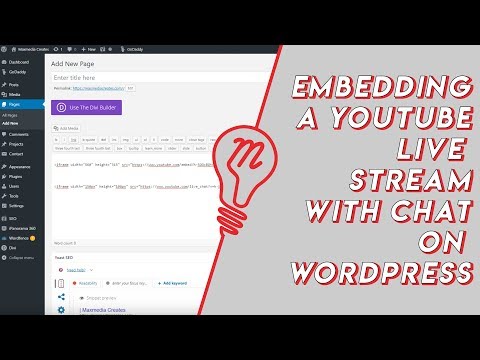 Embed YouTube Live ChatTo put a YouTube live stream's chat on your own website, use an iframe whose address is youtube.com/live_chat?v= followed by the stream's video ID and &embed_domain= followed by your site's host name. In Vi.ki's test on Nov 21, 2026 YouTube let the chat into a frame only when that host matched the page exactly, www included.
-
 Every YouTube URL FormatEvery address form YouTube answers for videos, channels, playlists and lookups, each requested on Nov 19, 2026 with what came back. Eleven video forms all lead to youtube.com/watch?v=ID, the one address YouTube names as canonical for an ordinary video; five channel forms all lead to youtube.com/channel/ID.
-
 Exact Upload Time of a VideoYouTube shows only the day a video was published, but the watch page's source holds the time to the second, after itemprop="datePublished", written in Pacific time. For a live stream that time is when the recording was published, minutes after the stream ended; the start is in a separate startDate line.
-
 Find a Channel IDFind any YouTube channel's ID on its channel page by opening the description (the About panel), then Share channel > Copy channel ID; your own is also under Settings > Advanced settings, or at youtube.com/account_advanced.
-
 Frame by Frame with Comma and PeriodOn YouTube on a computer, pause the video, then press the period key to step one frame forward and the comma key to step one frame back.
-
 Get a Channel's Profile Picture at Full SizeTake the address of a YouTube channel's profile picture, delete everything from the = sign on and write =s0 instead: YouTube then serves the picture as the channel uploaded it. In Vi.ki's test on Nov 14, 2026 that was 1080 by 1080 for YouTube's own channel and 178 by 178 for the first uploader's, while the 900 by 900 copy in the page was blown up for three of five channels.
See also
-
 Every YouTube Embed ParameterEvery parameter a YouTube embed address takes, in one sortable table: the 21 in Google's IFrame player reference plus mute, with each one's values, default and what the embed page did with it in Vi.ki's test on Nov 18, 2026. Start and end are the pair worth knowing; rel=0 no longer hides related videos.
-
Watch a Short as a Normal VideoTo watch a YouTube Short in the ordinary player, replace "shorts/" in its address with "watch?v=", so youtube.com/shorts/ID becomes youtube.com/watch?v=ID, with a seek bar, speed, quality and keyboard shortcuts.
-
 Check If a YouTube Video Can Be EmbeddedOpen youtube.com/oembed?url= followed by the video's watch address: in Vi.ki's test on Nov 21, 2026 it answered 200 with the embed code when the video embeds, 401 Unauthorized when its owner turned embedding off, 403 Forbidden for a private video and 404 Not Found for no such video. An age-restricted video still answered 200, though it will not play on other sites.
-
 Video Title Without an API KeyThe address youtube.com/oembed?url= followed by a video's link and &format=json returns the video's title, channel name, channel address, thumbnail and embed code as JSON, with no API key and no sign-in. It does not return views, likes, the date or the length.
-
 Block a Video by CountryAn ordinary YouTube channel cannot block its own video in chosen countries. The setting exists only in Studio Content Manager, the tool of networks and rights holders, and it is built for licensing, not for hiding from an audience.
-
 Channel Membership Join LinkA YouTube channel's membership link is its address with /join added, such as youtube.com/@LofiGirl/join, which YouTube Help says links "directly to your membership window". It works after a handle or a channel ID; in Vi.ki's test on Nov 19, 2026 a channel without memberships answered the same address with its plain channel page.