
 All vikis
Link to a Community Post
The link to one YouTube post is youtube.com/post/ followed by the post's ID, which is where the post's time label ("4 days ago") leads; it opens the post alone, signed out too. A channel's posts as a list are at youtube.com/@handle/posts. In Vi.ki's test on Nov 24, 2026 the old /community?lb= links no longer opened the post.
The link to one YouTube community post is https://www.youtube.com/post/POST_ID, with the post's ID in place of POST_ID, and the quickest way to get it is to click the post's time label (such as "4 days ago") and copy the address it opens. For example, https://www.youtube.com/post/Ugkxts7T5LvpPd3d8Oos264qwBvG1irz76yw opened, signed out on Nov 24, 2026, a Lofi Girl art post from four days earlier on a page of its own, with the channel's Posts tab selected above it and the post's comments below. To link to all of a channel's posts instead, use https://www.youtube.com/@handle/posts.
Next: the same trick for one comment under a video, every other tab a channel address opens or why youtu.be cannot shorten a post link.
The link, part by part
| Part | In the example | What it does |
|---|---|---|
https://www.youtube.com/post/ |
Opens one post on its own page | |
| The post ID | Ugkxts7T5LvpPd3d8Oos264qwBvG1irz76yw |
Picks the post; every ID we read on Nov 24, 2026 was 36 characters starting Ugkx |
The ID is the whole link: it carries no channel, so a post link keeps working if the channel changes its handle. An ID that does not exist (we tried UgkxNOTAREALPOSTIDxxxxxxxxxxxxxxxxx) answered 404 Not Found.
Get a post's link
- Open the channel and click the Posts tab, or type
/postsafter the channel's address. - Click the time beside the channel's name at the top of the post. On Nov 24, 2026 that label on every post of Lofi Girl's tab was a link to
/post/and the post's ID. - Copy the address from the browser bar.
In the YouTube app, YouTube Help's instructions for Communities say to tap Share on a post and then Copy link (Start your Community, read Nov 24, 2026). Every post on the Posts tab carried a Share button in the page's data the same day.
For your own posts there is a list in YouTube Studio: YouTube Creators' video on Posts, from Feb 29, 2024, sends you to Content, then Posts, where you can filter them by type or visibility and open each one.
The channel's Posts tab
YouTube Creators says posts show on the channel's Posts tab, the YouTube home page and the Subscriptions feed; YouTube Help adds the Posts shelf of the channel's Home tab (Learn about posts, read Nov 24, 2026). The tab's address is the channel's with /posts:
| Address tested on Nov 24, 2026 | What opened |
|---|---|
youtube.com/@LofiGirl/posts |
The Posts tab, newest post first |
youtube.com/channel/UCSJ4gkVC6NrvII8umztf0Ow/posts |
The same tab, by channel ID |
youtube.com/post/Ugkxts7T5LvpPd3d8Oos264qwBvG1irz76yw |
That one post |
youtube.com/@LofiGirl/posts?lb=Ugkxts7T5LvpPd3d8Oos264qwBvG1irz76yw |
That one post too: its page named youtube.com/post/ and the ID as its main address |
youtube.com/@LofiGirl/community?lb=Ugkxts7T5LvpPd3d8Oos264qwBvG1irz76yw |
Not the post: a page titled "Lofi Girl's Community", the same as with no ?lb= |
youtube.com/post/... or m.youtube.com/post/... |
Forwarded to www.youtube.com/post/ and the same ID |
youtu.be/post/... |
Not the post: youtu.be read "post/..." as a video ID (Short Links youtu.be and yt.be) |
Help notes one case where the tab is hidden: on a channel whose audience is set as made for kids, the Posts tab is visible only to the creator.
Why old community links land somewhere else
Posts used to live on a Community tab, and links to one post were the channel's address with /community?lb= and the ID. Those links now open a different page. /community belongs to Communities, which YouTube Help calls "a dedicated space for you and your audience to connect with each other right from your channel", reached with a Visit Community button; Help says posts made in a Community are shared only to that Community and do not appear on the Posts tab.
Ty Myers turns it on in a Jun 30, 2025 video: the My community toggle adds a Visit community bar to the channel, and it leads out of the channel page "into your community page", which shows the creator's own posts and, as he scrolls, posts left by subscribers. That page is what @LofiGirl/community opened in our test, and the ?lb= part of an old link changed nothing on it. So an old post link has to be rewritten as youtube.com/post/ and the same ID.
Frequently asked questions
Does a post link work for people who are not signed in? Yes. Every test on this page was made signed out, and the post opened with its comments. A post that is members-only or deleted is another matter; we did not test those.
Can I shorten a post link? Not with youtu.be, which only takes video IDs. The shortest working form is youtube.com/post/ and the ID, which forwards to the www address.
Sources
- Vi.ki's requests to the Posts tabs of @LofiGirl and @YouTube, to
/post/,/posts?lb=,/communityand/community?lb=addresses, and to youtu.be and m.youtube.com forms, signed out, Nov 24, 2026 - Learn about posts, YouTube Help, read Nov 24, 2026
- Start your Community, YouTube Help, read Nov 24, 2026
- YouTube Posts, YouTube Creators, Feb 29, 2024 (video)
- YouTube Community Tab & Posts (Full Tutorial), Ty Myers, Jun 30, 2025 (video)
Moments
YouTube Posts
YouTube Creators
YouTube Community Tab & Posts (Full Tutorial)
Ty Myers
Related
-
 Channel RSS FeedEvery YouTube channel has an RSS feed at youtube.com/feeds/videos.xml?channel_id= plus the channel ID. It lists the 15 newest uploads, Shorts included; in Vi.ki's test on Nov 13, 2026, swapping in playlist_id=UULF plus the rest of the ID gave a feed of long videos only.
-
 Check If a YouTube Video Can Be EmbeddedOpen youtube.com/oembed?url= followed by the video's watch address: in Vi.ki's test on Nov 21, 2026 it answered 200 with the embed code when the video embeds, 401 Unauthorized when its owner turned embedding off, 403 Forbidden for a private video and 404 Not Found for no such video. An age-restricted video still answered 200, though it will not play on other sites.
-
-
 Embed a YouTube ShortA YouTube Short embeds like any video, at youtube.com/embed/ followed by its ID, but in a tall frame: width 315 and height 560 keep it 9:16. YouTube's own oEmbed answer for a /shorts/ address, read Nov 21, 2026, gave a vertical 113 by 200 frame, and the same video asked for by its watch address a horizontal one.
-
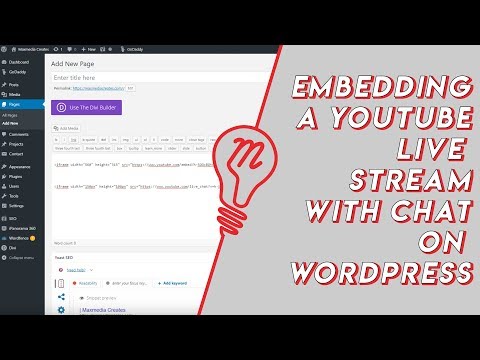 Embed YouTube Live ChatTo put a YouTube live stream's chat on your own website, use an iframe whose address is youtube.com/live_chat?v= followed by the stream's video ID and &embed_domain= followed by your site's host name. In Vi.ki's test on Nov 21, 2026 YouTube let the chat into a frame only when that host matched the page exactly, www included.
-
 Every YouTube Embed ParameterEvery parameter a YouTube embed address takes, in one sortable table: the 21 in Google's IFrame player reference plus mute, with each one's values, default and what the embed page did with it in Vi.ki's test on Nov 18, 2026. Start and end are the pair worth knowing; rel=0 no longer hides related videos.
-
 Every YouTube URL FormatEvery address form YouTube answers for videos, channels, playlists and lookups, each requested on Nov 19, 2026 with what came back. Eleven video forms all lead to youtube.com/watch?v=ID, the one address YouTube names as canonical for an ordinary video; five channel forms all lead to youtube.com/channel/ID.
-
 Exact Upload Time of a VideoYouTube shows only the day a video was published, but the watch page's source holds the time to the second, after itemprop="datePublished", written in Pacific time. For a live stream that time is when the recording was published, minutes after the stream ended; the start is in a separate startDate line.
See also
-
 Link to a CommentTo link to one YouTube comment, click the time under the commenter's name ("2 days ago") and copy the address, which ends in &lc= and the comment's ID; anyone who opens it sees that comment first, labeled "Highlighted comment". In Vi.ki's test on Nov 15, 2026 it worked signed out, for replies too, and through youtu.be.
-
 Link to a Channel's Shorts or Live TabAdd /shorts, /streams or /videos to a YouTube channel's address to open that tab, as youtube.com/@LofiGirl/streams for its past and current live streams; /playlists, /posts, /podcasts, /releases and /store open the others. A tab the channel lacks opens Home, and no address sorts a tab by Popular.
-
 Short Links youtu.be and yt.beyoutu.be/VIDEO_ID is YouTube's short link for any video and accepts ?t= for a start time; yt.be is a second YouTube domain used only for named campaign links that YouTube itself creates, so yt.be/VIDEO_ID and yt.be/@handle do not work.
-
 Made for KidsEvery YouTube creator must say whether each video is made for kids, children under 13 in the US, in YouTube Studio under Settings > Channel > Advanced settings or per video. Made for kids videos lose comments, personalized ads, the notification bell, end screens and more, a rule that came from YouTube's $170 million COPPA settlement with the FTC in 2019.
-
 Block a Video by CountryAn ordinary YouTube channel cannot block its own video in chosen countries. The setting exists only in Studio Content Manager, the tool of networks and rights holders, and it is built for licensing, not for hiding from an audience.
-
 Channel Membership Join LinkA YouTube channel's membership link is its address with /join added, such as youtube.com/@LofiGirl/join, which YouTube Help says links "directly to your membership window". It works after a handle or a channel ID; in Vi.ki's test on Nov 19, 2026 a channel without memberships answered the same address with its plain channel page.