
 All vikis
YouTube Home Feed
YouTube's Home feed is the page of recommendations the app and site open on. Since Oct 22, 2026 the app's Home has a top bar of feeds (Home, Subs, Live, Music, Movies & TV) and, for signed-in US viewers in English, custom feeds you create by typing a prompt: 3 at a time, or 8 with Premium.
YouTube's Home feed is the first thing the app and youtube.com show: recommended videos, Shorts and posts picked from what you watch. Since Oct 22, 2026 the app's Home tab has a top bar you scroll sideways, with Home, Subs, Live, Music and, for viewers who pay for channels, Movies & TV, and a + that makes a custom feed from a typed prompt such as "help me unwind after work with guided meditations under 10 minutes" (TeamYouTube, Oct 22, 2026). Custom feeds are for signed-in viewers in the US with English as the device language and watch and search history on; a free account keeps 3 at a time, a Premium one 8 (YouTube Help, read Nov 23, 2026).
Next: train what Home recommends, or switch it off, where the Subscriptions tab went or take Shorts off Home.
The top bar, feed by feed
| Feed | What it shows | Who sees it |
|---|---|---|
| Custom feeds | Recommendations for a prompt you typed, refreshed each visit | Signed in, US, English, watch and search history on; not on tablets |
| Home | Top recommendations across videos, posts and Shorts | Everyone |
| Subs | The newest uploads from channels you subscribe to, under a row of their profile images | Signed in |
| Live | Recommended live streams and streams from your subscriptions | Everyone with the top bar |
| Music | Music videos and music-related videos | Everyone with the top bar |
| Movies & TV | Recommendations, rentals and purchases | Only with a Primetime Channel subscription or YouTube TV add-on |
| More | Movies & TV (when not in the bar), Gaming, Podcasts, Playables and Memberships | Everyone with the top bar |
From How to explore feeds on the YouTube app and Create & manage your custom feeds on YouTube Home, YouTube Help, read Nov 23, 2026. Help adds one condition that covers the whole bar: the feeds and the top bar are not shown if your watch history is paused or off.
Custom feeds
YouTube showed custom feeds at Made on YouTube on Sep 23, 2026, with a creator who found that Home gave her "all the things I'm interested in at once" and wanted it more curated: a custom feed is a dedicated tab "for any interest, routine or mood" that keeps updating with new videos. Making one in her demo took a tap on Add custom feed and a typed line ("inspire me with ideas around fashion and pop culture"), after which YouTube saved a tab for it on her Home page.
- Sign in and open Home.
- Tap + at the top of the app, or select Custom Feed at the top left on a computer.
- Type what you want to see (a topic, channels or a mood) or tap a suggested prompt, then press Enter.
- To change a feed, tap the prompt box at its top and type new words. To go back to the ordinary feed, tap Home.
The rules, from Help and the Oct 22, 2026 announcement:
- How many: 3 at a time without Premium, 8 with YouTube Premium.
- How long: a prompt left unused for 30 days expires and its feed goes; type a new one to make another.
- Private: nobody else can find or open your feeds, and feeds made on a phone sync to the desktop site under the same Google Account.
- Not separate from Home: what you watch from a custom feed goes into your ordinary watch history and can change your main Home recommendations.
- Same pay for creators: views from a custom feed count toward a creator's watch time and earnings as Home views do.
- Feedback: the thumbs up and down under a prompt tell YouTube whether the feed understood it.
Creator Insider's Nov 6, 2026 update adds what Help does not say: custom feeds replace the old topic chips, the row of fixed subjects that sat above Home on the mobile app, and they sync back to desktop. Tapping or clicking back into Home brings back the full range of recommendations.
The rest of Home
- Shorts shelf: Home mixes a shelf of Shorts in with videos. Show fewer Shorts in its More menu thins it, and a Shorts feed limit of zero removes Shorts from Home.
- Playables: free games can appear on a shelf of their own (YouTube Playables).
- Not interested: the More menu beside any video on Home hides it or its channel (Recommendations and Watch History).
- History off: with watch history off and nothing recent in it, YouTube removes Home's recommendations, and the top bar of feeds goes with them.
The numbers behind the change
YouTube says it announced "more than 30" products and features at Made on YouTube 2026, and Sundar Pichai picked custom feeds as "one great example" in Alphabet's Oct 28, 2026 earnings remarks (Google). By our count of Help's table, a free US viewer who uses everything now has up to 8 feeds on the Home tab: Home, Subs, Live and Music, plus 3 custom feeds and Movies & TV for those who pay for channels. A Premium member can reach 13.
Our verdict
We think custom feeds are the most useful change to Home since watch history could be paused, because they split one feed that tries to guess everything into feeds that each answer one stated question. The price is the same history Home already reads: no history, no custom feeds, and no top bar at all. A viewer who turned history off for privacy has to choose, and we would keep it off rather than trade it for feeds.
We think custom feeds will open in at least one country outside the United States by Jun 30, 2027: TeamYouTube's announcement says YouTube is "actively working on bringing custom feeds to more users and regions", and the English-only limit points first to the UK, Canada or Australia.
Confidence: Possible. Check by: Jun 30, 2027.
How we will check: read the availability line of Help's custom feeds page.
Frequently asked questions
Why don't I see custom feeds on YouTube? You need to be signed in, in the US, with the device language set to English and both watch and search history on; Help also says custom feeds are not available on tablets.
Where did the topic chips on YouTube Home go? On the mobile app, custom feeds replaced them in the redesign that began on Oct 22, 2026, as Creator Insider explained on Nov 6.
Do custom feeds expire? Yes, after 30 days without use; the feed then goes and a new prompt makes another.
Sources
- New ways to explore YouTube from your Home page, TeamYouTube, YouTube Help Community, Oct 22, 2026
- Create & manage your custom feeds on YouTube Home, YouTube Help, read Nov 23, 2026
- How to explore feeds on the YouTube app, YouTube Help, read Nov 23, 2026
- Innovation for the YouTube Era: What's new for viewers and creators, Neal Mohan, YouTube Official Blog, Sep 23, 2026
- Q3 2026 earnings call: Remarks from our CEO, Google, Oct 28, 2026
- Build Your Own YouTube Home Page! - Made On YouTube, Creator Insider, Sep 25, 2026 (video)
- New! Sub Feed Location, Custom Feeds, YouTube Shopping Recommendations, Support in Ask Studio, Creator Insider, Nov 6, 2026 (video)
Moments
Build Your Own YouTube Home Page! - Made On YouTube
Creator Insider
New! Sub Feed Location, Custom Feeds, YouTube Shopping Recommendations, Support in Ask Studio
Creator Insider
Related
-
 YouTube AppsYouTube is six apps, not one: YouTube itself, YouTube Music, YouTube Kids, YouTube TV (US live TV from $82.99 a month as of Nov 23, 2026), YouTube Studio for running a channel and YouTube Create for editing on a phone. All but YouTube TV are free to install; Premium is a plan across them, not an app.
-
 YouTube UpdatesThe latest YouTube updates as of Nov 23, 2026, newest first. Ask Studio answering support questions (Nov 6), 150 million Music and Premium subscribers (Oct 28), Subs moved to the top of Home with custom feeds (Oct 22), Ask YouTube on phones (Oct 12) and the 30-plus launches of Made on YouTube (Sep 23), with what comes next.
-
 2-Step VerificationYouTube requires 2-Step Verification on the Google Account of every channel in the YouTube Partner Program (to use YouTube Studio since Nov 1, 2021) and of every channel applying for the verification badge; YouTube recommends a passkey as the second step because it resists phishing best.
-
 Delete a YouTube ChannelTo delete a YouTube channel, open YouTube Studio on a computer, go to Settings, Channel, Advanced settings, Remove YouTube Content, and choose to permanently delete your content; it cannot be undone, it keeps your Google Account, and hiding the channel instead is reversible.
-
 Hacked Channel RecoveryTo recover a hacked YouTube channel, first recover the Google Account that owns it (password reset and Google's account recovery), then undo the hacker's changes with YouTube Studio's cleanup tool, then secure the account with 2-Step Verification; YouTube's hacked channel assistant helps in English, Spanish and Portuguese.
-
 YouTube Age VerificationYouTube estimates with AI whether a signed-in user is under 18, whatever birthday the account gives, in 11 named countries and the European Economic Area as of Nov 23, 2026; an adult it gets wrong verifies with a government ID, a credit card or a selfie, and in Australia under-16s have been signed out since Dec 10, 2025.
-
 YouTube SupportOnly eligible creators, such as channels in the YouTube Partner Program, can chat with or email YouTube Creator Support, from the Chat button in YouTube Studio or the Help Center; everyone else gets the Help Center, the YouTube Help Community and @TeamYouTube on X.
-
 Content IDContent ID is YouTube's automatic copyright system, which scans every upload against reference files from rights holders and places a claim on a match that blocks, monetizes or tracks the video. A claim is not a strike, and only owners of exclusive rights to a large body of often-uploaded material qualify to use it.
See also
-
 Recommendations and Watch HistoryYouTube recommends videos from your watch and search history, likes and feedback. Use More, Not interested or Don't recommend channel to steer it, and pause or delete watch history at myactivity.google.com; with history off and empty, YouTube removes Home recommendations.
-
 Subscriptions FeedYouTube's Subscriptions feed lists the newest videos from the channels you subscribe to. On Oct 22, 2026 YouTube took it out of the mobile app's bottom bar and renamed it Subs, the second tab in the top bar of Home; on youtube.com it is still at youtube.com/feed/subscriptions.
-
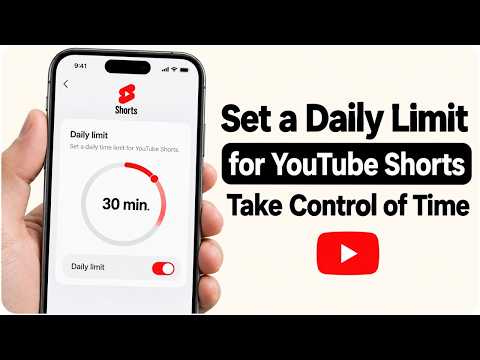 Shorts Time LimitYouTube's Shorts feed limit caps how long you scroll Shorts each day, from zero to two hours, under You > Settings > Time management > Shorts feed limit in the app. At zero, Shorts leave the Home feed; Shorts from channels you subscribe to still show in Subs, and an adult can dismiss the reminder.
-
 YouTube PremiumYouTube Premium is YouTube's paid plan: videos without ads, background play, downloads, YouTube Music Premium, an enhanced-bitrate 1080p, Jump ahead and more. In the US it costs $15.99 a month for one person and $26.99 for a family as of Nov 6, 2026; Premium Lite is a cheaper, mostly ad-free plan without music.
-
 YouTube PlayablesYouTube Playables are free games you play inside YouTube itself, on the website and in the YouTube app, found on the Playables shelf on Home, at youtube.com/playables or under Explore > Playables. Nothing to install and no Premium needed.
-