
 All vikis
Subscriptions Feed
YouTube's Subscriptions feed lists the newest videos from the channels you subscribe to. On Oct 22, 2026 YouTube took it out of the mobile app's bottom bar and renamed it Subs, the second tab in the top bar of Home; on youtube.com it is still at youtube.com/feed/subscriptions.
In the YouTube app, the Subscriptions feed is now Subs, the second tab in the top bar of Home, right after Home itself: on Oct 22, 2026 YouTube moved it out of the bottom bar, where it had sat since 2017, latterly as the fourth button (9to5Google, Oct 22, 2026). Tap Home, then Subs. It still shows the newest uploads from the channels you subscribe to, under a row of their profile images (YouTube Help, read Nov 23, 2026). On a computer the feed is where it was, in the left menu and at youtube.com/feed/subscriptions (Watch Later and Liked Videos Links).
Next: the rest of the new top bar and custom feeds, a link that opens the subscribe box or follow a channel without YouTube's feed at all.
Where it went
BrenTech's Oct 23, 2026 report on the change walks through YouTube's own images: Subscriptions has gone from its fourth place in the bottom bar to the top bar of the Home tab, where Subs is second after Home, a move it expects to "break quite a lot of muscle memory". TeamYouTube's announcement put it in one line: "Your Subs feed is moving to the top bar on the Home tab, keeping your favorite creators front-and-center" (TeamYouTube, Oct 22, 2026).
| Before Oct 22, 2026 | After | |
|---|---|---|
| Name | Subscriptions | Subs |
| Place in the app | Fourth button of the bottom bar | Second tab of the top bar on Home |
| Taps from the Shorts tab | 1 | 2 (Home, then Subs) |
| Neighbors | Home, Shorts, Create, You | Home, custom feeds, Live, Music, Movies & TV |
| On youtube.com | Left menu, /feed/subscriptions |
Unchanged |
The tap counts are ours, from the two layouts as 9to5Google and YouTube's Help describe them. The rollout began in the US with the redesigned top bar; YouTube had tested it earlier in 2026.
That test was not popular. Supreme Guru Tech, in a May 22, 2026 video, described Subscriptions "shoved up to the top of the screen" as a tab you swap with Home, and testers complaining that one stray swipe took them to the wrong feed and that the top of the screen is a stretch for a thumb.
The catch with watch history
Help says the feeds and the top bar "are not visible if your YouTube watch history is paused or turned off" (YouTube Help). Since Subs now lives in that bar, a viewer with history off loses the obvious way to it in the app. The address youtube.com/feed/subscriptions still opens the feed in a browser, and on a computer the left menu still lists it. Help does not say where the app puts Subs for these viewers; we could not test it without a US account under the new layout.
What you see in Subs
- New uploads first, from every channel you subscribe to, long videos and Shorts alike.
- A row of channels at the top; tap a profile image to open that channel (YouTube Help).
- Every upload, whatever the bell says. Help's notification troubleshooting page says subscribers on Personalized notifications "will see every video that you upload in their subscription feed" (YouTube Help).
- Shorts even with Shorts limited: a Shorts feed limit of zero takes Shorts off Home but not out of Subs (Shorts Time Limit).
- The full list of channels you subscribe to is at
youtube.com/feed/channels, signed in.
Supreme Guru Tech's case against the move rests on what the feed is: the one part of YouTube that is purely the viewer's choice, "no algorithm, just the channels you picked", while Home and Shorts are ranked for watch time. That is the channel's reading of the design, not YouTube's.
For creators: getting into the feed
A video reaches Subs only if its uploader leaves Publish to Subscriptions feed and notify subscribers ticked when uploading (YouTube Help); Sprizzy's video below finds it under Show more in the upload details. The same page sets the notification limits: viewers get at most "3 new video notifications from each channel in a 24 hour period", counting uploads, live streams and Premieres; more than three videos in a short time can pause notifications for 24 hours; and Made for Kids videos send none (Made for Kids).
Sprizzy, a channel that sells YouTube promotion, made the same point to creators worried about the move on Nov 11, 2026: before blaming the new layout, check that the publish-to-subscriptions box is on, and a video's Reach tab showing bell notifications sent at 0% means it was off. Its other advice follows Help's limits: the default bell, Personalized, sends only some uploads, sometimes hours later, so upload several videos as private and schedule them apart.
The bell is the viewer's side of this. Each channel's bell has All, Personalized and None; subscribing sets it to Personalized, and unsubscribing then subscribing again resets it (YouTube Help).
Our verdict
We think the move costs subscribers a tap and gains YouTube a Home tab that every viewer passes through, and that the second is why it happened. For viewers our advice is practical: on a phone, open Home and swipe once to Subs; to see every upload from a few channels you care about, set their bells to All rather than relying on the feed. For creators, the feed still lists every public upload that has the box ticked, so the layout matters less than the checkbox.
We think YouTube will not put Subscriptions back in the app's bottom bar by Oct 22, 2027: it tested the change for months, shipped it despite the complaints in that test, and describes it as the first of "a series of updates" to Home.
Confidence: Likely. Check by: Oct 22, 2027.
How we will check: open the US YouTube app and read the buttons of its bottom bar.
Frequently asked questions
Where is the Subscriptions tab on YouTube? In the app, tap Home and then Subs, the second tab across the top. On a computer it is still in the left menu, or at youtube.com/feed/subscriptions.
Why did YouTube move Subscriptions? TeamYouTube's announcement calls it the start of a series of updates to make Home more seamless, with Subs moved to the top bar beside new feeds for Live, Music and Movies & TV.
Why can't I see Subs at the top of my YouTube app? Help says the top bar of feeds is hidden when your watch history is paused or off; turning history on brings it back.
Sources
- YouTube removing 'Subscriptions' bottom bar tab on Android, iOS, 9to5Google, Oct 22, 2026
- New ways to explore YouTube from your Home page, TeamYouTube, YouTube Help Community, Oct 22, 2026
- How to explore feeds on the YouTube app, YouTube Help, read Nov 23, 2026
- Fix subscriber notification problems, YouTube Help, read Nov 23, 2026
- Manage YouTube notifications, YouTube Help, read Nov 23, 2026
- YouTube Mobile Just Changed the Home Page (+ New Custom Feed!), BrenTech, Oct 23, 2026 (video)
- YouTube Is Moving Your Subscriptions Tab (And People Are Furious), Supreme Guru Tech, May 22, 2026 (video)
- YouTube Subscriptions tab moved: will subscribers still see you?, Sprizzy YouTube Promotion, Nov 11, 2026 (video)
Moments
YouTube Mobile Just Changed the Home Page (+ New Custom Feed!)
BrenTech
YouTube Is Moving Your Subscriptions Tab (And People Are Furious)
Supreme Guru Tech
YouTube Subscriptions tab moved: will subscribers still see you?
Sprizzy YouTube Promotion
Related
-
-
 YouTube AppsYouTube is six apps, not one: YouTube itself, YouTube Music, YouTube Kids, YouTube TV (US live TV from $82.99 a month as of Nov 23, 2026), YouTube Studio for running a channel and YouTube Create for editing on a phone. All but YouTube TV are free to install; Premium is a plan across them, not an app.
-
 YouTube UpdatesThe latest YouTube updates as of Nov 23, 2026, newest first. Ask Studio answering support questions (Nov 6), 150 million Music and Premium subscribers (Oct 28), Subs moved to the top of Home with custom feeds (Oct 22), Ask YouTube on phones (Oct 12) and the 30-plus launches of Made on YouTube (Sep 23), with what comes next.
-
 2-Step VerificationYouTube requires 2-Step Verification on the Google Account of every channel in the YouTube Partner Program (to use YouTube Studio since Nov 1, 2021) and of every channel applying for the verification badge; YouTube recommends a passkey as the second step because it resists phishing best.
-
 Delete a YouTube ChannelTo delete a YouTube channel, open YouTube Studio on a computer, go to Settings, Channel, Advanced settings, Remove YouTube Content, and choose to permanently delete your content; it cannot be undone, it keeps your Google Account, and hiding the channel instead is reversible.
-
 Hacked Channel RecoveryTo recover a hacked YouTube channel, first recover the Google Account that owns it (password reset and Google's account recovery), then undo the hacker's changes with YouTube Studio's cleanup tool, then secure the account with 2-Step Verification; YouTube's hacked channel assistant helps in English, Spanish and Portuguese.
-
 YouTube Age VerificationYouTube estimates with AI whether a signed-in user is under 18, whatever birthday the account gives, in 11 named countries and the European Economic Area as of Nov 23, 2026; an adult it gets wrong verifies with a government ID, a credit card or a selfie, and in Australia under-16s have been signed out since Dec 10, 2025.
-
 YouTube SupportOnly eligible creators, such as channels in the YouTube Partner Program, can chat with or email YouTube Creator Support, from the Chat button in YouTube Studio or the Help Center; everyone else gets the Help Center, the YouTube Help Community and @TeamYouTube on X.
See also
-
 Watch Later and Liked Videos LinksYour YouTube Watch later list is at youtube.com/playlist?list=WL and your Liked videos at youtube.com/playlist?list=LL. Both open only for the signed-in account; history, playlists and the You tab have feed addresses of their own, each requested by Vi.ki on Nov 20, 2026.
-
 YouTube Home FeedYouTube's Home feed is the page of recommendations the app and site open on. Since Oct 22, 2026 the app's Home has a top bar of feeds (Home, Subs, Live, Music, Movies & TV) and, for signed-in US viewers in English, custom feeds you create by typing a prompt: 3 at a time, or 8 with Premium.
-
 Subscribe LinkAdd ?sub_confirmation=1 to a YouTube channel's address and the page opens with a "Confirm channel subscription" box holding Cancel and Subscribe buttons. It works on handle, channel ID and user addresses, not on a video's address, and it never subscribes anyone without a click.
-
 Channel RSS FeedEvery YouTube channel has an RSS feed at youtube.com/feeds/videos.xml?channel_id= plus the channel ID. It lists the 15 newest uploads, Shorts included; in Vi.ki's test on Nov 13, 2026, swapping in playlist_id=UULF plus the rest of the ID gave a feed of long videos only.
-
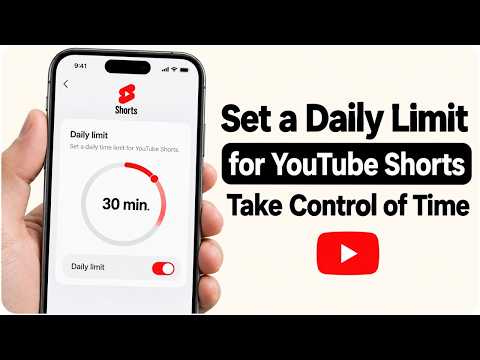 Shorts Time LimitYouTube's Shorts feed limit caps how long you scroll Shorts each day, from zero to two hours, under You > Settings > Time management > Shorts feed limit in the app. At zero, Shorts leave the Home feed; Shorts from channels you subscribe to still show in Subs, and an adult can dismiss the reminder.
-
 Made for KidsEvery YouTube creator must say whether each video is made for kids, children under 13 in the US, in YouTube Studio under Settings > Channel > Advanced settings or per video. Made for kids videos lose comments, personalized ads, the notification bell, end screens and more, a rule that came from YouTube's $170 million COPPA settlement with the FTC in 2019.