
 All vikis
Watch Later and Liked Videos Links
Your YouTube Watch later list is at youtube.com/playlist?list=WL and your Liked videos at youtube.com/playlist?list=LL. Both open only for the signed-in account; history, playlists and the You tab have feed addresses of their own, each requested by Vi.ki on Nov 20, 2026.
Your YouTube Watch later list opens at https://www.youtube.com/playlist?list=WL, and your Liked videos at https://www.youtube.com/playlist?list=LL: the same two letters for every account, so the link works for anyone, but each person sees their own list. WL is the ID Google's YouTube Data API has given every channel's Watch later list since Sep 15, 2016, when its revision history says the property began to "contain values of HL and WL, respectively, for all channels" (YouTube Data API revision history, read Nov 20, 2026). Signed out, Vi.ki's request for either address on Nov 20, 2026 got an empty page with a Sign in button and no videos: neither list can be shared, because it holds only what the signed-in account saved or liked.
Next: a list anyone can open, no account needed, a link that starts a list at a chosen video or what your history feeds into.
Every address for your own lists
| Address | Opens | Signed out, Nov 20, 2026 |
|---|---|---|
youtube.com/playlist?list=WL |
Watch later | Empty page, "Sign in" |
youtube.com/playlist?list=LL |
Liked videos | Empty page, "Sign in" |
youtube.com/feed/you |
The You tab: history, playlists, Watch later, Liked videos | "Sign in to access videos that you've liked or saved" |
youtube.com/feed/library |
The same page (YouTube's page data names both FElibrary) |
The same message |
youtube.com/feed/history |
Watch history | "Sign in" |
youtube.com/feed/playlists |
Every playlist you made or saved | No list |
youtube.com/feed/subscriptions |
New uploads from your subscriptions | "Sign in to see updates from your favorite YouTube channels" |
youtube.com/feed/clips |
Your clips (Clips) | "Sign in to access clips that you've created" |
youtube.com/feed/channels |
The channels you subscribe to | Sent to Google's sign-in page |
myactivity.google.com/product/youtube |
Watch and search history in Google's My Activity |
The last address is the one YouTube Help gives for managing history, "Open My Activity, sign in, select YouTube History" (View, delete, or turn on or off watch history, read Nov 20, 2026). Every feed/ address is a page of youtube.com itself, so it opens in any browser where you are signed in; in the YouTube app the same lists are under You.
The bookmark is the point. waptek2, tired of help pages that list buttons to click instead of giving a link, spelled out youtube.com/playlist?list=WL as the whole address of the Watch later list, one he had found once before and then lost again.
Adding to Watch later
YouTube Viewers, YouTube's own channel for viewers, calls Watch later "a special playlist that you can use to keep track of videos that you may not have time to watch now" in its May 9, 2018 video, and points out that it follows the account to a phone or tablet "as long as you're signed in to the same account". In the list you can reorder, remove or play everything.
Help's steps on a phone, read Nov 20, 2026 (Add & remove videos from Watch later):
- While watching: More > Save, then CHANGE to pick Watch later.
- A Short: More > Save to playlist > Watch later.
- While browsing: More beside the title, then Save to Watch later.
- To remove one: open You, then under Playlists pick Watch later, tap More beside the video and Remove from Watch later.
A video set as made for kids cannot be added: "If the video is set as made for kids, you can't add it to a playlist or save it to Watch Later" (Made for Kids).
How long the list can get
Help's You tab page says "A maximum of 5,000 videos can be displayed in a playlist" (Explore the You tab, read Nov 20, 2026); it does not say whether Watch later or Liked videos count as playlists under that line, and the Watch later page names no limit. So treat 5,000 as the most YouTube promises to show you of any one list, and move older saves into playlists of your own before Watch later gets near it.
Why the link cannot be shared
WL and LL mean "this account's list", not one list. Sent to a friend, playlist?list=WL opens the friend's Watch later, not yours; signed out it opens nothing. To share what you saved, copy the IDs into a watch_videos link (Get the Video ID From a YouTube Link) or save the videos to a public or unlisted playlist of your own.
Sources
- YouTube Data API revision history, Google for Developers, entries of Sep 15, 2016 and Sep 9, 2020, read Nov 20, 2026
- Add & remove videos from Watch later, YouTube Help, read Nov 20, 2026
- Explore the You tab, YouTube Help, read Nov 20, 2026
- View, delete, or turn on or off watch history, YouTube Help, read Nov 20, 2026
- Can't watch now? Add videos to the Watch Later playlist, YouTube Viewers, May 9, 2018 (video)
- Vi.ki's requests to every youtube.com address in the table, signed out, Nov 20, 2026, reading each status, redirect and the page's sign-in message
- http://youtube.com/playlist?list=WL both versions of hidden link to watch later URL you can erase, waptek2, Oct 22, 2020 (video)
Moments
http://youtube.com/playlist?list=WL both versions of hidden link to watch later URL you can erase
waptek2
Can't watch now? Add videos to the Watch Later playlist
YouTube Viewers
Related
-
 Block a Video by CountryAn ordinary YouTube channel cannot block its own video in chosen countries. The setting exists only in Studio Content Manager, the tool of networks and rights holders, and it is built for licensing, not for hiding from an audience.
-
 Channel Membership Join LinkA YouTube channel's membership link is its address with /join added, such as youtube.com/@LofiGirl/join, which YouTube Help says links "directly to your membership window". It works after a handle or a channel ID; in Vi.ki's test on Nov 19, 2026 a channel without memberships answered the same address with its plain channel page.
-
 Channel RSS FeedEvery YouTube channel has an RSS feed at youtube.com/feeds/videos.xml?channel_id= plus the channel ID. It lists the 15 newest uploads, Shorts included; in Vi.ki's test on Nov 13, 2026, swapping in playlist_id=UULF plus the rest of the ID gave a feed of long videos only.
-
 Check If a YouTube Video Can Be EmbeddedOpen youtube.com/oembed?url= followed by the video's watch address: in Vi.ki's test on Nov 21, 2026 it answered 200 with the embed code when the video embeds, 401 Unauthorized when its owner turned embedding off, 403 Forbidden for a private video and 404 Not Found for no such video. An age-restricted video still answered 200, though it will not play on other sites.
-
-
 Embed a YouTube ShortA YouTube Short embeds like any video, at youtube.com/embed/ followed by its ID, but in a tall frame: width 315 and height 560 keep it 9:16. YouTube's own oEmbed answer for a /shorts/ address, read Nov 21, 2026, gave a vertical 113 by 200 frame, and the same video asked for by its watch address a horizontal one.
-
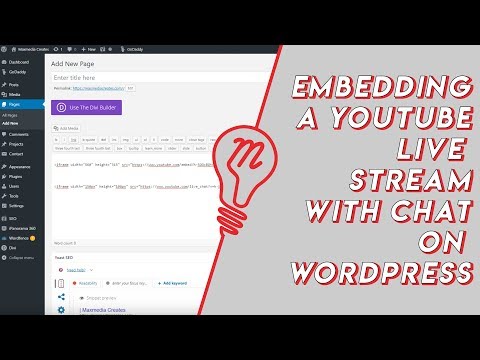 Embed YouTube Live ChatTo put a YouTube live stream's chat on your own website, use an iframe whose address is youtube.com/live_chat?v= followed by the stream's video ID and &embed_domain= followed by your site's host name. In Vi.ki's test on Nov 21, 2026 YouTube let the chat into a frame only when that host matched the page exactly, www included.
-
 Every YouTube Embed ParameterEvery parameter a YouTube embed address takes, in one sortable table: the 21 in Google's IFrame player reference plus mute, with each one's values, default and what the embed page did with it in Vi.ki's test on Nov 18, 2026. Start and end are the pair worth knowing; rel=0 no longer hides related videos.
See also
-
 Make a Playlist From Video IDsThe address youtube.com/watch_videos?video_ids= followed by video IDs separated by commas opens those videos as a temporary unlisted playlist, with no sign-in. In Vi.ki's test on Nov 11, 2026 it kept the first 50 IDs, and one wrong ID dropped the whole list.
-
 Link to a Video in a PlaylistTo link to one video inside a YouTube playlist, use youtube.com/watch?v=VIDEO_ID&list=PLAYLIST_ID. In Vi.ki's test on Nov 19, 2026 YouTube placed the video by its v= ID, at position 3 of 668 in the example, and ignored an added index= number.
-
 Recommendations and Watch HistoryYouTube recommends videos from your watch and search history, likes and feedback. Use More, Not interested or Don't recommend channel to steer it, and pause or delete watch history at myactivity.google.com; with history off and empty, YouTube removes Home recommendations.
-
 ClipsA YouTube clip is a 5 to 60 second piece of someone's video or live stream, with its own link, that plays on a loop. Make one with Clip under the video; creators turn Clips off in YouTube Studio under Settings, Channel, Advanced settings.
-
 Made for KidsEvery YouTube creator must say whether each video is made for kids, children under 13 in the US, in YouTube Studio under Settings > Channel > Advanced settings or per video. Made for kids videos lose comments, personalized ads, the notification bell, end screens and more, a rule that came from YouTube's $170 million COPPA settlement with the FTC in 2019.
-
 Get the Video ID From a YouTube LinkA YouTube video ID is the 11 characters after watch?v=, youtu.be/, shorts/, embed/ or live/ in its link. One formula pulls it from any of them: in Google Sheets =REGEXEXTRACT(A2,"(?:v=|v%3D|youtu\.be/|shorts/|embed/|live/|/v/|/e/|/w/|watch/)([A-Za-z0-9_-]{11})"), which gave the right ID for all 22 link forms Vi.ki tested on Nov 20, 2026.