
 All vikis
Pop Out Live Chat
A YouTube live stream's chat opens on its own at youtube.com/live_chat?is_popout=1&v= followed by the stream's video ID, the address OBS and other streaming tools take as a browser source. It works only while the stream has chat on, and a new stream means a new ID.
The chat of a YouTube live stream opens by itself at https://www.youtube.com/live_chat?is_popout=1&v= followed by the stream's video ID. For Lofi Girl's stream "lofi hip hop radio", ID 4t4AQ15yj1M, the address is https://www.youtube.com/live_chat?is_popout=1&v=4t4AQ15yj1M: when Vi.ki opened it signed out on Nov 18, 2026, the page held that stream's chat with its latest messages and the Top chat and Live chat views, and nothing else of YouTube around it. It is the address the Pop out chat item in the chat's three-dot menu opens, and the one streamers paste into OBS to show or read their chat beside the game.
Next: one link for your channel's stream, whichever one is on, what a channel needs before it can go live or the same chat inside a page of your own website.
The parts of the address
| Part | What it does |
|---|---|
youtube.com/live_chat |
YouTube's page for a stream's chat alone |
?is_popout=1 |
Marks it as the popped-out window; the page answered the same without it in our test |
&v=4t4AQ15yj1M |
The stream's video ID: the 11 characters after watch?v= on the stream's page |
Getting the ID: open the stream, and copy what follows watch?v= in the address bar, or what follows youtu.be/ in a link from Share (Short Links youtu.be and yt.be). A channel's /live address points at the stream on air (Share the Live Link), so open it first and copy the ID from where it lands.
When it shows no chat
Every row is a signed-out request Vi.ki made on Nov 18, 2026.
v= |
What the page said |
|---|---|
| A stream on air with chat on (Lofi Girl, Sky News, Al Jazeera English) | The chat, with its latest messages |
| NASA's stream on air, chat off | "Chat is disabled for this live stream." |
| "Me at the zoo", an ordinary 2005 video | "Chat is disabled for this live stream." |
AAAAAAAAAAA, no such video |
An empty page, no message |
No v= at all |
Error 400 |
So the same wording greets a stream whose chat the channel turned off and a video that was never live, and a mistyped ID shows nothing. When OBS shows a blank box, check the ID first.
In OBS
John of CreoVox walked through it in a Jan 5, 2021 video: on the stream's page, click the three dots above the chat, choose Pop out chat, copy the address of the window that opens, then in OBS add it under View > Docks > Custom Browser Docks to read the chat inside OBS, or paste it into a Browser source to show it on screen. His one complaint was that it must be done again for every stream, "the stream chat and everything changes every time": each stream is a new video with a new ID, so the old address keeps pointing at the old chat.
How To 1 Minute starts from the streamer's side instead: Create > Go live, then in the live dashboard's chat panel switch to Live chat, open the three dots and choose Pop out chat; the window that opens has the chat's address, which goes into OBS as a Browser source.
A stream that stays on air keeps its ID: Lofi Girl's radio was 4t4AQ15yj1M both when Vi.ki tested short links on Nov 6, 2026 and on Nov 18, so its chat address had not changed in those 12 days.
What YouTube documents
YouTube Help's live chat page describes the chat inside the stream's page: switching between Top chat and All chat from the arrow at the top of the chat, pinned messages, and Live Q&A (Use live chat during your live stream or Premiere, read Nov 18, 2026). It does not describe the pop-out window or its address, so YouTube can change it without notice.
What we think
We think live_chat?is_popout=1&v= will still open a stream's chat on its own a year from now. Streaming tools, overlays and moderators' second screens depend on it, and the Pop out chat item it comes from was already there in the 2021 video above.
Confidence: Likely. Check by: Nov 18, 2027.
How we will check: open Lofi Girl's /live address, take the stream's ID, and request its live_chat?is_popout=1&v= page signed out.
Sources
- Use live chat during your live stream or Premiere, YouTube Help, read Nov 18, 2026
- How to display YouTube Chat with OBS Studio Custom Docks, CreoVox, Jan 5, 2021 (video)
- Vi.ki's signed-out requests to youtube.com/live_chat for streams of Lofi Girl, Sky News, Al Jazeera English and NASA, and for an ordinary video, Nov 18, 2026
- How to Insert YouTube Chat into OBS, How To 1 Minute, Aug 25, 2025 (video)
Moments
How to display YouTube Chat with OBS Studio Custom Docks
CreoVox
How to Insert YouTube Chat into OBS
How To 1 Minute
Related
-
 Channel RSS FeedEvery YouTube channel has an RSS feed at youtube.com/feeds/videos.xml?channel_id= plus the channel ID. It lists the 15 newest uploads, Shorts included; in Vi.ki's test on Nov 13, 2026, swapping in playlist_id=UULF plus the rest of the ID gave a feed of long videos only.
-
 Check If a YouTube Video Can Be EmbeddedOpen youtube.com/oembed?url= followed by the video's watch address: in Vi.ki's test on Nov 21, 2026 it answered 200 with the embed code when the video embeds, 401 Unauthorized when its owner turned embedding off, 403 Forbidden for a private video and 404 Not Found for no such video. An age-restricted video still answered 200, though it will not play on other sites.
-
-
 Embed a YouTube ShortA YouTube Short embeds like any video, at youtube.com/embed/ followed by its ID, but in a tall frame: width 315 and height 560 keep it 9:16. YouTube's own oEmbed answer for a /shorts/ address, read Nov 21, 2026, gave a vertical 113 by 200 frame, and the same video asked for by its watch address a horizontal one.
-
 Every YouTube Embed ParameterEvery parameter a YouTube embed address takes, in one sortable table: the 21 in Google's IFrame player reference plus mute, with each one's values, default and what the embed page did with it in Vi.ki's test on Nov 18, 2026. Start and end are the pair worth knowing; rel=0 no longer hides related videos.
-
 Every YouTube URL FormatEvery address form YouTube answers for videos, channels, playlists and lookups, each requested on Nov 19, 2026 with what came back. Eleven video forms all lead to youtube.com/watch?v=ID, the one address YouTube names as canonical for an ordinary video; five channel forms all lead to youtube.com/channel/ID.
-
 Exact Upload Time of a VideoYouTube shows only the day a video was published, but the watch page's source holds the time to the second, after itemprop="datePublished", written in Pacific time. For a live stream that time is when the recording was published, minutes after the stream ended; the start is in a separate startDate line.
-
 Find a Channel IDFind any YouTube channel's ID on its channel page by opening the description (the About panel), then Share channel > Copy channel ID; your own is also under Settings > Advanced settings, or at youtube.com/account_advanced.
See also
-
 Share the Live LinkShare youtube.com/@yourhandle/live instead of one stream's watch link: while the channel is live, YouTube opens the current stream, and when it is not, the channel page.
-
Live StreamingTo live stream on YouTube a channel must be verified, have no live streaming restrictions in the past 90 days and belong to someone at least 16; streaming from a phone also needs 50 subscribers. The first time can take up to 24 hours to switch on; then go live from a webcam, a phone or an encoder like OBS.
-
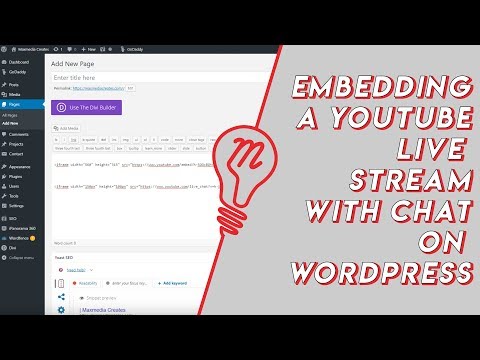 Embed YouTube Live ChatTo put a YouTube live stream's chat on your own website, use an iframe whose address is youtube.com/live_chat?v= followed by the stream's video ID and &embed_domain= followed by your site's host name. In Vi.ki's test on Nov 21, 2026 YouTube let the chat into a frame only when that host matched the page exactly, www included.
-
 Short Links youtu.be and yt.beyoutu.be/VIDEO_ID is YouTube's short link for any video and accepts ?t= for a start time; yt.be is a second YouTube domain used only for named campaign links that YouTube itself creates, so yt.be/VIDEO_ID and yt.be/@handle do not work.
-
 Block a Video by CountryAn ordinary YouTube channel cannot block its own video in chosen countries. The setting exists only in Studio Content Manager, the tool of networks and rights holders, and it is built for licensing, not for hiding from an audience.
-
 Channel Membership Join LinkA YouTube channel's membership link is its address with /join added, such as youtube.com/@LofiGirl/join, which YouTube Help says links "directly to your membership window". It works after a handle or a channel ID; in Vi.ki's test on Nov 19, 2026 a channel without memberships answered the same address with its plain channel page.