
 All vikis
Open YouTube's Desktop Site on a Phone
Add app=desktop to a YouTube address, as in youtube.com/watch?v=VIDEO_ID&app=desktop, and a phone's browser gets the computer version of the page instead of being sent to m.youtube.com; app=m does the reverse on a computer. Tested with phone and computer browser identities on Nov 22, 2026.
To open the computer version of YouTube in a phone's browser, add &app=desktop to the video's address: https://www.youtube.com/watch?v=jNQXAC9IVRw&app=desktop. When Vi.ki requested that address as an Android phone and as an iPhone on Nov 22, 2026, YouTube answered with the full desktop watch page (the one its page code labels WEB), while the same address without app=desktop sent both phones on to the mobile site, m.youtube.com. For a home page, channel or Short, start the extra part with ? instead, as in https://www.youtube.com/?app=desktop. The browser's own Desktop site switch does the same job without editing anything.
Next: the desktop player's seek bar on a Short, the transcript panel the desktop page offers or settings pages to open straight from an address.
What app= does on each device
Every request below was made with curl on Nov 22, 2026, signed out, once with a Pixel 8 Chrome identity, once with an iPhone Safari identity and once with a Windows Chrome identity; "desktop page" means YouTube's answer named its client WEB, "mobile page" that it named it MWEB.
| Address | Phone | Computer |
|---|---|---|
www.youtube.com/watch?v=ID |
Sent on to m.youtube.com/watch?v=ID, the mobile page |
The desktop page |
www.youtube.com/watch?v=ID&app=desktop |
The desktop page, no redirect | The desktop page |
m.youtube.com/watch?v=ID |
The mobile page | Sent on to www.youtube.com/watch?app=desktop&v=ID |
m.youtube.com/watch?v=ID&app=desktop |
Sent on to www.youtube.com/watch?app=desktop&v=ID, the desktop page |
Same |
www.youtube.com/watch?v=ID&app=m |
Sent on to m.youtube.com/watch?v=ID |
|
m.youtube.com/watch?v=ID&app=m |
The mobile page, no redirect | |
www.youtube.com/?app=desktop |
The desktop home page | |
www.youtube.com/shorts/0HAETg7L15o?app=desktop |
The desktop Shorts page | |
youtu.be/ID |
Sent on to www.youtube.com/watch?v=ID, which a phone then sends to m. |
Two things follow from the table. YouTube itself writes app=desktop into the address when it moves a computer off m.youtube.com, so the switch is the one its own servers use, not a trick from outside. And app=m is the way back: a computer can open the phone layout to see what mobile viewers see.
How do I get the desktop YouTube site on my phone?
By address, in any phone browser:
- Open the video in the browser (not the YouTube app). The address bar shows
m.youtube.com/watch?v=and the video's ID. - Tap the address bar and add
&app=desktopto the end, so it readsm.youtube.com/watch?v=ID&app=desktop. - Go. YouTube sends you to
www.youtube.com/watch?app=desktop&v=ID, the computer page.
By the browser's switch:
Nyz TV shows it in Chrome on a phone in an Oct 2, 2022 video: tap the three dots at the top, tap Desktop site near the bottom of the menu, and YouTube reloads in its computer layout; tap Desktop site again, so its check mark goes, to return to the mobile one. Other phone browsers have a similar choice in their page menu under their own name for it.
The difference between the two: the browser switch changes what the browser says it is for the whole site, while app=desktop asks YouTube for one page.
Does it stay on desktop?
Not in our test. After the app=desktop request, Vi.ki kept the cookies YouTube set and asked, still as an Android phone, for another video's plain www.youtube.com/watch?v= address: YouTube sent it to m.youtube.com again. So add app=desktop to each link, or use the browser's switch, which in the video above stayed on until it was tapped again. A signed-in browser that runs YouTube's scripts may behave differently; we tested signed out, without scripts.
Why people want the desktop page
Some YouTube Help steps are written only for a computer. Its transcript page says "In the video description, click Show transcript" and gives no phone steps (View video transcripts, read Nov 22, 2026; Open a Video's Transcript), and its sharing page describes the Start at box of the computer's Share panel (Share videos and channels, read Nov 22, 2026; Link to an Exact Time). The desktop page lets a phone follow those steps as written. It is built for a mouse and a wide screen, so it is small on a phone and needs zooming.
Creators want it for Studio as much as for watching: in a 2022 tutorial for creators who do their YouTube work on a phone, the host said some things "you just can't do" in the YouTube Studio app, then reached the desktop site from a browser search for "youtube desktop", chose to open it in Safari rather than the app, and got the full, very small desktop page.
It does not unlock anything YouTube sells: background play and downloads in the app stay with YouTube Premium, whatever layout the browser shows.
What we think
We think app=desktop will still take a phone browser to the computer page on Nov 22, 2027. Reason: YouTube's own redirect from m.youtube.com writes the parameter into the address on every computer visit, so removing it would mean rebuilding that redirect too.
Confidence: Likely. Check by: Nov 22, 2027.
To settle it: request www.youtube.com/watch?v=jNQXAC9IVRw&app=desktop with a phone browser's identity, signed out, and see whether it stays on www.youtube.com.
Sources
- View video transcripts, YouTube Help, read Nov 22, 2026
- Share videos and channels, YouTube Help, read Nov 22, 2026
- HOW TO ACCESS YOUTUBE DESKTOP SITE FROM A MOBILE BROWSER, Nyz TV, Oct 2, 2022 (video)
- Vi.ki's requests with curl, signed out, Nov 22, 2026, as a Pixel 8 Chrome, an iPhone Safari and a Windows Chrome browser, to the watch, home, Short and youtu.be addresses above with and without
app=desktopandapp=m, reading each status code, redirect and the client name in the page code; and a second request with the first request's cookies kept - New! How to get YouTube Desktop mode on phone (2022-2023) Android & iPhone (redirect fix) genius, YouTube How To Guide - Andrea Jean, Jun 20, 2022 (video)
Moments
HOW TO ACCESS YOUTUBE DESKTOP SITE FROM A MOBILE BROWSER
Nyz TV
New! How to get YouTube Desktop mode on phone (2022-2023) Android & iPhone (redirect fix) genius
YouTube How To Guide - Andrea Jean
Related
-
 Channel Membership Join LinkA YouTube channel's membership link is its address with /join added, such as youtube.com/@LofiGirl/join, which YouTube Help says links "directly to your membership window". It works after a handle or a channel ID; in Vi.ki's test on Nov 19, 2026 a channel without memberships answered the same address with its plain channel page.
-
 Channel RSS FeedEvery YouTube channel has an RSS feed at youtube.com/feeds/videos.xml?channel_id= plus the channel ID. It lists the 15 newest uploads, Shorts included; in Vi.ki's test on Nov 13, 2026, swapping in playlist_id=UULF plus the rest of the ID gave a feed of long videos only.
-
 Check If a YouTube Video Can Be EmbeddedOpen youtube.com/oembed?url= followed by the video's watch address: in Vi.ki's test on Nov 21, 2026 it answered 200 with the embed code when the video embeds, 401 Unauthorized when its owner turned embedding off, 403 Forbidden for a private video and 404 Not Found for no such video. An age-restricted video still answered 200, though it will not play on other sites.
-
-
 Embed a YouTube ShortA YouTube Short embeds like any video, at youtube.com/embed/ followed by its ID, but in a tall frame: width 315 and height 560 keep it 9:16. YouTube's own oEmbed answer for a /shorts/ address, read Nov 21, 2026, gave a vertical 113 by 200 frame, and the same video asked for by its watch address a horizontal one.
-
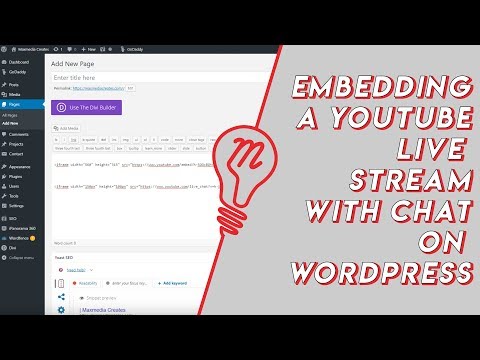 Embed YouTube Live ChatTo put a YouTube live stream's chat on your own website, use an iframe whose address is youtube.com/live_chat?v= followed by the stream's video ID and &embed_domain= followed by your site's host name. In Vi.ki's test on Nov 21, 2026 YouTube let the chat into a frame only when that host matched the page exactly, www included.
-
 Every YouTube Embed ParameterEvery parameter a YouTube embed address takes, in one sortable table: the 21 in Google's IFrame player reference plus mute, with each one's values, default and what the embed page did with it in Vi.ki's test on Nov 18, 2026. Start and end are the pair worth knowing; rel=0 no longer hides related videos.
-
 Every YouTube URL FormatEvery address form YouTube answers for videos, channels, playlists and lookups, each requested on Nov 19, 2026 with what came back. Eleven video forms all lead to youtube.com/watch?v=ID, the one address YouTube names as canonical for an ordinary video; five channel forms all lead to youtube.com/channel/ID.
See also
-
Watch a Short as a Normal VideoTo watch a YouTube Short in the ordinary player, replace "shorts/" in its address with "watch?v=", so youtube.com/shorts/ID becomes youtube.com/watch?v=ID, with a seek bar, speed, quality and keyboard shortcuts.
-
 Open a Video's TranscriptTo open a YouTube video's transcript on a computer, click "...more" under the video to expand the description, scroll to the Transcript section and click Show transcript; it works on any video that has captions.
-
 YouTube Settings LinksEvery YouTube settings page has a short address: youtube.com/account_notifications for notifications, youtube.com/paid_memberships for Premium and channel memberships, youtube.com/account_advanced for your channel ID, youtube.com/handle, youtube.com/verify and more. Vi.ki requested 19 such addresses on Nov 20, 2026: 13 led to sign-in and back, two to YouTube Studio, and four made-up ones answered 404.
-
 Link to an Exact TimeTo share a YouTube video from a set time, click Share under the video, tick Start at, enter the time and copy the link, or add &t=90 (seconds) to the address yourself; embeds use start= and end= instead.
-
 YouTube PremiumYouTube Premium is YouTube's paid plan: videos without ads, background play, downloads, YouTube Music Premium, an enhanced-bitrate 1080p, Jump ahead and more. In the US it costs $15.99 a month for one person and $26.99 for a family as of Nov 6, 2026; Premium Lite is a cheaper, mostly ad-free plan without music.
-
 Block a Video by CountryAn ordinary YouTube channel cannot block its own video in chosen countries. The setting exists only in Studio Content Manager, the tool of networks and rights holders, and it is built for licensing, not for hiding from an audience.