
 All vikis
Remove si= From a YouTube Link
Delete everything from ?si= (or &si=) to the end of a YouTube share link and it still opens the same video; the same goes for pp=, which on Nov 22, 2026 carried the words of the search that found the video, readable to anyone who decodes it.
To remove the tracking code from a YouTube link, delete ?si= and everything after it: https://youtu.be/jNQXAC9IVRw?si=AbCdEfGhIjKlMnOp becomes https://youtu.be/jNQXAC9IVRw, which opens the same video. If the link also has a start time, keep that part and swap its & for a ?: youtu.be/jNQXAC9IVRw?si=AbCdEfGhIjKlMnOp&t=10 becomes youtu.be/jNQXAC9IVRw?t=10. A second code is worth deleting too: &pp= on a link copied from the address bar after a search held, when Vi.ki decoded one on Nov 22, 2026, the exact words that were typed into YouTube's search box.
Next: what else a youtu.be address keeps and drops, every way to keep a start time in the link or clean a whole list of links at once.
What each part of a share link does
Every row was requested signed out on Nov 22, 2026, and the right-hand column is where YouTube sent the request or what its page named as the video's canonical address.
| Part | Where it comes from | Safe to delete? | What YouTube did with it |
|---|---|---|---|
si= |
The Share button's Copy (computer and app) | Yes | youtu.be/ID?si=... was sent on to watch?si=...&v=ID, the same video; without it, watch?v=ID |
pp= |
The links on a search results page, so the address you land on after clicking one | Yes | The watch page named watch?v=ID as its canonical address, without pp= |
feature=shared, feature=youtu.be |
Some share menus; YouTube's own redirect from youtu.be | Yes | Canonical watch?v=ID, without it |
t= |
Start at in the Share panel, or typed | Keep it if you want the start time | Kept through the redirect: youtu.be/ID?t=10 went to watch?t=10&v=ID |
list=, index= |
Opening a video from a playlist | Keep them to share the playlist | See Link to a Video in a Playlist |
v= and the 11 characters after it |
The video itself | Never | The video ID: the one part every link needs |
The same holds for a Short and a live stream: youtube.com/shorts/0HAETg7L15o?si=abc and youtube.com/live/4t4AQ15yj1M?si=abc both opened their video in the same test, and the /live/ page named the plain watch?v=4t4AQ15yj1M as its canonical address.
How do I remove si= from a YouTube link?
- Paste the link somewhere you can edit it: a note, a message box before sending, the browser's address bar.
- Find
si=. In a youtu.be link it follows a?; in awatch?v=link it follows an&. - Delete from that
?or&up to the next&, or to the end if nothing follows. - If what is left has an
&but no?(as inyoutu.be/ID&t=10), change that first&to?. A youtu.be link takes?before its first extra part; awatch?v=link already has its?. - Open the cleaned link once to check it plays the video you meant.
Trevor Nace does the phone version in his Sep 30, 2024 video: tap Share, then Copy link, paste it into a notes app, and delete everything after the question mark before adding his own t=. That leaves the short link with nothing but the video's ID, which is the clean link this page is after.
For many links at once, the YouTube Link Converter on this viki drops si=, pp= and feature= from every line and keeps start times.
What si= tells YouTube
YouTube Help does not name the si= code anywhere we found on Nov 22, 2026. What it does describe is what sharing tells the person you send to. Its page on video sharing and messaging says "When you share content, the recipient can view your channel", by default your channel name and handle, your public videos and public playlists, and that the share panel shows your channel name at the top while a setting called channel visibility for shared links is on; to share without that, the page says to turn that setting off in your account's privacy settings (Video sharing & messaging on YouTube, read Nov 22, 2026).
We think the si= code is how YouTube connects an opened link back to the account that copied it, because the Share button adds it, the same button whose panel Help says shows your channel name, and YouTube keeps it through its own youtu.be redirect instead of dropping it. That is our reading, not YouTube's statement.
RankYa reads it the same way in a short explainer, calling si a session ID through which YouTube or Google tracks your sharing of the video, attached even when you share from a private (incognito) window or an Android phone; his advice is to delete ?si= and its code before you send the link. "Session ID" is his name for it, not YouTube's.
Either way, deleting it costs nothing: the video, the start time and the playlist all live in other parts of the address.
What pp= gives away
The pp= code is base64, a way of writing bytes as letters, and it can be read back by anyone. On Nov 22, 2026 Vi.ki searched YouTube for "me at the zoo", signed out, and the first result's link on the results page was /watch?v=jNQXAC9IVRw&pp=ygUNbWUgYXQgdGhlIHpvbw%3D%3D. Decoded, ygUNbWUgYXQgdGhlIHpvbw== is three bytes of label (a field number and a length) and then the text me at the zoo, the search typed, letter for letter. Other result links on the same page carried a longer pp= with no readable words in it.
So a link copied from the address bar right after clicking a search result can tell whoever receives it what you searched for. A link from the Share button does not carry pp=; it carries si= instead. Deleting either leaves a working link.
What we think
We think YouTube will still accept a link with si= deleted on Nov 22, 2027, and still put the search words in pp= on its results page then. Reason: billions of clean links in old posts, documents and bookmarks have no si= at all, so YouTube cannot make the code required without breaking them, and pp= has carried the query in this readable form on the search page we tested without YouTube ever documenting it.
Confidence: Likely. Check by: Nov 22, 2027.
To settle it: open youtu.be/jNQXAC9IVRw with no code, and decode the pp= of the first result for a search of "me at the zoo", both signed out.
Sources
- Video sharing & messaging on YouTube, YouTube Help, read Nov 22, 2026
- Share videos and channels, YouTube Help, read Nov 22, 2026 (the Start at box; no mention of si=)
- How To Share A YouTube Video At A Specific Timestamp, Trevor Nace, Sep 30, 2024 (video)
- Vi.ki's requests with curl, signed out, Nov 22, 2026: youtu.be and watch links with and without si=, pp= and feature=, a Short and a live stream with si=, and the results page for "me at the zoo", whose pp= codes were decoded from base64
- What is ?si= in YouTube Video URLs Explained, RankYa, Sep 30, 2026 (video)
Moments
How To Share A YouTube Video At A Specific Timestamp
Trevor Nace
What is ?si= in YouTube Video URLs Explained
RankYa
Related
-
 Channel Membership Join LinkA YouTube channel's membership link is its address with /join added, such as youtube.com/@LofiGirl/join, which YouTube Help says links "directly to your membership window". It works after a handle or a channel ID; in Vi.ki's test on Nov 19, 2026 a channel without memberships answered the same address with its plain channel page.
-
 Channel RSS FeedEvery YouTube channel has an RSS feed at youtube.com/feeds/videos.xml?channel_id= plus the channel ID. It lists the 15 newest uploads, Shorts included; in Vi.ki's test on Nov 13, 2026, swapping in playlist_id=UULF plus the rest of the ID gave a feed of long videos only.
-
 Check If a YouTube Video Can Be EmbeddedOpen youtube.com/oembed?url= followed by the video's watch address: in Vi.ki's test on Nov 21, 2026 it answered 200 with the embed code when the video embeds, 401 Unauthorized when its owner turned embedding off, 403 Forbidden for a private video and 404 Not Found for no such video. An age-restricted video still answered 200, though it will not play on other sites.
-
-
 Embed a YouTube ShortA YouTube Short embeds like any video, at youtube.com/embed/ followed by its ID, but in a tall frame: width 315 and height 560 keep it 9:16. YouTube's own oEmbed answer for a /shorts/ address, read Nov 21, 2026, gave a vertical 113 by 200 frame, and the same video asked for by its watch address a horizontal one.
-
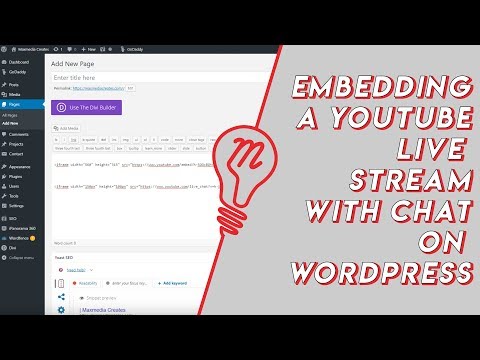 Embed YouTube Live ChatTo put a YouTube live stream's chat on your own website, use an iframe whose address is youtube.com/live_chat?v= followed by the stream's video ID and &embed_domain= followed by your site's host name. In Vi.ki's test on Nov 21, 2026 YouTube let the chat into a frame only when that host matched the page exactly, www included.
-
 Every YouTube Embed ParameterEvery parameter a YouTube embed address takes, in one sortable table: the 21 in Google's IFrame player reference plus mute, with each one's values, default and what the embed page did with it in Vi.ki's test on Nov 18, 2026. Start and end are the pair worth knowing; rel=0 no longer hides related videos.
-
 Every YouTube URL FormatEvery address form YouTube answers for videos, channels, playlists and lookups, each requested on Nov 19, 2026 with what came back. Eleven video forms all lead to youtube.com/watch?v=ID, the one address YouTube names as canonical for an ordinary video; five channel forms all lead to youtube.com/channel/ID.
See also
-
 Short Links youtu.be and yt.beyoutu.be/VIDEO_ID is YouTube's short link for any video and accepts ?t= for a start time; yt.be is a second YouTube domain used only for named campaign links that YouTube itself creates, so yt.be/VIDEO_ID and yt.be/@handle do not work.
-
Link to an Exact TimeTo share a YouTube video from a set time, click Share under the video, tick Start at, enter the time and copy the link, or add &t=90 (seconds) to the address yourself; embeds use start= and end= instead.
-
YouTube Link ConverterPaste any YouTube links and get each video's 11-character ID, its youtu.be short link with the start time kept, the normal-player watch link (which plays a Short with a seek bar) and watch_videos playlist links of up to 50 videos each. It runs in your browser and sends the links nowhere.
-
 Link to a Video in a PlaylistTo link to one video inside a YouTube playlist, use youtube.com/watch?v=VIDEO_ID&list=PLAYLIST_ID. In Vi.ki's test on Nov 19, 2026 YouTube placed the video by its v= ID, at position 3 of 668 in the example, and ignored an added index= number.
-
Get the Video ID From a YouTube LinkA YouTube video ID is the 11 characters after watch?v=, youtu.be/, shorts/, embed/ or live/ in its link. One formula pulls it from any of them: in Google Sheets =REGEXEXTRACT(A2,"(?:v=|v%3D|youtu\.be/|shorts/|embed/|live/|/v/|/e/|/w/|watch/)([A-Za-z0-9_-]{11})"), which gave the right ID for all 22 link forms Vi.ki tested on Nov 20, 2026.
-
 Block a Video by CountryAn ordinary YouTube channel cannot block its own video in chosen countries. The setting exists only in Studio Content Manager, the tool of networks and rights holders, and it is built for licensing, not for hiding from an audience.