
 All vikis
Video Title Without an API Key
The address youtube.com/oembed?url= followed by a video's link and &format=json returns the video's title, channel name, channel address, thumbnail and embed code as JSON, with no API key and no sign-in. It does not return views, likes, the date or the length.
To get a YouTube video's title without an API key, request https://www.youtube.com/oembed?url= followed by the video's address and &format=json. For https://www.youtube.com/oembed?url=https://youtu.be/jNQXAC9IVRw&format=json, YouTube answered Vi.ki on Nov 13, 2026, signed out and with no key, with a short JSON document: "title":"Me at the zoo", "author_name":"jawed", "author_url":"https://www.youtube.com/@jawed", a thumbnail address and ready-made embed code. That is the whole of it: there are no views, likes, publish date, length or description in the answer.
Next: view counts and descriptions of a channel's 15 newest videos, also without a key, the publish time this answer leaves out or the larger sizes of the thumbnail it returns.
The fields
From the answer for "Me at the zoo", read Nov 13, 2026:
title |
Me at the zoo |
author_name |
jawed |
author_url |
https://www.youtube.com/@jawed |
thumbnail_url |
https://i.ytimg.com/vi/jNQXAC9IVRw/hqdefault.jpg, 480 by 360 |
html |
An iframe pointing at https://www.youtube.com/embed/jNQXAC9IVRw?feature=oembed |
width, height |
The iframe's size: 200 by 150 for this 4:3 video, 200 by 113 for a 16:9 video, 113 by 200 for a Short |
type, version, provider_name, provider_url |
video, 1.0, YouTube, https://www.youtube.com/ |
Because author_url is the channel's handle address, this is also a quick way to learn which channel a bare video link belongs to without opening it.
Which links it accepts
One request each on Nov 13, 2026. The address being asked about goes after url=.
| Address given | Answer |
|---|---|
https://www.youtube.com/watch?v=jNQXAC9IVRw |
The video's details |
https://youtu.be/jNQXAC9IVRw |
The same |
https://m.youtube.com/watch?v=jNQXAC9IVRw |
The same |
https://www.youtube.com/live/jNQXAC9IVRw |
The same |
https://www.youtube.com/shorts/r-tZnHuRC0I |
The Short's details, with a tall iframe |
https://music.youtube.com/watch?v=dQw4w9WgXcQ |
The video's details |
https://www.youtube.com/playlist?list=UUBR8-60-B28hp2BmDPdntcQ |
The playlist's title ("Uploads from YouTube"), its owner, the first video's thumbnail and playlist embed code |
https://www.youtube.com/embed/jNQXAC9IVRw |
404 Not Found |
https://www.youtube.com/v/jNQXAC9IVRw |
404 |
https://www.youtube-nocookie.com/embed/jNQXAC9IVRw |
404 |
jNQXAC9IVRw (the ID alone) |
404 |
https://www.youtube.com/@YouTube or a /channel/ address |
404: channels are not covered |
https://www.youtube.com/watch?v=AAAAAAAAAAA (no such video) |
404 |
The 404 is useful by itself: it is a one-request test of whether a video ID exists and is public. On Nov 21, 2026 we tested the other cases: a video with embedding switched off answered 401 Unauthorized, a private one 403 Forbidden, and two age-restricted trailers 200 with their titles, as if nothing were wrong (Check If a YouTube Video Can Be Embedded).
Two more things we saw. Leaving &format=json off still returned JSON, and &format=xml returned the same fields as XML. And a live stream that was scheduled but had not started (Kd7Sa22aCHg) came back without title or author_name at all, only the embed code, so code that reads title should expect it to be missing.
Why this exists, and one place the lists disagree
oEmbed is an open format that lets a site show an embedded player when someone pastes a link, "without having to parse the resource directly" (oEmbed, read Nov 13, 2026); it is what turns a pasted YouTube link into a player in many blog tools (YouTube Embeds). YouTube advertises its endpoint on every watch page: the source of the "Me at the zoo" page contains a <link rel="alternate" type="application/json+oembed"> line whose address is the request above. SupeRails found it the same way, needing to turn pasted YouTube and Vimeo links into players without accepting users' own iframes: searching a watch page's code for "oembed" turned up the link, and its JSON gave the author name, the title, the thumbnail address and the embed HTML, and he took it to be what Slack uses to preview a pasted video.
The oEmbed project's own provider list gives ten address patterns for YouTube, among them https://*.youtube.com/v/* and https://*.youtube.com/embed/* (providers.json, read Nov 13, 2026). In our requests those two forms were refused with 404, while m.youtube.com and music.youtube.com watch addresses worked. Where the list and the server differ, the table above is what the server did that day.
Using it from a web page or a script
The answer came back to a plain command-line request with no browser headers, and when we sent an Origin header naming another site, YouTube replied with Access-Control-Allow-Origin set to that site, which is the permission a browser needs before a script on someone else's page may read the answer. So a few lines of JavaScript on any site can show a video's title next to its link. Write the video address after url= with its & signs encoded as %26 if it has extra parameters: unencoded, they are read as parameters of the oEmbed request itself.
Developers reach for it for exactly that reason. On a Jan 21, 2022 live stream building a site that pulls in YouTube videos, Queen Raae chose YouTube's oEmbed endpoint because it needs no API key or login, unlike Facebook's endpoints, which by then did, so a side project avoids creating a key and running into a key's usage limits; the same information is available with a key, she noted.
What it is not is a replacement for the YouTube Data API. It gives one video per request, no statistics, and no promise about how many requests it will serve; YouTube publishes no limit for it, and we did not look for one.
What we think
We think this is the right tool for exactly one job: showing a title, channel name and thumbnail beside a link. People reach for a scraper or an API key for that job far more often than they need to.
We think the endpoint will still answer the example request a year from now with the same title field, since link previews across the web lean on it.
Confidence: Likely. Check by: Nov 13, 2027.
What would prove us wrong: the example address at the top of this page returning an error, or an answer without "title":"Me at the zoo", on that day.
Sources
- oEmbed, the format's specification, read Nov 13, 2026
- providers.json, the oEmbed project's provider list, YouTube's entry read Nov 13, 2026
- Me at the zoo, jawed, the page source read Nov 13, 2026
- Vi.ki's requests to youtube.com/oembed, signed out and without a key, Nov 13, 2026
- oEmbed - the secret public API for content metadata #227, SupeRails, Jan 31, 2025 (video)
- 🔴 🏴☠️ Source YouTube information using oEmbed, no YouTube API Key needed · #GatsbyJS Deep Dive, Queen Raae & Family 🏴☠️, Jan 21, 2022 (video)
Moments
oEmbed - the secret public API for content metadata #227
SupeRails
🔴 🏴☠️ Source YouTube information using oEmbed, no YouTube API Key needed · #GatsbyJS Deep Dive
Queen Raae & Family 🏴☠️
Related
-
 Channel Membership Join LinkA YouTube channel's membership link is its address with /join added, such as youtube.com/@LofiGirl/join, which YouTube Help says links "directly to your membership window". It works after a handle or a channel ID; in Vi.ki's test on Nov 19, 2026 a channel without memberships answered the same address with its plain channel page.
-
-
 Embed a YouTube ShortA YouTube Short embeds like any video, at youtube.com/embed/ followed by its ID, but in a tall frame: width 315 and height 560 keep it 9:16. YouTube's own oEmbed answer for a /shorts/ address, read Nov 21, 2026, gave a vertical 113 by 200 frame, and the same video asked for by its watch address a horizontal one.
-
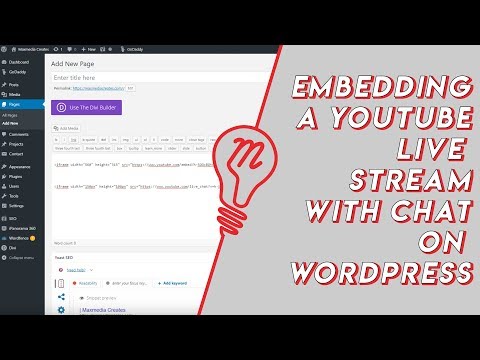 Embed YouTube Live ChatTo put a YouTube live stream's chat on your own website, use an iframe whose address is youtube.com/live_chat?v= followed by the stream's video ID and &embed_domain= followed by your site's host name. In Vi.ki's test on Nov 21, 2026 YouTube let the chat into a frame only when that host matched the page exactly, www included.
-
 Every YouTube Embed ParameterEvery parameter a YouTube embed address takes, in one sortable table: the 21 in Google's IFrame player reference plus mute, with each one's values, default and what the embed page did with it in Vi.ki's test on Nov 18, 2026. Start and end are the pair worth knowing; rel=0 no longer hides related videos.
-
 Every YouTube URL FormatEvery address form YouTube answers for videos, channels, playlists and lookups, each requested on Nov 19, 2026 with what came back. Eleven video forms all lead to youtube.com/watch?v=ID, the one address YouTube names as canonical for an ordinary video; five channel forms all lead to youtube.com/channel/ID.
-
 Find a Channel IDFind any YouTube channel's ID on its channel page by opening the description (the About panel), then Share channel > Copy channel ID; your own is also under Settings > Advanced settings, or at youtube.com/account_advanced.
-
 Frame by Frame with Comma and PeriodOn YouTube on a computer, pause the video, then press the period key to step one frame forward and the comma key to step one frame back.
See also
-
 Channel RSS FeedEvery YouTube channel has an RSS feed at youtube.com/feeds/videos.xml?channel_id= plus the channel ID. It lists the 15 newest uploads, Shorts included; in Vi.ki's test on Nov 13, 2026, swapping in playlist_id=UULF plus the rest of the ID gave a feed of long videos only.
-
 Exact Upload Time of a VideoYouTube shows only the day a video was published, but the watch page's source holds the time to the second, after itemprop="datePublished", written in Pacific time. For a live stream that time is when the recording was published, minutes after the stream ended; the start is in a separate startDate line.
-
 Get a Video's Full-Size ThumbnailAny YouTube video's thumbnail opens at img.youtube.com/vi/VIDEO_ID/maxresdefault.jpg, 1280 by 720 pixels when the video has one, with hqdefault.jpg (480 by 360) as the size every video has.
-
 Check If a YouTube Video Can Be EmbeddedOpen youtube.com/oembed?url= followed by the video's watch address: in Vi.ki's test on Nov 21, 2026 it answered 200 with the embed code when the video embeds, 401 Unauthorized when its owner turned embedding off, 403 Forbidden for a private video and 404 Not Found for no such video. An age-restricted video still answered 200, though it will not play on other sites.
-
YouTube EmbedsTo embed a YouTube video, click Share under it, then Embed, and paste the HTML code into your site; swap youtube.com for youtube-nocookie.com for privacy-enhanced mode, add ?start= to begin at a second, and creators can stop others embedding by unticking Allow embedding in YouTube Studio.
-
 Block a Video by CountryAn ordinary YouTube channel cannot block its own video in chosen countries. The setting exists only in Studio Content Manager, the tool of networks and rights holders, and it is built for licensing, not for hiding from an audience.