
 All vikis
Start a Mix From Any Song
Add &list=RD plus the video's own ID to a song's watch address and YouTube opens a Mix of 25 videos that starts with that song. In Vi.ki's test on Nov 13, 2026 it worked on all four music videos tried and on none of the five other videos, and the list changed with every request.
To start a YouTube Mix from a song of your choice, add &list=RD and then the video's own ID to the end of its watch address: https://www.youtube.com/watch?v=dQw4w9WgXcQ&list=RDdQw4w9WgXcQ. Opened signed out on Nov 13, 2026, that address played the song with a playlist beside it titled "Mix - Rick Astley - Never Gonna Give You Up (Official Video) (4K Remaster)", credited to YouTube, holding 25 videos with the chosen song first. It works only where YouTube treats the video as music: the same pattern on a vlog, a tutorial, a Short and a live radio stream opened the video with no Mix at all.
Next: repeat the one song instead of moving to the next, a fixed list of exactly the songs you pick, which a Mix is not or line up a few tracks by hand.
What worked and what did not
Every row is a request made by Vi.ki on Nov 13, 2026, signed out, with no cookies kept; "Mix" means the page YouTube returned held the playlist panel.
| Video | &list=RD plus its ID |
|---|---|
Rick Astley, "Never Gonna Give You Up" (dQw4w9WgXcQ) |
Mix of 25 |
Luis Fonsi, "Despacito" (kJQP7kiw5Fk) |
Mix of 25 |
PSY, "Gangnam Style" (9bZkp7q19f0) |
Mix of 25 |
Pinkfong, "Baby Shark Dance" (XqZsoesa55w) |
Mix of 25 |
"Me at the zoo" (jNQXAC9IVRw) |
No Mix |
MrBeast, "$456,000 Squid Game In Real Life!" (0e3GPea1Tyg) |
No Mix |
A how-to video on YouTube shortcuts (BWvpR2hVGMY) |
No Mix |
A Short from YouTube's channel (r-tZnHuRC0I) |
No Mix |
Lofi Girl's live radio stream (jfKfPfyJRdk) |
No Mix |
Four of four music videos, none of five others. Nine videos is a small sample, and we cannot see how YouTube decides what counts as music, so a song uploaded by a small channel may behave differently from these official uploads.
The list is different every time
A Mix is not a playlist anyone saved. We asked for the Rick Astley address four times within a few minutes. Each answer had 25 videos and began with the chosen song, but the rest moved: the fourth video was Tears for Fears' "Everybody Wants to Rule the World" in the first answer and Rick Astley's "Together Forever" in the second. The data in the page marks the list as endless, so it grows as it plays. That fits how YouTube Help defines the feature, "a nonstop playlist tailored to you" (YouTube Mix, read Nov 13, 2026); signed out there is nobody to tailor it to, and it still varied. So a Mix link shares a starting point, never the same 25 songs.
Variations of the address
| Tried | Result |
|---|---|
youtu.be/dQw4w9WgXcQ?list=RDdQw4w9WgXcQ |
Redirected to the watch page with the Mix |
&list=RDMMdQw4w9WgXcQ (two extra letters, MM) |
A list of 25 titled "My Mix" instead |
watch?v=jNQXAC9IVRw&list=RDdQw4w9WgXcQ (a different video in front) |
The Rick Astley Mix, with "Me at the zoo" placed first and the song second |
&list=RDAAAAAAAAAAA (an ID that does not exist) |
The video alone, no Mix |
youtube.com/playlist?list=RDdQw4w9WgXcQ |
An error: "This playlist type is unviewable." |
The third row is the useful surprise: any video can be put at the head of a song's Mix, even one that gets no Mix of its own. The last row means a Mix has no page of its own; it exists only beside a playing video.
The personal list behind RDMM has been part of YouTube Music since its early days. Mike O'Brien's Dec 12, 2018 review of the app found one personalized mix, "Your Mixtape", built from what he had been listening to that morning, and an up-next queue that YouTube generated by itself from any single song he picked, which likes and dislikes would tune.
Where YouTube offers a Mix itself
Help lists four places: in search results, on Home, on Music cards and "in the Suggested section on certain watch pages". Help also says a Mix can be added to the Playlists section of your Library from the top right of the Mix, except when the content is set as made for kids. The list=RD address is not mentioned there, so it could stop working without notice. Its use is that it does not wait for YouTube to offer a Mix: it asks for one, for the song you chose.
YouTube Music has the same thing as a menu option: Howzenic's walkthrough right-clicks a song in a playlist, or opens one from the home page, and chooses Start radio, which builds "a new and endless playlist" of songs similar in sound, genre or mood to the one picked.
What we think
We think this is the fastest way to turn one song into background music on a computer: one paste, no account, no search. For a party or a shop it is the wrong tool, since nobody can know what the twentieth song will be; build a real playlist for that.
We think the list=RD address will still open a Mix a year from now, because in every Mix we opened, the playlist code in YouTube's own page data was RD followed by the song's ID: the address is how YouTube itself names a Mix.
Confidence: Likely. Check by: Nov 13, 2027.
What would prove us wrong: the example address at the top of this page opening the song with no Mix beside it on that day.
Sources
- YouTube Mix, YouTube Help, read Nov 13, 2026
- Vi.ki's requests to youtube.com watch, youtu.be and playlist addresses with list=RD codes, signed out, Nov 13, 2026
- How To Use YouTube Music Radio, Howzenic, Nov 17, 2025 (video)
- YouTube Music vs. Premium HONEST REVIEW (Top Features & Biggest Complaints), Mike O'Brien, Dec 12, 2018 (video)
Moments
YouTube Music vs. Premium HONEST REVIEW (Top Features & Biggest Complaints)
Mike O'Brien
How To Use YouTube Music Radio
Howzenic
Related
-
 Check If a YouTube Video Can Be EmbeddedOpen youtube.com/oembed?url= followed by the video's watch address: in Vi.ki's test on Nov 21, 2026 it answered 200 with the embed code when the video embeds, 401 Unauthorized when its owner turned embedding off, 403 Forbidden for a private video and 404 Not Found for no such video. An age-restricted video still answered 200, though it will not play on other sites.
-
-
 Embed a YouTube ShortA YouTube Short embeds like any video, at youtube.com/embed/ followed by its ID, but in a tall frame: width 315 and height 560 keep it 9:16. YouTube's own oEmbed answer for a /shorts/ address, read Nov 21, 2026, gave a vertical 113 by 200 frame, and the same video asked for by its watch address a horizontal one.
-
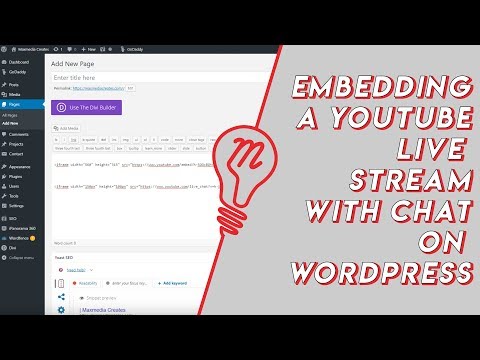 Embed YouTube Live ChatTo put a YouTube live stream's chat on your own website, use an iframe whose address is youtube.com/live_chat?v= followed by the stream's video ID and &embed_domain= followed by your site's host name. In Vi.ki's test on Nov 21, 2026 YouTube let the chat into a frame only when that host matched the page exactly, www included.
-
 Every YouTube Embed ParameterEvery parameter a YouTube embed address takes, in one sortable table: the 21 in Google's IFrame player reference plus mute, with each one's values, default and what the embed page did with it in Vi.ki's test on Nov 18, 2026. Start and end are the pair worth knowing; rel=0 no longer hides related videos.
-
 Every YouTube URL FormatEvery address form YouTube answers for videos, channels, playlists and lookups, each requested on Nov 19, 2026 with what came back. Eleven video forms all lead to youtube.com/watch?v=ID, the one address YouTube names as canonical for an ordinary video; five channel forms all lead to youtube.com/channel/ID.
-
 Exact Upload Time of a VideoYouTube shows only the day a video was published, but the watch page's source holds the time to the second, after itemprop="datePublished", written in Pacific time. For a live stream that time is when the recording was published, minutes after the stream ended; the start is in a separate startDate line.
-
 Find a Channel IDFind any YouTube channel's ID on its channel page by opening the description (the About panel), then Share channel > Copy channel ID; your own is also under Settings > Advanced settings, or at youtube.com/account_advanced.
See also
-
 Loop a VideoTo loop a YouTube video on a computer, right-click the player and click Loop; in the app, tap Settings, Additional settings, Loop video; a playlist loops with the Loop button in its playlist box.
-
 Make a Playlist From Video IDsThe address youtube.com/watch_videos?video_ids= followed by video IDs separated by commas opens those videos as a temporary unlisted playlist, with no sign-in. In Vi.ki's test on Nov 11, 2026 it kept the first 50 IDs, and one wrong ID dropped the whole list.
-
 QueueYouTube's queue lines up videos to play next without stopping the current one. On a computer, choose More, Add to queue, free; on phones and tablets, More, Play next in queue or Play last in queue needs YouTube Premium. The queue disappears when the browser closes unless saved to a playlist.
-
 Block a Video by CountryAn ordinary YouTube channel cannot block its own video in chosen countries. The setting exists only in Studio Content Manager, the tool of networks and rights holders, and it is built for licensing, not for hiding from an audience.
-
 Channel Membership Join LinkA YouTube channel's membership link is its address with /join added, such as youtube.com/@LofiGirl/join, which YouTube Help says links "directly to your membership window". It works after a handle or a channel ID; in Vi.ki's test on Nov 19, 2026 a channel without memberships answered the same address with its plain channel page.
-
 Channel RSS FeedEvery YouTube channel has an RSS feed at youtube.com/feeds/videos.xml?channel_id= plus the channel ID. It lists the 15 newest uploads, Shorts included; in Vi.ki's test on Nov 13, 2026, swapping in playlist_id=UULF plus the rest of the ID gave a feed of long videos only.