
 All vikis
YouTube Settings Links
Every YouTube settings page has a short address: youtube.com/account_notifications for notifications, youtube.com/paid_memberships for Premium and channel memberships, youtube.com/account_advanced for your channel ID, youtube.com/handle, youtube.com/verify and more. Vi.ki requested 19 such addresses on Nov 20, 2026: 13 led to sign-in and back, two to YouTube Studio, and four made-up ones answered 404.
YouTube's settings pages each have a short address you can type or bookmark: https://www.youtube.com/account_notifications opens notification settings, https://www.youtube.com/paid_memberships your YouTube Premium and channel memberships, and https://www.youtube.com/account_advanced the page with your channel ID. All three are the addresses YouTube Help itself links to (Manage YouTube notifications, Join, change, or cancel a membership, Find your YouTube user & channel IDs, read Nov 20, 2026). Vi.ki requested 19 addresses of this kind signed out on Nov 20, 2026: 13 sent us to Google's sign-in page with the address kept for the way back, which is what a real settings page does, two went on to YouTube Studio, and the four we made up (account_xyz among them) answered 404 Not Found, so a wrong guess shows at once.
Next: the same trick for YouTube Studio's pages, what the channel ID on account_advanced is for or the addresses of your own lists.
The addresses
| Address | Opens | Help links it | Signed out, Nov 20, 2026 |
|---|---|---|---|
youtube.com/account |
Settings: Account | Sign-in, then back | |
youtube.com/account_notifications |
Settings: Notifications | Yes | Sign-in, then back |
youtube.com/account_playback |
Settings: Playback and performance | Sign-in, then back | |
youtube.com/account_downloads |
Settings: Downloads | Sign-in, then back | |
youtube.com/account_privacy |
Settings: Privacy | Sign-in, then back | |
youtube.com/account_sharing |
Settings: Connected apps | Sign-in, then back | |
youtube.com/account_billing |
Settings: Billing and payments | Sign-in, then back | |
youtube.com/account_advanced |
Settings: Advanced settings, with your user ID and channel ID | Yes | Sign-in, then back |
youtube.com/paid_memberships |
Premium, channel memberships and their billing | Yes | Sign-in, then back |
youtube.com/handle |
Your handle, to view or change | Yes | Sign-in, then back |
youtube.com/verify |
Phone verification for intermediate features | Yes | Sign-in, then back |
youtube.com/channel_switcher |
Settings: Account, whose "All channels" part lists every channel on your Google Account (signed in, Nov 20, 2026, it moved there) | Sign-in, then back | |
youtube.com/create_channel |
Making a channel | Sign-in, then back | |
youtube.com/copyright_complaint_form |
The copyright removal request form, in Studio | Yes | 301 to studio.youtube.com/channel/UC/copyright/history?d=tdf |
youtube.com/upload |
The upload window, in Studio | 301 to studio.youtube.com/channel/UC/content?d=ud |
|
youtube.com/account_family, account_connected, account_premium, account_xyz |
Nothing | 404 Not Found |
The "Opens" names are the left-hand menu of youtube.com's Settings page; "Sign-in, then back" means YouTube sent the request to accounts.google.com with the same address set as the place to return to after sign-in.
The two that open Studio
Two addresses leave youtube.com for YouTube Studio, and YouTube's own redirect adds a code for what to open there: d=ud after upload and d=tdf after copyright_complaint_form. The Studio address names no channel, only channel/UC, so the same link works for every creator (Hidden YouTube Studio Pages). Help's copyright page gives the form as https://www.youtube.com/copyright_complaint_form?contact_type=hc; our request for that one went to the same Studio page with &contact_type=hc kept.
What Help says about the documented ones
paid_memberships. YouTube Viewers, YouTube's channel for viewers, sends people straight to it in its Jan 14, 2019 video on canceling Premium: "Visit youtube.com/paid_memberships then click 'Manage memberships'", and adds that a membership billed by Apple or Google Play is canceled there instead. Help's channel membership page, read Nov 20, 2026, starts its cancel steps the same way: "Go to youtube.com/paid_memberships", then Manage membership (Channel Memberships, YouTube Premium).
account_notifications. The same channel's Jan 30, 2023 video takes the long route, profile picture, Settings, Notifications, then down to Email notifications; the address lands on that page in one step.
account_advanced. Help: "You can see your channel's user and channel IDs in your advanced account settings", and only the channel's primary owner sees them (Find a Channel ID).
handle. Help: "You can always view and edit the handle in Studio or by going to youtube.com/handle."
verify. Help's verification page links youtube.com/verify and adds that "a phone number can only be associated with 2 channels per year".
Sources
- Manage YouTube notifications, YouTube Help, read Nov 20, 2026
- Join, change, or cancel a membership, YouTube Help, read Nov 20, 2026
- Find your YouTube user & channel IDs, YouTube Help, read Nov 20, 2026
- Learn about YouTube handles, YouTube Help, read Nov 20, 2026
- Verify your YouTube account, YouTube Help, read Nov 20, 2026
- Submit a copyright removal request, YouTube Help, read Nov 20, 2026
- How to cancel your YouTube Premium or YouTube Music Premium membership, YouTube Viewers, Jan 14, 2019 (video)
- How to opt in or out of YouTube email notifications, YouTube Viewers, Jan 30, 2023 (video)
- Vi.ki's requests to 19 youtube.com addresses with curl, signed out, Nov 20, 2026, reading each status code and redirect
Moments
How to cancel your YouTube Premium or YouTube Music Premium membership
YouTube Viewers
How to opt in or out of YouTube email notifications
YouTube Viewers
Related
-
 Block a Video by CountryAn ordinary YouTube channel cannot block its own video in chosen countries. The setting exists only in Studio Content Manager, the tool of networks and rights holders, and it is built for licensing, not for hiding from an audience.
-
 Channel Membership Join LinkA YouTube channel's membership link is its address with /join added, such as youtube.com/@LofiGirl/join, which YouTube Help says links "directly to your membership window". It works after a handle or a channel ID; in Vi.ki's test on Nov 19, 2026 a channel without memberships answered the same address with its plain channel page.
-
 Channel RSS FeedEvery YouTube channel has an RSS feed at youtube.com/feeds/videos.xml?channel_id= plus the channel ID. It lists the 15 newest uploads, Shorts included; in Vi.ki's test on Nov 13, 2026, swapping in playlist_id=UULF plus the rest of the ID gave a feed of long videos only.
-
 Check If a YouTube Video Can Be EmbeddedOpen youtube.com/oembed?url= followed by the video's watch address: in Vi.ki's test on Nov 21, 2026 it answered 200 with the embed code when the video embeds, 401 Unauthorized when its owner turned embedding off, 403 Forbidden for a private video and 404 Not Found for no such video. An age-restricted video still answered 200, though it will not play on other sites.
-
-
 Embed a YouTube ShortA YouTube Short embeds like any video, at youtube.com/embed/ followed by its ID, but in a tall frame: width 315 and height 560 keep it 9:16. YouTube's own oEmbed answer for a /shorts/ address, read Nov 21, 2026, gave a vertical 113 by 200 frame, and the same video asked for by its watch address a horizontal one.
-
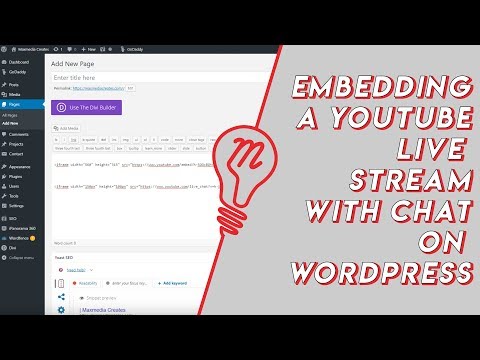 Embed YouTube Live ChatTo put a YouTube live stream's chat on your own website, use an iframe whose address is youtube.com/live_chat?v= followed by the stream's video ID and &embed_domain= followed by your site's host name. In Vi.ki's test on Nov 21, 2026 YouTube let the chat into a frame only when that host matched the page exactly, www included.
-
 Every YouTube Embed ParameterEvery parameter a YouTube embed address takes, in one sortable table: the 21 in Google's IFrame player reference plus mute, with each one's values, default and what the embed page did with it in Vi.ki's test on Nov 18, 2026. Start and end are the pair worth knowing; rel=0 no longer hides related videos.
See also
-
 Hidden YouTube Studio PagesYouTube Studio pages can be opened directly by address, studio.youtube.com/channel/YOUR_CHANNEL_ID/ followed by a path such as content/inspiration (saved ideas), copyright/history (copyright removal requests) or monetization/affiliate_hub (Shopping affiliate offers).
-
 Find a Channel IDFind any YouTube channel's ID on its channel page by opening the description (the About panel), then Share channel > Copy channel ID; your own is also under Settings > Advanced settings, or at youtube.com/account_advanced.
-
 Watch Later and Liked Videos LinksYour YouTube Watch later list is at youtube.com/playlist?list=WL and your Liked videos at youtube.com/playlist?list=LL. Both open only for the signed-in account; history, playlists and the You tab have feed addresses of their own, each requested by Vi.ki on Nov 20, 2026.
-
 HandlesA YouTube handle is a channel's unique @name, 3 to 30 characters long. Change it in YouTube Studio under Customization > Profile > Handle, or at youtube.com/handle, up to twice in 14 days.
-
 Feature AccessYouTube unlocks channel features in three tiers: standard features for everyone, intermediate features after phone verification, and advanced features after phone verification plus channel history or an ID or video check. All three are checked in YouTube Studio under Settings > Channel > Feature eligibility.
-
Channel MembershipsYouTube channel memberships let viewers pay a creator monthly through the Join button for perks like badges, emoji and members-only videos. Creators need the fan funding tier of the YouTube Partner Program (500 subscribers), can offer up to 6 levels priced from $0.99 to $499.99 in the US, and keep 70% of net revenue.