
 All vikis
YouTube Language Link
Add ?persist_hl=1&hl=fr (or &persist_hl=1&hl=fr after an existing ?) to any YouTube address to open that page in French, or any other language code; hl= alone is ignored by a browser that sends its own language, and gl=JP sets the country. In Vi.ki's tests on Nov 18, 2026 the choice did not carry to the next page.
To open a YouTube page in another language from its address, add persist_hl=1&hl= and a language code: https://www.youtube.com/watch?v=jNQXAC9IVRw&persist_hl=1&hl=de opened "Me at the zoo" with YouTube's menus and buttons in German when Vi.ki requested it on Nov 18, 2026, from a browser that asked for English. Without persist_hl=1, the same hl=de was ignored: YouTube follows the language the browser sends with every request, and only drops it for the address when both are there. For a country rather than a language, gl= and a two-letter country code (gl=JP) works alone.
Next: hear a video in another language, which this link does not change, captions in your language or the hl= of an embedded player, which works on its own.
The parts of the link
| Part | What it does |
|---|---|
? or & |
? if the address has no question mark yet (youtube.com/?persist_hl=1&hl=ja), & if it has one (watch?v=ID&persist_hl=1&hl=ja) |
persist_hl=1 |
Tells YouTube to take the language from the address over the browser's own |
hl=de |
The language: a two-letter code (de, fr, ja), or a language and region (pt-BR) |
gl=JP |
The country YouTube treats you as being in, by its two-letter code |
The order of the two does not matter: &hl=de&persist_hl=1 gave the same German page.
What we tried
Each row is a signed-out request Vi.ki made on Nov 18, 2026 with a browser's English language header, reading the page's language and YouTube's own hl and gl settings from the page that came back.
| Address ending | Page language | YouTube's hl |
YouTube's gl |
|---|---|---|---|
watch?v=jNQXAC9IVRw |
English | en |
AE |
...&hl=fr |
English | en |
AE |
...&persist_hl=1&hl=de |
German | de |
AE |
...&hl=de&persist_hl=1 |
German | de |
AE |
youtube.com/?persist_hl=1&hl=ja |
Japanese | ja |
AE |
youtube.com/?persist_hl=1&hl=pt-BR |
Brazilian Portuguese | pt |
AE |
@LofiGirl/videos?persist_hl=1&hl=fr |
French | fr |
AE |
results?search_query=lofi&persist_hl=1&hl=es |
Spanish | es |
AE |
youtube.com/?persist_hl=1&hl=zz (no such language) |
English | en |
AE |
...&gl=JP |
English | en |
JP |
...&hl=fr&gl=FR |
English | en |
FR |
AE is the United Arab Emirates, where the requests came from: YouTube picks the country from where you are until something says otherwise. A request with no language header at all took hl=fr alone, which is why older guides say hl= is enough; a real browser always sends one.
The language did not stay. After the German page, the next request in the same session, with its cookies kept and no parameter, came back in English, and the page had set no preference cookie. So the link is for one page you send to someone, or for looking at YouTube's own wording in another language, not a setting. Signed in, the setting that stays is the menu below.
What the language changes, and what it does not
YouTube Help says the language setting changes "video metadata, like channel name and video title, when available", and the language of Voice Search; the country shapes recommendations, charts and news (Change language or location settings, read Nov 18, 2026). A video's sound stays in the language it was made in unless it has another audio track (Switch Audio Tracks and Languages), and its captions are a separate choice (Captions and Subtitles).
Team YouTube's own video on the setting, posted Apr 19, 2019 on the YouTube Viewers channel, puts it the same way: language changes the text on the site, location the videos that are recommended, and "videos should remain in their original language".
The setting that stays
On a computer, YouTube Help's steps are: click your profile picture, click Display Language or Location, and pick one (Change language or location settings). Help adds that the choice is kept in your browser, so clearing its cookies or cache undoes it.
On a phone it worked differently, as YouTube Viewers' Nov 8, 2018 mobile version of the video shows: in the Android and iOS apps, the account icon, Settings (then General on Android) and Location change the country, but the language follows the phone's own settings; on m.youtube.com, the menu's Settings holds both language and country.
What we think
We think persist_hl=1&hl= will still switch a page's language a year from now. YouTube's own sign-in links carry hl= in their addresses, as the redirects we saw today did, so the parameter is part of how YouTube itself works, not a leftover.
Confidence: Likely. Check by: Nov 18, 2027.
How we will check: request youtube.com/?persist_hl=1&hl=ja with an English language header and see whether the page comes back in Japanese.
Sources
- Change language or location settings, YouTube Help, read Nov 18, 2026
- How to change the language and location on YouTube from your computer, YouTube Viewers, Apr 19, 2019 (video)
- Vi.ki's signed-out requests to youtube.com with hl, persist_hl and gl, Nov 18, 2026
- How to change the language and country settings on YouTube from your mobile device, YouTube Viewers, Nov 8, 2018 (video)
Moments
How to change the language and location on YouTube from your computer
YouTube Viewers
How to change the language and country settings on YouTube from your mobile device
YouTube Viewers
Related
-
 Check If a YouTube Video Can Be EmbeddedOpen youtube.com/oembed?url= followed by the video's watch address: in Vi.ki's test on Nov 21, 2026 it answered 200 with the embed code when the video embeds, 401 Unauthorized when its owner turned embedding off, 403 Forbidden for a private video and 404 Not Found for no such video. An age-restricted video still answered 200, though it will not play on other sites.
-
-
 Embed a YouTube ShortA YouTube Short embeds like any video, at youtube.com/embed/ followed by its ID, but in a tall frame: width 315 and height 560 keep it 9:16. YouTube's own oEmbed answer for a /shorts/ address, read Nov 21, 2026, gave a vertical 113 by 200 frame, and the same video asked for by its watch address a horizontal one.
-
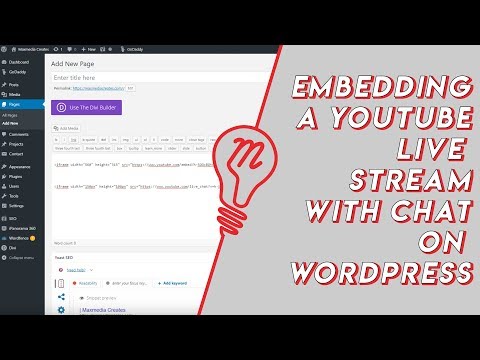 Embed YouTube Live ChatTo put a YouTube live stream's chat on your own website, use an iframe whose address is youtube.com/live_chat?v= followed by the stream's video ID and &embed_domain= followed by your site's host name. In Vi.ki's test on Nov 21, 2026 YouTube let the chat into a frame only when that host matched the page exactly, www included.
-
 Every YouTube URL FormatEvery address form YouTube answers for videos, channels, playlists and lookups, each requested on Nov 19, 2026 with what came back. Eleven video forms all lead to youtube.com/watch?v=ID, the one address YouTube names as canonical for an ordinary video; five channel forms all lead to youtube.com/channel/ID.
-
 Exact Upload Time of a VideoYouTube shows only the day a video was published, but the watch page's source holds the time to the second, after itemprop="datePublished", written in Pacific time. For a live stream that time is when the recording was published, minutes after the stream ended; the start is in a separate startDate line.
-
 Find a Channel IDFind any YouTube channel's ID on its channel page by opening the description (the About panel), then Share channel > Copy channel ID; your own is also under Settings > Advanced settings, or at youtube.com/account_advanced.
-
 Frame by Frame with Comma and PeriodOn YouTube on a computer, pause the video, then press the period key to step one frame forward and the comma key to step one frame back.
See also
-
 Switch Audio Tracks and LanguagesTo hear a YouTube video in another language, open the player's Settings gear, choose Audio track, and pick a language; "original" marks the creator's own voice, and dubbed tracks may be uploaded by the creator or generated by automatic dubbing.
-
 Captions and SubtitlesTurn YouTube captions on with the CC button or the C key, translate them with Settings, Subtitles/CC, Auto-translate, and restyle them under Options. Creators add captions in YouTube Studio's Subtitles page; automatic captions cover 67 languages.
-
 Every YouTube Embed ParameterEvery parameter a YouTube embed address takes, in one sortable table: the 21 in Google's IFrame player reference plus mute, with each one's values, default and what the embed page did with it in Vi.ki's test on Nov 18, 2026. Start and end are the pair worth knowing; rel=0 no longer hides related videos.
-
 Block a Video by CountryAn ordinary YouTube channel cannot block its own video in chosen countries. The setting exists only in Studio Content Manager, the tool of networks and rights holders, and it is built for licensing, not for hiding from an audience.
-
 Channel Membership Join LinkA YouTube channel's membership link is its address with /join added, such as youtube.com/@LofiGirl/join, which YouTube Help says links "directly to your membership window". It works after a handle or a channel ID; in Vi.ki's test on Nov 19, 2026 a channel without memberships answered the same address with its plain channel page.
-
 Channel RSS FeedEvery YouTube channel has an RSS feed at youtube.com/feeds/videos.xml?channel_id= plus the channel ID. It lists the 15 newest uploads, Shorts included; in Vi.ki's test on Nov 13, 2026, swapping in playlist_id=UULF plus the rest of the ID gave a feed of long videos only.