
 All vikis
Sign In to YouTube on a TV
To sign in to the YouTube app on a smart TV or game console, open yt.be/activate on a phone or computer and type the code the TV shows. In Vi.ki's test on Nov 20, 2026 the address led, in three hops, to Google's own "Connect a device" page at accounts.google.com, the only place the code belongs.
To sign in to YouTube on a smart TV or game console, open https://yt.be/activate on your phone, tablet or computer and type the code shown on the TV; YouTube Help gives exactly that address ("go to yt.be/activate on your phone, tablet, or computer, then enter the code on the screen", Sign in to the YouTube app on your smart TV or game console, read Nov 20, 2026). When Vi.ki requested it on Nov 20, 2026, yt.be/activate sent us to youtube.com/tv/activate, which sent us to accounts.google.com/device, which opened Google's sign-in page headed Connect a device with the words Enter the code displayed on your device. That last page, on accounts.google.com, is the only place the code goes. It is also the one use of yt.be most people will ever type.
Next: lock the account you just put on a shared TV, the address of every settings page once you are signed in or what to do if a code page took your password.
The address, hop by hop
Requested with curl on Nov 20, 2026, signed out:
| You type | YouTube or Google answered | What it means |
|---|---|---|
yt.be/activate |
302 to youtube.com/tv/activate |
The short form Help prints |
youtube.com/tv/activate |
301 to www.youtube.com/tv/activate, then 301 to accounts.google.com/device |
The longer form some TVs show |
youtube.com/activate |
301 to www.youtube.com/activate, then 301 to accounts.google.com/device |
Also works |
accounts.google.com/device |
302 to accounts.google.com/o/oauth2/device/usercode |
Google's code page: "Connect a device" |
youtu.be/activate |
303 to watch?v=activate |
Wrong: youtu.be takes only video IDs |
tv.youtube.com/start |
303 to the same Google code page | The YouTube TV service, not the free YouTube app |
So yt.be/activate, youtube.com/activate and youtube.com/tv/activate are three doors to one page. Typing youtu.be (with a "u") by habit sends you to a broken watch page instead. A code added to the address, youtube.com/activate?code=ABC, was carried along to Google's page as &code=ABC in our request; whether Google fills the box with it we could not see signed out.
Step by step
- Open the YouTube app on the TV and choose Sign in. The screen shows a QR code and a code to type.
- On a phone, either scan the QR code with the camera, or open a browser and type
yt.be/activate. - Check that you are on
accounts.google.com, then type the code from the TV. - Pick the Google Account to use and allow the TV to use it.
- The TV signs in by itself.
Bscholarly TV walked through the QR route on a Hisense TV in an Oct 21, 2024 video: the phone's link opened "the YouTube activation page", where he checked that the code shown matched the one on the TV before pressing Continue, choosing the email to use and pressing Allow. That match check is the step worth copying: it proves the page belongs to the TV in front of you.
Help's other route is the TV remote: "Use your remote and the on-screen keyboard to enter your Google Account information", slower but with no second device. For phone sign-in, Help says the TV and the phone must be on the same Wi-Fi, with the phone not on mobile data.
YouTube Viewers' own guide to YouTube on a TV names the same three ways in: from the YouTube app on a phone on the same Wi-Fi, which pops up a prompt to Connect; with the code from the TV, scanned as a QR code or typed at youtube.com/activate, checking that the code on the phone matches the TV's before choosing the account and Allow; or with the remote, typing the Gmail address and password.
Only type the code on accounts.google.com
A web search for "yt.be/activate" on Nov 20, 2026 returned YouTube Help first and then a run of pages on sites.google.com and Google Groups with titles such as "yt.be/activate Enter Code", none of them made by YouTube; YouTube's own search for the same words lists channels named after the address. Those pages are on Google's hosting, not Google's sign-in, and Help sends nobody to them. In the real flow every step after yt.be/activate is on accounts.google.com, so a password belongs nowhere else. If the address bar shows anything else after you type yt.be/activate, close the tab.
When the code does not work
Help's checks, read Nov 20, 2026, in its order:
- Type the code again at yt.be/activate: "make sure you typed in the correct code".
- If one route fails, use the other (QR code or remote).
- Power cycle the TV: unplug it for 30 seconds.
- Restart the router and the phone.
- Older Chromecast devices cannot sign in directly.
Help does not say how long a TV code lasts. Its YouTube TV page says a stuck code "may have expired" and that reloading the TV's screen makes a new one (Sign in & out of the YouTube TV app).
What we think
We think yt.be/activate will still lead to Google's code page a year from now: it is printed on TV screens and in Help, and removing it would strand every TV already sold with that text in its app.
Confidence: Likely. Check by: Nov 20, 2027.
How we will check: request yt.be/activate and follow it to its last page.
Sources
- Sign in to the YouTube app on your smart TV or game console, YouTube Help, read Nov 20, 2026
- Sign in & out of the YouTube TV app, YouTube TV Help, read Nov 20, 2026
- How to Sign into YouTube on Any Smart TV, Bscholarly TV, Oct 21, 2024 (video)
- Vi.ki's requests to every address in the table with curl, signed out, Nov 20, 2026, reading each status code, redirect and the last page's title
- How to sign into YouTube on your TV, YouTube Viewers, Aug 14, 2023 (video)
Moments
How to Sign into YouTube on Any Smart TV
Bscholarly TV
How to sign into YouTube on your TV
YouTube Viewers
Related
-
 Channel RSS FeedEvery YouTube channel has an RSS feed at youtube.com/feeds/videos.xml?channel_id= plus the channel ID. It lists the 15 newest uploads, Shorts included; in Vi.ki's test on Nov 13, 2026, swapping in playlist_id=UULF plus the rest of the ID gave a feed of long videos only.
-
 Check If a YouTube Video Can Be EmbeddedOpen youtube.com/oembed?url= followed by the video's watch address: in Vi.ki's test on Nov 21, 2026 it answered 200 with the embed code when the video embeds, 401 Unauthorized when its owner turned embedding off, 403 Forbidden for a private video and 404 Not Found for no such video. An age-restricted video still answered 200, though it will not play on other sites.
-
-
 Embed a YouTube ShortA YouTube Short embeds like any video, at youtube.com/embed/ followed by its ID, but in a tall frame: width 315 and height 560 keep it 9:16. YouTube's own oEmbed answer for a /shorts/ address, read Nov 21, 2026, gave a vertical 113 by 200 frame, and the same video asked for by its watch address a horizontal one.
-
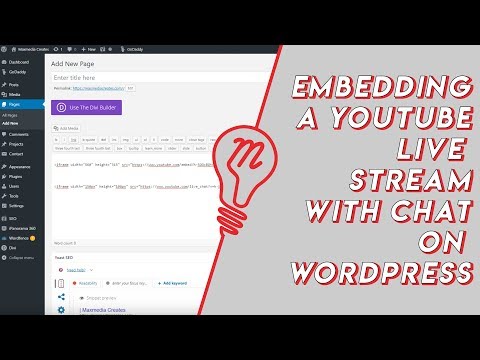 Embed YouTube Live ChatTo put a YouTube live stream's chat on your own website, use an iframe whose address is youtube.com/live_chat?v= followed by the stream's video ID and &embed_domain= followed by your site's host name. In Vi.ki's test on Nov 21, 2026 YouTube let the chat into a frame only when that host matched the page exactly, www included.
-
 Every YouTube Embed ParameterEvery parameter a YouTube embed address takes, in one sortable table: the 21 in Google's IFrame player reference plus mute, with each one's values, default and what the embed page did with it in Vi.ki's test on Nov 18, 2026. Start and end are the pair worth knowing; rel=0 no longer hides related videos.
-
 Every YouTube URL FormatEvery address form YouTube answers for videos, channels, playlists and lookups, each requested on Nov 19, 2026 with what came back. Eleven video forms all lead to youtube.com/watch?v=ID, the one address YouTube names as canonical for an ordinary video; five channel forms all lead to youtube.com/channel/ID.
-
 Exact Upload Time of a VideoYouTube shows only the day a video was published, but the watch page's source holds the time to the second, after itemprop="datePublished", written in Pacific time. For a live stream that time is when the recording was published, minutes after the stream ended; the start is in a separate startDate line.
See also
-
 Short Links youtu.be and yt.beyoutu.be/VIDEO_ID is YouTube's short link for any video and accepts ?t= for a start time; yt.be is a second YouTube domain used only for named campaign links that YouTube itself creates, so yt.be/VIDEO_ID and yt.be/@handle do not work.
-
 2-Step VerificationYouTube requires 2-Step Verification on the Google Account of every channel in the YouTube Partner Program (to use YouTube Studio since Nov 1, 2021) and of every channel applying for the verification badge; YouTube recommends a passkey as the second step because it resists phishing best.
-
 YouTube Settings LinksEvery YouTube settings page has a short address: youtube.com/account_notifications for notifications, youtube.com/paid_memberships for Premium and channel memberships, youtube.com/account_advanced for your channel ID, youtube.com/handle, youtube.com/verify and more. Vi.ki requested 19 such addresses on Nov 20, 2026: 13 led to sign-in and back, two to YouTube Studio, and four made-up ones answered 404.
-
 Hacked Channel RecoveryTo recover a hacked YouTube channel, first recover the Google Account that owns it (password reset and Google's account recovery), then undo the hacker's changes with YouTube Studio's cleanup tool, then secure the account with 2-Step Verification; YouTube's hacked channel assistant helps in English, Spanish and Portuguese.
-
 Block a Video by CountryAn ordinary YouTube channel cannot block its own video in chosen countries. The setting exists only in Studio Content Manager, the tool of networks and rights holders, and it is built for licensing, not for hiding from an audience.
-
 Channel Membership Join LinkA YouTube channel's membership link is its address with /join added, such as youtube.com/@LofiGirl/join, which YouTube Help says links "directly to your membership window". It works after a handle or a channel ID; in Vi.ki's test on Nov 19, 2026 a channel without memberships answered the same address with its plain channel page.